5th Grade On Stage

On May 21, 2013, 5th Grade did something they’d been working up to all year–they performed a musical that they had planned, written, choreographed, staged, costumed, and acted in!  It began as a seed of an idea early in the school year, and blossomed into something bigger better than we could have even imagined.  They really did a stellar job.  But not on their own: our amazingly fabulous music teacher, Mrs. Kesler, was there every step of the way helping them make their dream a reality.

The general premise was of a 5th grade class who was learning to write autobiographies in Writer’s Workshop and the scenes were the memories they came up with to write in their pieces.  A couple of them were “real-life”, like reminiscing about Missouri Day and Box Town, but the other two vignettes twisted truth a little further: one was about a visit one day in kindergarten from a leprechaun and his minions that involved an arm wrestle over some chocolate “gold”, and the other was a crazy escapade to Cahokia Mounds that involved lots of dancing.  It was a great example of what can happen when you let kids run with their ideas, focus on their passions and do what is often “off limits.”  Trusting them with the plan and the execution could have been hard for some, but I love that Mrs. Kesler knew that that was the right thing to do in order to really make it “theirs.”  And theirs it was.

(Wish I had more pictures of it–we really did work for almost 9 months on it.  But I only have pictures from the performance.  Boo. 😦 )

IMG_0876

Backstage on performance night with Jernandra, Sophia and Anna C. They were portraying kindergarteners in the scene with the leprechaun. I was Mrs. Bearden (quite a stretch, huh?)

IMG_0877

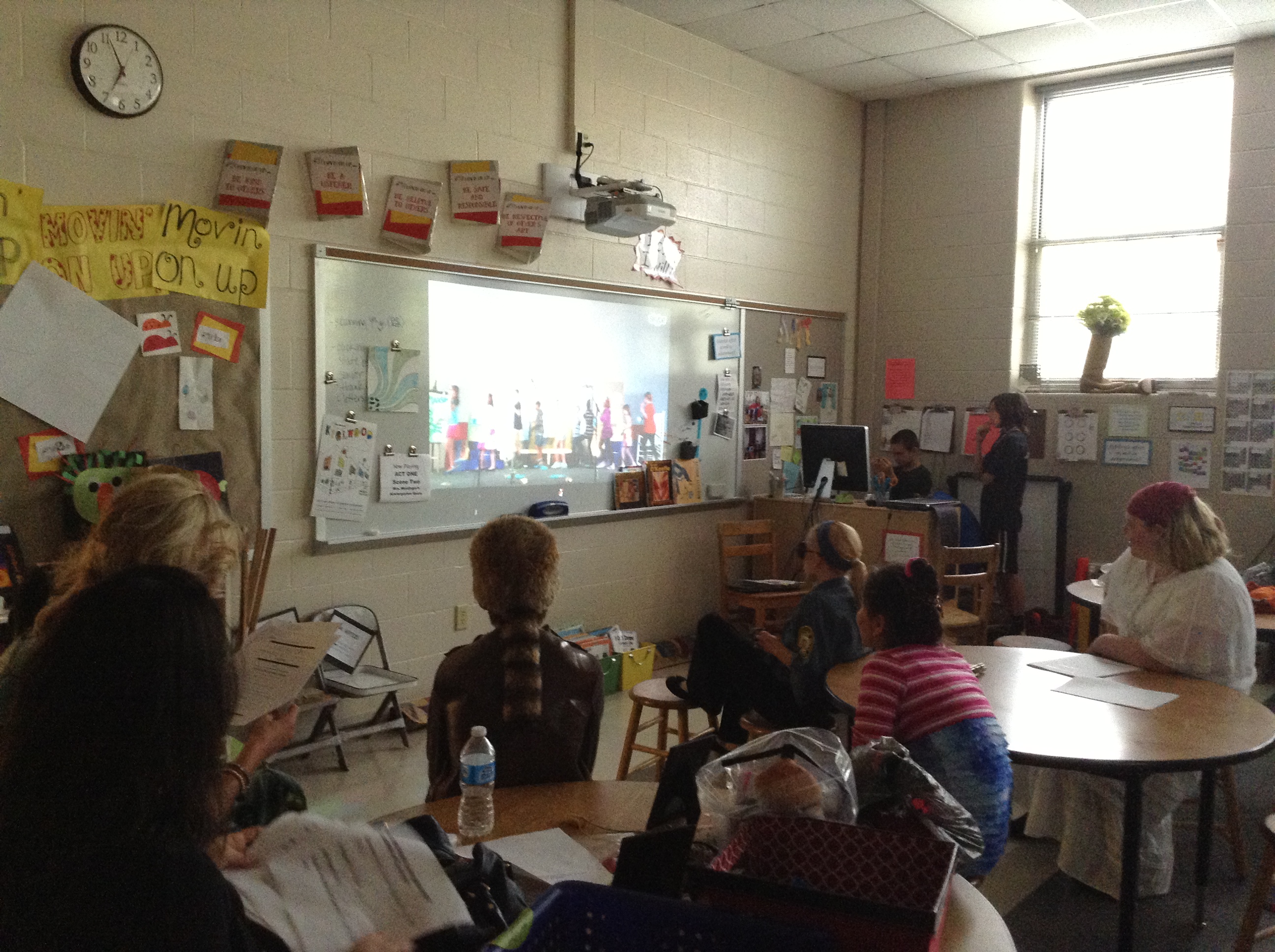
The art room worked as the “green room” for kids to wait in when they weren’t on stage. We had a Skype connection worked up between the gym and this room so we could see what was going on on stage. Teachers and students were in charge of following the script to help actors know when they needed to go over for their next scene. This was really a genius idea that worked out SUPER well!

IMG_0878

Aiden and Don were stage managers and did an amazing job of making sure it all went down as it should. They were in charge of lights, music and all other stage cues to keep us on track. Definitely the two best guys for the job!

IMG_0881

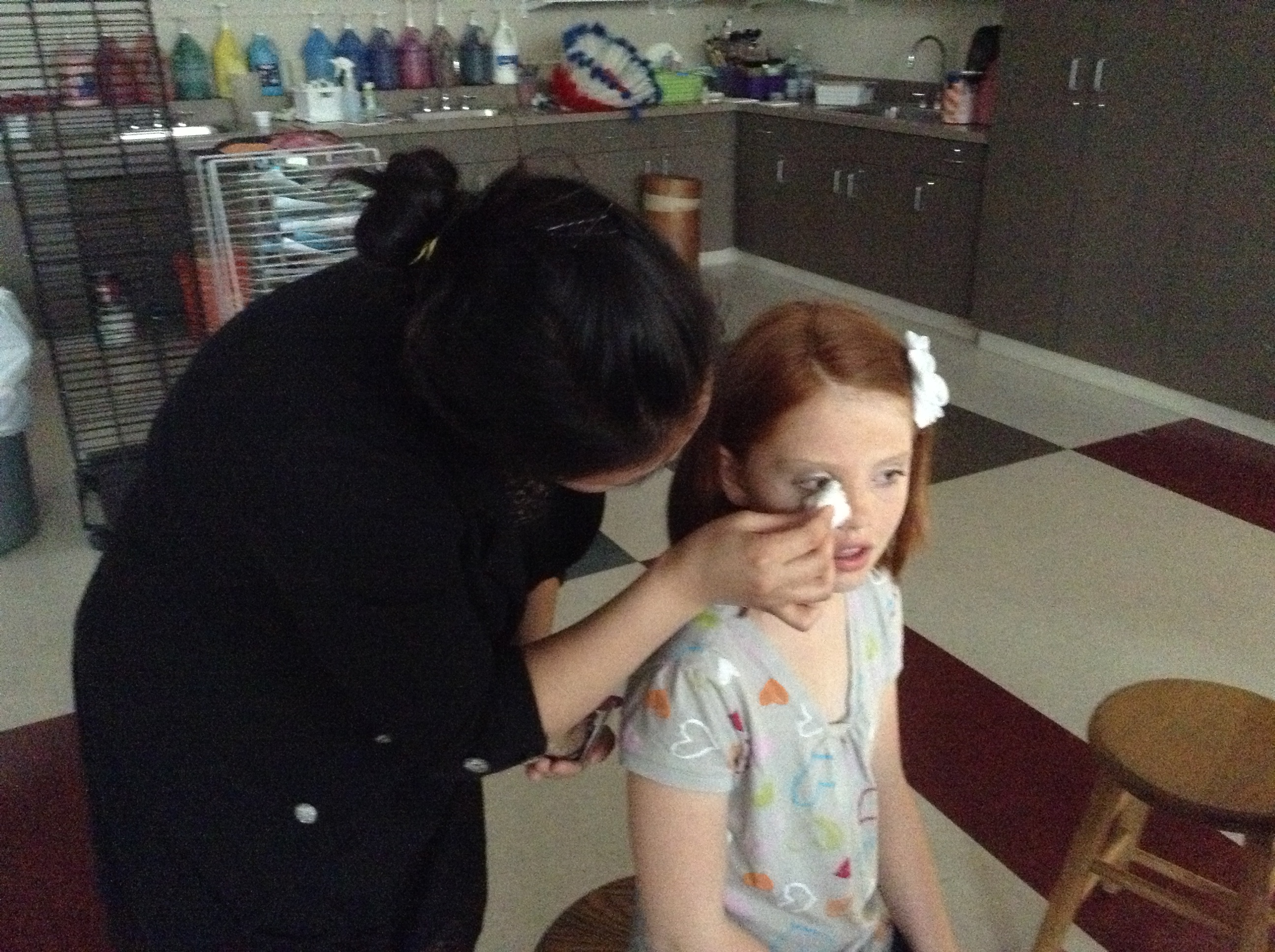
We call these next two pictures “The Many Hats of Mrs. Hong” because aside from being a fabulous teacher, she showed her skills in make-up…

IMG_0882

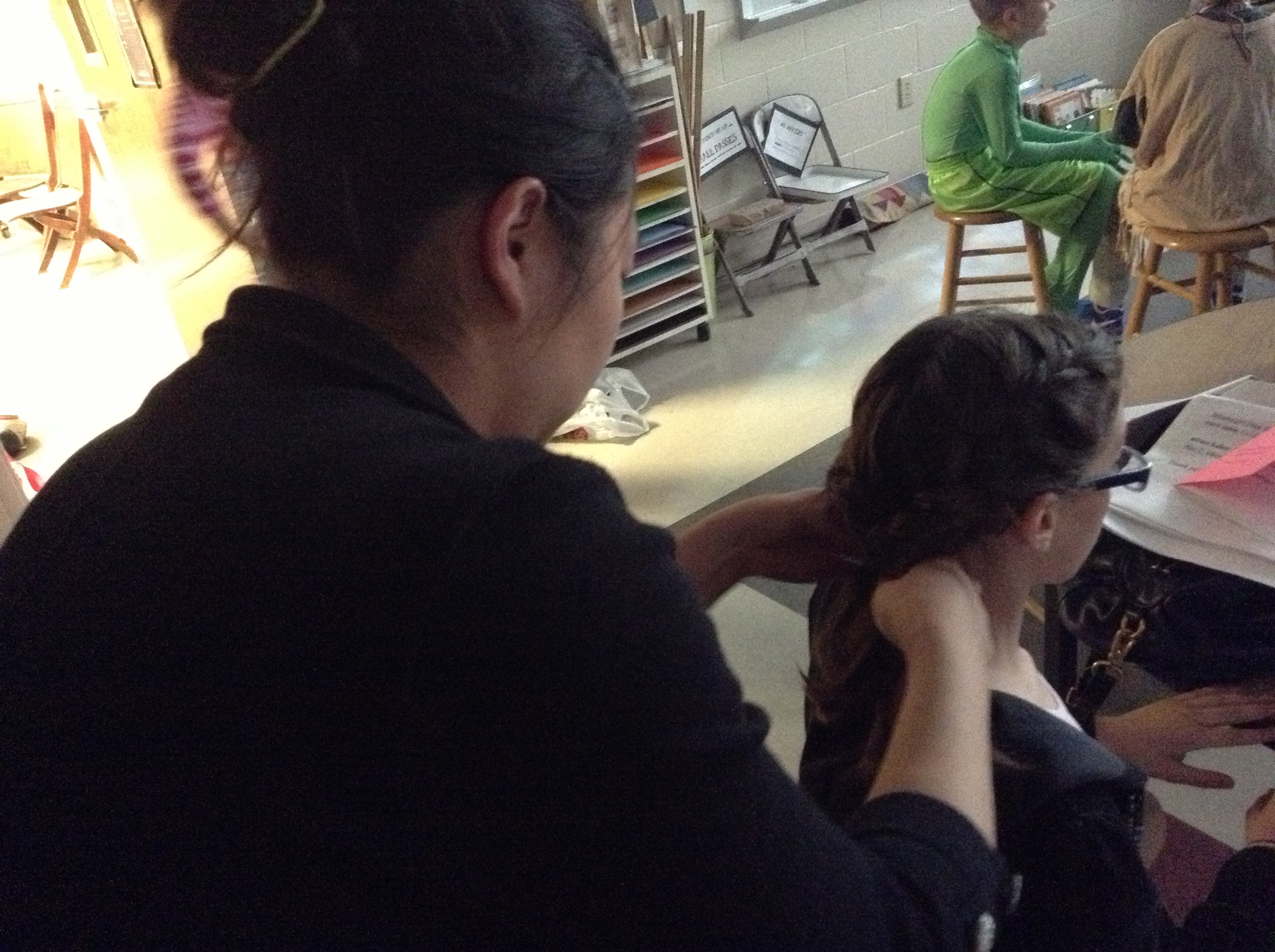
…and hair, as well. Is there anything she can’t do? I don’t think so. 🙂

group pic

Group pic after the performance

  Have you ever taken on a huge project like this one?  How did it go?  What did you learn?

Book Trailers

We watched our first book trailer together when we read The One and Only Ivan earlier this year.   We were mesmerized by how it drew us in and made us want to read the book–even more than we already did!  Then we went 1:1 with iPads, and I knew that this would be something we’d have to do for ourselves, especially since we had some iMovie experts in our midsts (yes, I’m talking about you, Anna K., Aiden and Jack!).

Then, it was time to start thinking about service learning projects, too, and suddenly it all seemed to fall into place….

I was having a conversation with our librarian, Mrs. Meihaus, about my idea for wanting to learn about  book trailers (and at that point I didn’t really have a direction I wanted to go in, or anything more than a desire to do it), and she told me about an idea she’d just learned about from our Scholastic rep–just the day before!  Talk about good timing.  This idea she’d found out about involved creating cards on the shelves that link QR codes to book talks, to help readers as they make decisions in the library.  Seemed like a perfect fit!

So we just dove right in and started making movies the next day, right? Nope.

We had a TON of work to do first.  And what was great was that my kids knew what that work was without me even telling them.  I just asked the question “What do we need to know before we can start our book trailer project?” and this is what they said:

It's messy because we used it as our checklist to make sure we had done all of the prep work before we go to our movies.  What a great example of kids creating a project--they led us where we needed to go!

It’s messy because we used it as our checklist to make sure we had done all of the prep work before we go to our movies. What a great example of kids creating a project–they led us where we needed to go!

We spent many days together reading book reviews, and learning what was supposed to be included in one.  We read examples of them, and practiced writing our own on books we’d read together and individually.  We watched several examples (both good and bad) of book trailers and kept notes about what made them successful, i.e. which ones made us actually want to read the featured book and why.

About that same time, I came upon a Twitter chat where the topic was book trailers and several teachers were sharing ideas for how they make these productive with their students.  I LOVED the idea that Jenn Fountain (@jennann516) was sharing about how she managed student made book trailers.  The way she used storyboards to help students thoughtfully plan the pictures and the text they wanted to include was the missing piece of the puzzle, and seemed to be just what we needed!

IMG_0849

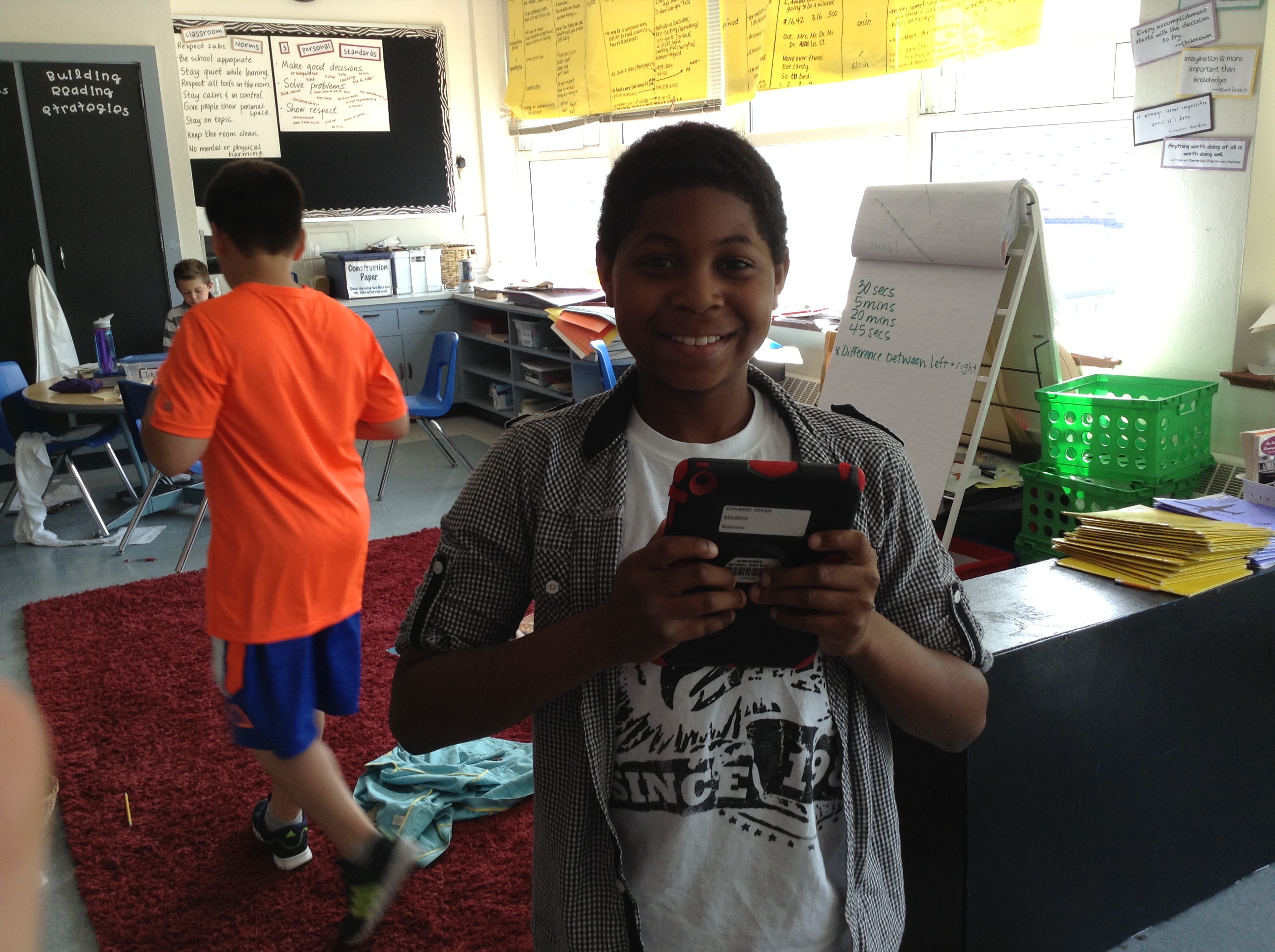
Devan loved this project!

IMG_0850

Remember Jack, the iMovie expert? He’s hard at work on his storyboard and book trailer about the book Wonder by R.J. Palacio–a class favorite this year!

IMG_0851

Aiden (another in house expert) decides which pictures from The Kissing Hand to include in his video.

IMG_0852

Damonte is hard at work on his book trailer for a text about Lamborghinis. Another place we got ideas for books was from Ms. Dale, one of our kindergarten teachers. We made several for some favorites that we knew some of our newest friends at Robinson would want to read in the fall!

IMG_0853

Don’s using his storyboard as he creates each scene of his iMovie.

IMG_0854

One of Keelan’s videos was from that kindergarten pile–The Hello, Goodbye Window.

IMG_0855

Anna K. (on the left) was a wiz at iMovie! I love how kids taught other kids how to do things and answered questions when we needed to troubleshoot why something wasn’t working. Here she helped Sammy figure out how to fix a problem she was having with a picture.

IMG_0857

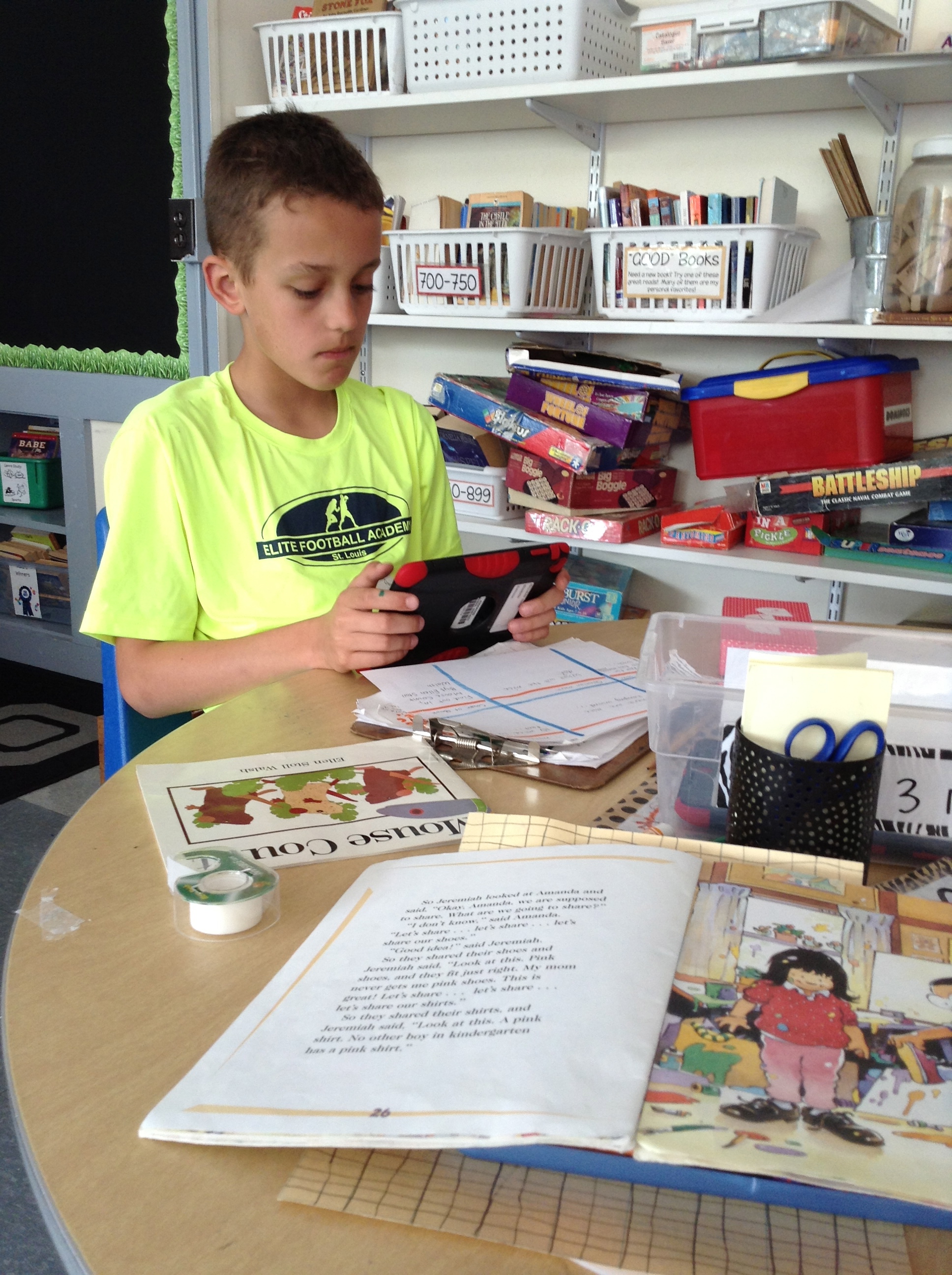
Owen working on a book trailer for Mouse Counts.

IMG_0859

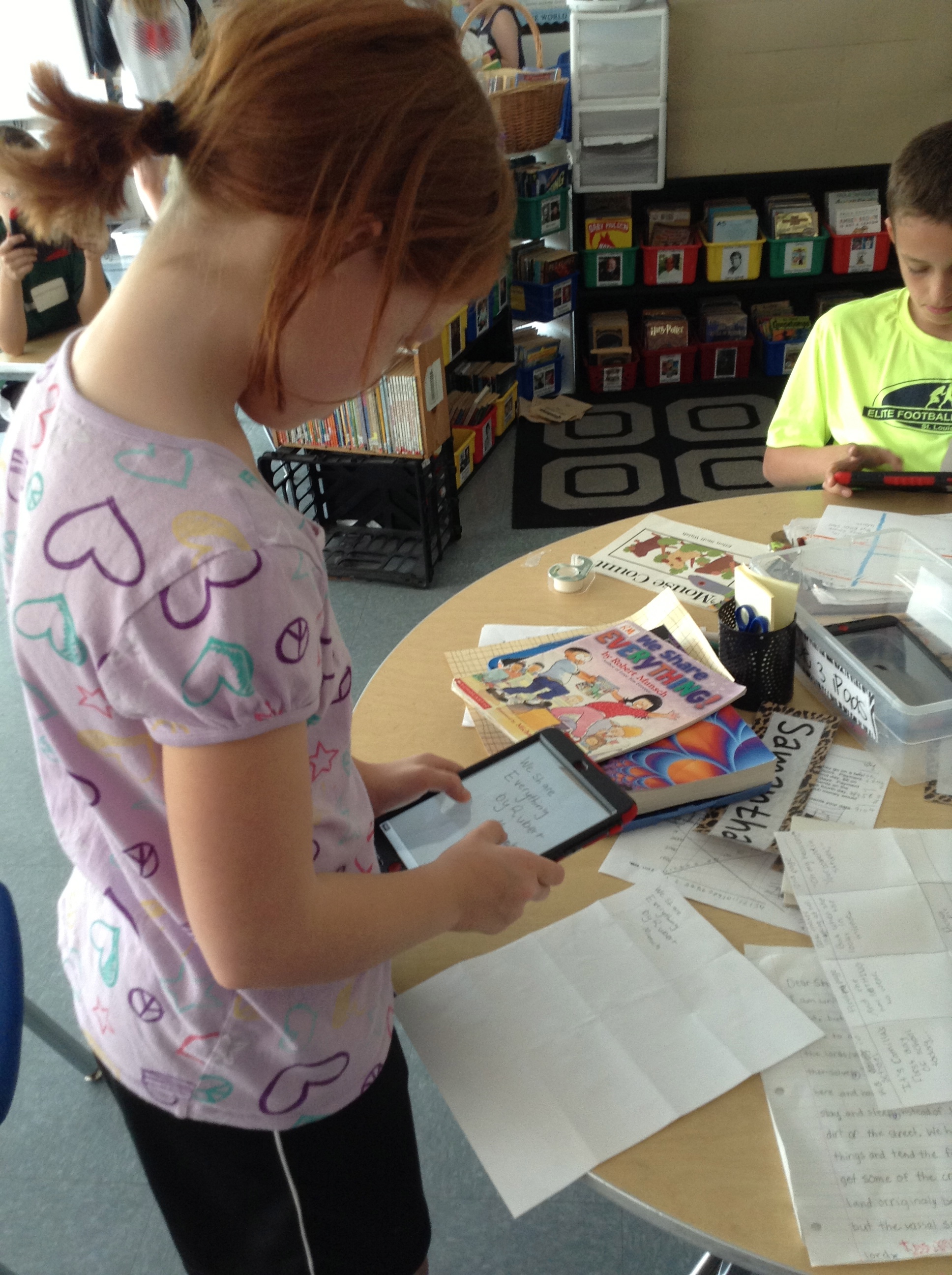
Sophia and Jernandra worked together, too. Jernandra’s book trailer was about Super Fudge.

IMG_0860

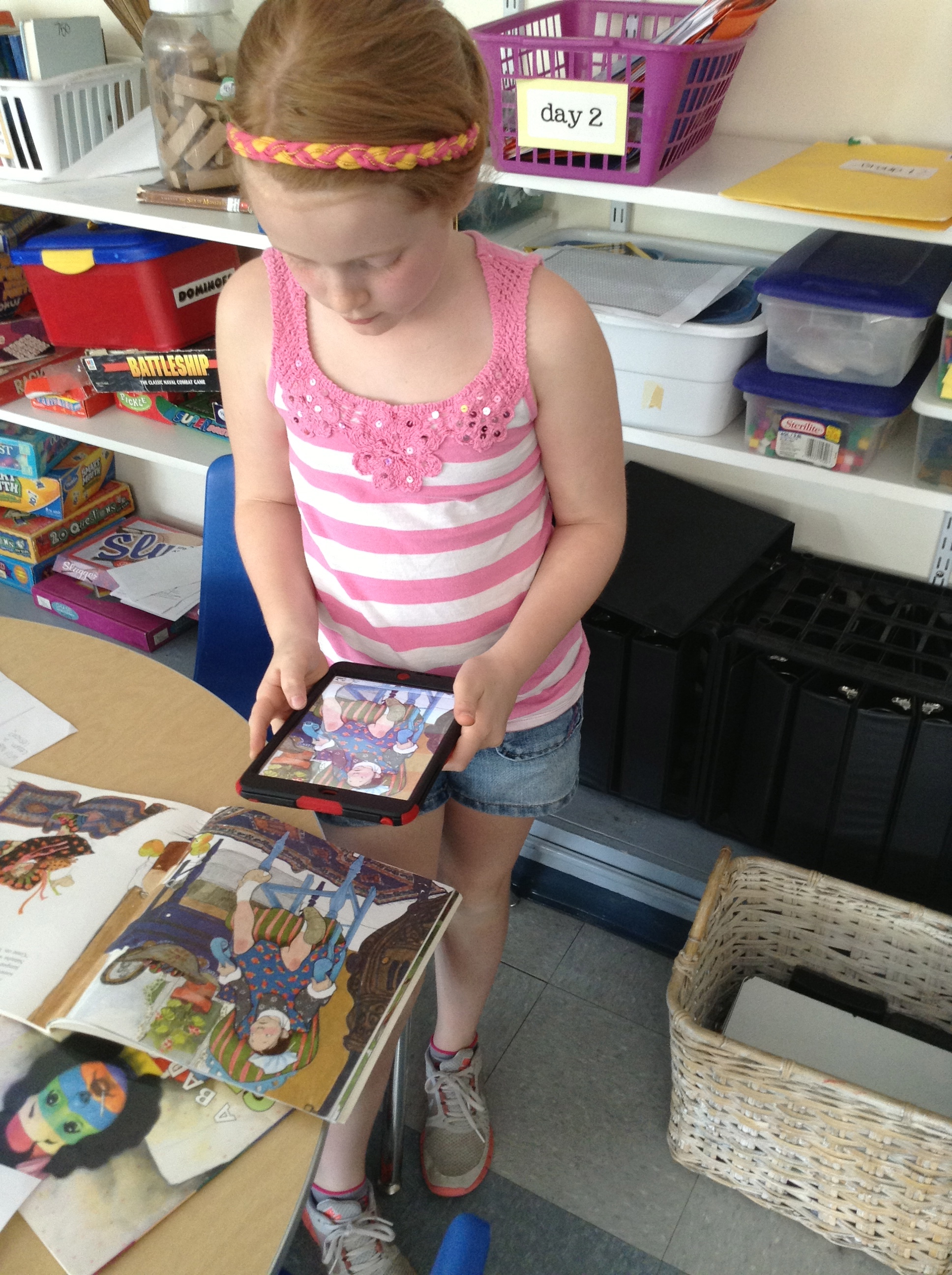
Sometimes the pictures we added were from the internet, and sometimes they were ones we took ourselves.  IMG_0863 IMG_0865See?

So, kids chose books (we started with our favorites, but also brainstormed other ways of choosing like book award lists for the upcoming year, book award lists from previous years, books that are frequently checked out from our library, etc.) and began to create our storyboards.  Once they had an approved storyboard, they went to work in iMovie, which we worked together to figure out—remember those experts I mentioned in the beginning?  They helped lead small groups to coach kids on what to do–and Jack even taught me how to do it!  What a great app, by the way, and on the iPad it’s SUPER SIMPLE to use.  I highly recommend using it if you aren’t already.

But just because our book trailers were finished, that didn’t mean our project was done.  We wanted to then link all of those trailers to QR codes that kiddos in our Robinson library can scan and learn more about the book as they are shopping for books to check out.  That meant we had to answer the “where do we put them when we’re finished making them” question from our original chart.  Many suggested we put them on our blogs, and we already a class YouTube channel, but we had to make sure it was some place that would be able to get through our internet filters at school (so kids could actually watch the videos we were creating!), that would be able to hold a large amount of data, AND that would be online (otherwise we wouldn’t end up with a QR code!).  I decided that SchoolTube was probably our best bet.

It was really great when we finally got to the end of the project and we were working in the library to finally attach all of our QR codes.  (Even this part of the project was kid-led, too, as someone suggested it would be a better idea to attach the code to the actual book, rather than the shelf.  Genius!)  We were super excited to be able to call in Mrs. Sisul, our principal, who supports all of the crazy and fabulous things we want to try with technology, and show her how they work.

Don and Owen showing Mrs. Sisul how to scan our QR codes to get to our videos on School Tube.  She was so excited for us!

Don and Owen showing Mrs. Sisul how to scan our QR codes to get to our videos on School Tube. She was so excited for us!

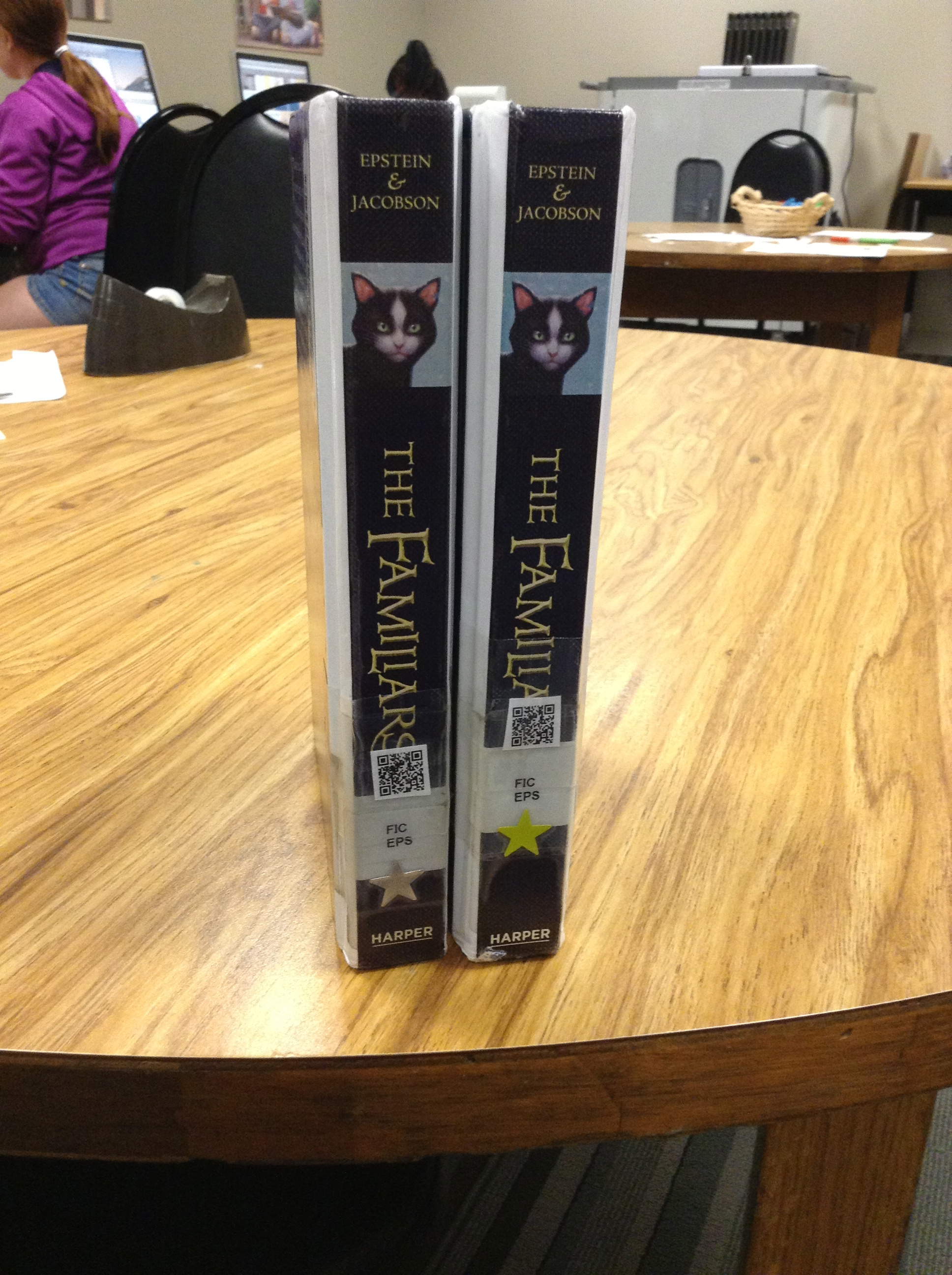
So at the end of it all, we ended up with over 50 TITLES that now have book trailers, and each copy of each book in our library has a QR code attached to the spine or the cover (depending on where it would fit)!

IMG_0872 IMG_0871

I wish that I would have had time to do the last reflection piece after this project, to have my kiddos tell you all that they’d learned throughout the process, but alas, we worked right up to the very last minute–and then it was summer!  So I ask now, to all of my 5th grade friends who worked on this big service-learning project with me: What did you learn from this experience?  What do you know now that you didn’t know when we started? What was your favorite thing?

And now it’s your turn to check out all of our fabulous work!  While I’d love to individually post every trailer here for you to watch, it makes more sense to direct you to our Robinson School Tube channel so you can check them out there! Happy watching and thanks for leaving us your comments about what you think!  We worked so hard and are so proud of what we accomplished!


It’s Been Too Long

Um…how did over a month pass without me putting ANYTHING on my blog?  I guess the honest answer is that the month of May was so crazy busy that we had time to DO amazing things and I didn’t have any time to WRITE about those amazing things.

And so now I find myself on summer break with all of this time on my hands, and I’m in a quandary:  should I go back and blog about those amazing things we did at the end of the year, or move on to the new things I’m thinking about and doing?  Seems disingenuous to just leave my kiddos behind and move on without wrapping up the year, so I guess I’ve just answered my own question.  I need to go back and tell you about the book trailer project we did, Field Day and the last day of school, my final reflections on going 1:1 with iPads.  You need to hear about how fabulous I thought this last class was, and how I just met up with Keelan’s family in Disney World when we were both on vacation.

Ok, decision made.  Now, beware–you’ll have lots of blog posts to read over the next few days.  Hope you’re ready!!

An Authentic Australian Audience

First of all, to my friends in 5SK, I’m SO sorry you’ve been waiting so long for this post!  We ended up needing another day to get our presentations “just so” before we shared them.

And so for those of you who are not from 5Sk (a Year 5 class in Queensland, Australia), let me fill you in on what’s going on.

I have been talking to Ms. Scharf for a little while, and received an email from her the other day with a request.  She also posted it on her blog:

The challenge from Mrs. Scharf for her 5SK friends.

The challenge from Ms. Scharf for her 5SK friends.

I was beyond excited about this question because 1) I knew my friends could answer it and help their Aussie friends, and 2) this was a REAL, AUTHENTIC audience with a REAL problem that we needed to solve–talk about motivating!

So after talking through what we needed to do first (which was research the Australian money system so we knew what connections to make and so we’d have some background knowledge), as well as all the things we needed to include in our responses.

And so, after two days of working, here’s what we came up with for our friends:

And last, but not least, one group made a poster to explain their answer:

Fiona, Anna K., Sammy and

Fiona, Anna K., Sammy and Rebekah chose to explain their thinking in a poster.

So what do you think?  5SK friends–did we help you?  Please write and tell us what you think.  We’d also love to hear how your Pocket Money Challenge went today! 🙂

Ok, So I’m Unplugging…

I was on Twitter this afternoon and saw this.  Kind of ironic that it was on Twitter, right, considering the topic?

Well, after thinking about it all day, I’ve decided to take the challenge of Screen-Free Week.Screen Shot 2013-04-28 at 9.47.39 PM

I have to be really honest–I’m not sure I’m going to make it!  But it’s because of the amount of time I know I am “plugged in,” connected, in front of a screen (sometimes more than one at a time!), that I think it’s important.  I shared the goal with my son tonight and he was less than impressed (because as a 5YO that meant he couldn’t play Lego Batman this week–oh no!).  For me, it means no Facebook, no Twitter, no blogging (what??), no games, less texting, and no TV.  I’m excited about all of the conversations I’ll have, books I will read, entries I will put in my Writer’s Notebook, muffins I’ll bake, miles I’ll run and all the other things I may not even be aware of that I could do with my time. Ooo, I have a couple of sewing projects calling my name, too…. 🙂

My students will read this tomorrow morning as they are welcomed back to school on a (hopefully) bring Monday morning.  And they will be asked to take the challenge with me.  Because if I can do it, ANYBODY can do it!

So, 5th grade friends…

Please leave me a comment with your thoughts about Screen-Free Week.  Are you willing to commit to unplugging this week?  Think of all of the other things you could do with your time instead!  What will you do with your time this week? 

And so I say goodbye to cyberspace for a little while.  I’m hoping I come out on the other side more enlightened, better read, happier and more productive.  I hope that it helps me appreciate all that is around me (instead of just what is in front of me).  I know I be writing about it when we’re finished (along with my 5th grade friends who also accepted the challenge with me), and hopefully will have great things to share!  See you next week, friends!

Anybody else want to take this challenge with me to be SCREEN-FREE?

Test-Day Preppers

Every year, for six days in April, we, like loads of other elementary school kids around the country head into Test Day.  In Missouri we take what we call MAP, or the Missouri Assessment Program, in Communication Arts, Math and Science.  And we, like loads of other elementary school kids around the country prepare for that testing.

But this is where we’re different.  Well, at least different from some classes.  Before I go on, I feel like I should explain that I am not a copy-lots-of-packets-and-fill-in-bubbles-for-a-whole-month-before-the-test kid of teacher, who stops everything else and focuses just on test prep.

In fact, I’d say that I’ve been preparing my students to do well on the MAP since our first day in August, by asking them to read closely, think critically, work neatly, solve problems and explain their thinking.  In that way, they are ready to demonstrate that learning when asked to show what they know on our state tests.

In addition to that, there are a few things we do to help pump us up, build our confidence and help alleviate the stress related to high-stakes standardized testing:

1. Talk about testing as a genre.

While I do not spend weeks and weeks having students fill in bubbles and complete packets and packets of practice tests for each subject, we do spend time looking at and talking about what the tests will look like.  We unpack the tests (which are examples of released items that have previously been on our MAP, or are examples from other states’ whose tests are similar to ours) and talk about what we notice.  We compare “real” reading and writing with “test” reading and writing.  We noticed that much of that difference comes in the purpose for the reading/writing  (“they” choose that for us instead of us making the decision) as well as they content or structure of the reading/writing (“they” choose what the text looks like, rather than our having a say in it).  We talk about how to tackle these differences and what to do when we don’t have control over it; we discuss what we do have control over–the strategies we use and the ability to do well.  We break apart the word assessment, as well, and dig into the connotations we have for that word.

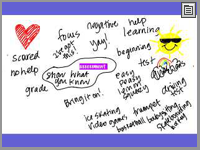
Words that came into our heads when I first said the word "assessment."  Some were obviously positive, and some were not.

Words that came into our heads when I first said the word “assessment.” Some were obviously positive, and some were not.

We all agreed that this state assessment, like every other assessment they encounter (both inside and outside of school), is really about showing what they know.  Their goal should be to do their best.  That’s it.  🙂

2. Encourage problem solving, risk taking and confidence by introducing Monday Motivations.
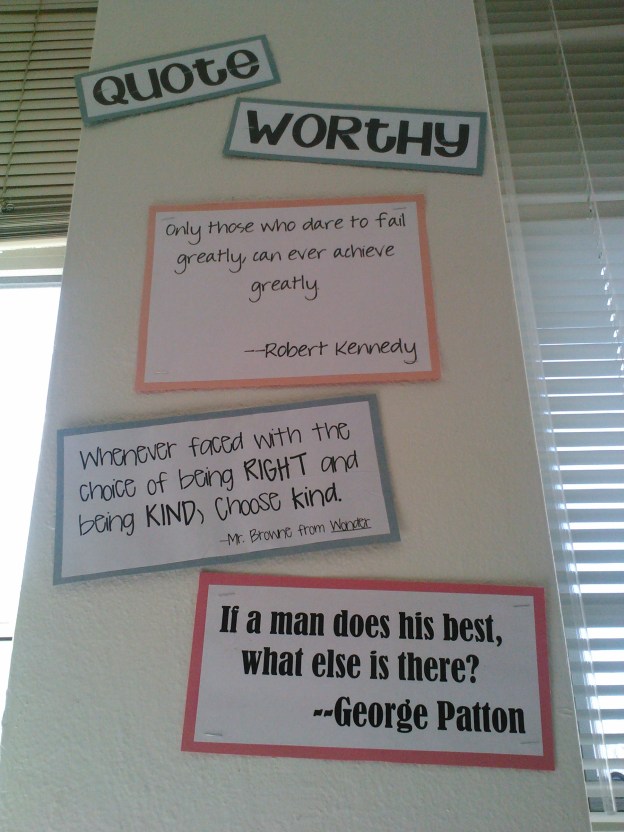
Our "Quote Worthy" wall with quotes that encourage us to do our best--on everything we do--not just the test.

Our “Quote Worthy” wall with quotes that encourage us to do our best–on everything we do–not just the test.

There have been many more added since this picture, all with the intent on reminding students that they have much in them that they can pull from, and that they can do so many great things if they just believe it and then make a choice to make it happen.  Each of the last few weeks I’ve shared a quote that we would then discuss, write about, and connect with other quotes we know.  These because a part of our classroom lexicon, and you’ll hear students using these encouraging words often when they talk to each other.  🙂

3. Talk about and work with words.

As we read books together, we investigate words we don't know, and connect them to what we do know to help make sense of them.

As we read books together, we investigate words we don’t know, and connect them to what we do know to help make sense of them.

While this is not specifically related to testing, it helps students on their tests, as they are asked to demonstrate their understanding of reading and writing.  All year long, we’ve been collecting words we didn’t understand, breaking them apart and looking at their parts to help figure out what they mean.  This helps us connect new words to these parts that we know, helping us to make sense of what we’re reading.  We’ve found words in other texts and made connections to writing, as well, by using new words we’ve learned.  And since vocabulary is connected to spelling, our word work supports that piece, as well.

4. Review concepts.

Some of what students are asked to do on tests requires them to apply processes and strategies to new situations, like with reading and writing about an unfamiliar text.  Some of it, however, is directly related to remembering facts.  For us, this is especially true in science, where anything they’ve learned since kindergarten is fair game!  In order to remind them of what they know, we watch a series of videos (many of which they’ve seen before) and then create a class poster of “big ideas” form each set of concepts.  They work with a partner to create a representation of each big idea, similar to what we did when we were studying Native Americans earlier this year.

After we created all of our posters, I had them do a gallery walk with a partner, discussing what each image represented.  They were to make notes with their partners, again reviewing and talking about concepts they’ve learned previously.  Hopefully both these posters and conversations will come to mind when they encounter any of these things on their tests (even after the posters are covered up and the conversations are over!).

5. Covered up content with encouraging words.

There are many things that are no-nos during testing, which includes anything hanging on our walls that might suggest content, strategies, etc.  But rather than take all of the things down (our decimal place value chart, punctuation study chart, science posters, calendar), we cover them up.  The idea is that even if you can’t see the actual content on the poster, your brain will fill in the information that you’ve been looking at on them for all of these weeks, thus making them helpful anyway!  We also took the opportunity to throw in words and phrases that would be encouraging.  For every class those words are different, and this year’s were by far the most creative!

This slideshow requires JavaScript.

I think the fact that they are words that we actually say, that they’ve been using all year, they are even more powerful.  These words bring back memories of meaningful conversations we’ve had, strong memories of moments when they’ve overcome struggles and achieved goals.  These words, which are perhaps a bit silly, are theirs.  And they are powerful.

6. Get families involved.

A week or so before testing starts, I send a request to families to ask for their support in helping us get ready for the MAP.  Like I mentioned before, one important piece to the puzzle (in my opinion) is alleviating stress.  One way I do that is to invite families to write letters to their student.  They send these encouraging words to me before the test, and then I pass them out just before we get started.  These notes are like an extra special hug from home at a time that could be really stressful, and they work wonders.  I do the same thing and write students notes about how proud I am of them, how much I believe in them, and how “they got this!”  Often, some of the quotes we’ve been studying together show up here as an added encouragement.

7. Feed their brains.

In the same letter home about writing a letter, we also ask for help with sending healthy snacks for our testing days.

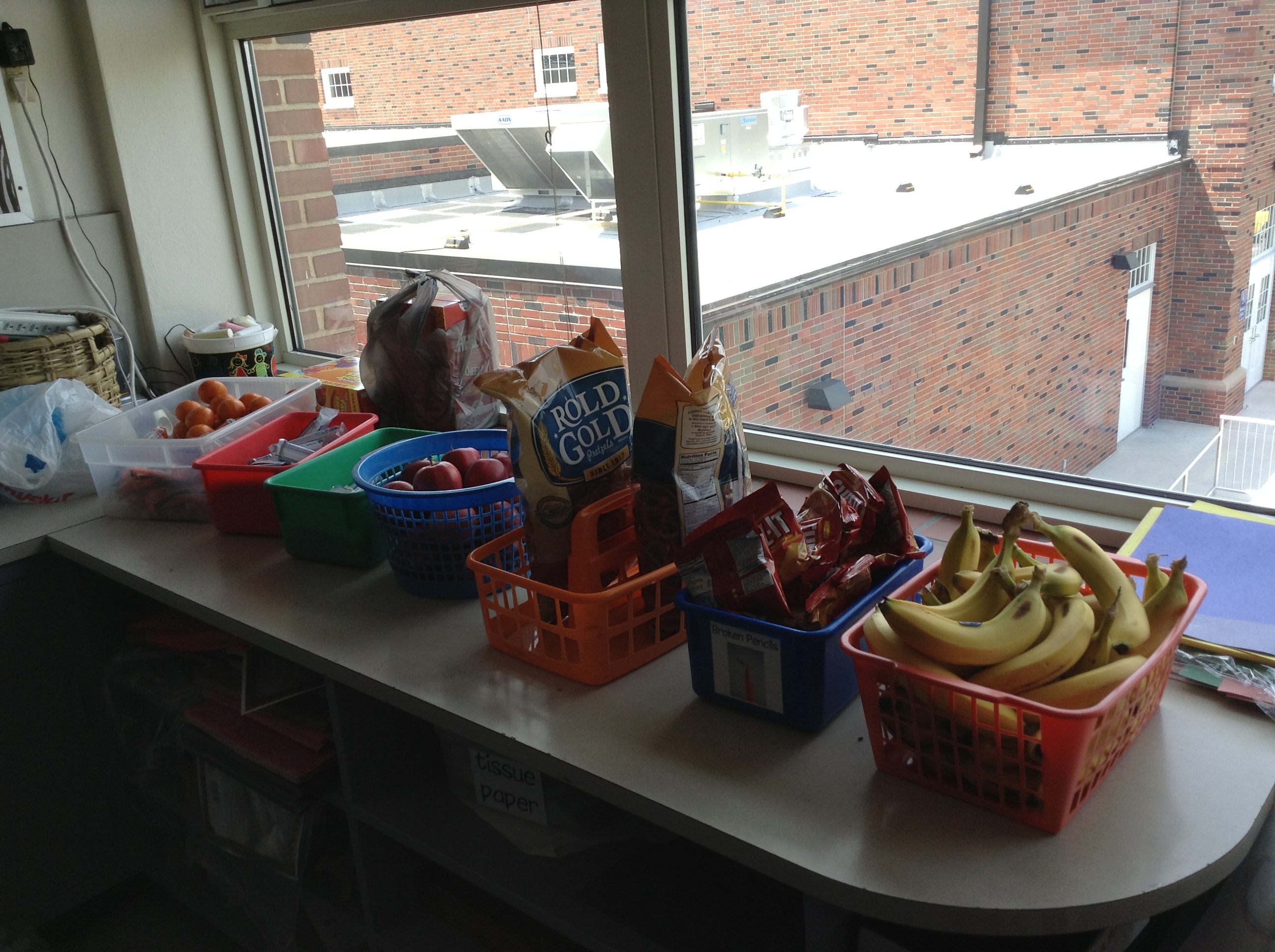
Yum!  Our testing snacks include lots of fresh, "real" food that good fuel for working brains!

Yum! Our testing snacks include lots of fresh, “real” food that good fuel for working brains!  Included are things like Cuties, carrots, apples, cheese sticks, cheese crackers, granola bars, cereal bars, pretzels and bananas.

There is also a fresh stash of mints and gum, which help wake up tired brains and keep their minds engaged.


So really, while it’s a big deal, it’s all pretty simple.  I believe it is my job (from the first day of school), to encourage my students to be thinkers, readers, writers, mathematicians, and learners.  I see it as my goal to help them feel confident and ready, so that these six days in April are really no different than anything we’ve been doing all year.

How do you prepare for testing?  We’d love to hear about what it looks like in your school!


I Speak Greek When I Teach Math–PART 3

Hopefully you’ve caught the first two parts of this story already.  If not, they are here and here.  🙂

After we had our cooking lesson, we got back into our groups to do a re-try of our posters.  Another thing that my friend Pam mentioned to me when we were talking about what could have gone wrong was that maybe the paper they were using was too big.  What?!  Something that simple?  It’s funny, because I hadn’t really considered that before she said it, but as soon as she did, it made perfect sense.  They only had a certain amount of information to share with other mathematicians, and many groups ended up with lots of white space they didn’t know what to do with.  Maybe it wasn’t a factor in our troubles, but it was worth taking a look at.  So as we started again, we used smaller posters. 🙂

We tried something else with this investigation, too–we invited another class (who didn’t know anything about our problem) to do our gallery walk with us.  This, we thought (ok, well I thought) would give us an even better idea of how we could revise our first drafts, since it was a “cold read” for them–they could only use the information we gave them to make sense of our mathematical ideas, rather than the context of the problem or background knowledge of the process.  So we invited Mrs. Hong’s class to work with us.  This was a PERFECT situation, because they had just finished a big problem, too, and needed someone to help them revise, too.  Match made in heaven, right?

This slideshow requires JavaScript.

I mentioned in my last post that I’ve been thinking about incorporating more with cooking into math next year, and this whole trade-classrooms-and-do-a-gallery-walk thing is another idea my team is considering doing more of.  We want to be more purposeful in how we create real-life, meaningful scenarios for our kiddos to solve, then use the knowledge and ideas of each other to help make the work even better.  Seeing another version of a problem you’ve also solved is very different than looking at a poster that is completely new. The mathematician has a much bigger job to do for these new viewers; every word, number and symbol they write is a clue to help them figure out the puzzle.

So what have you done with posters, gallery walks or real-life problem solving in your class?  What advice do you have for us as we work to continue these ideas with our mathematicians for next year?  We’d love to hear your thoughts. 🙂


iPad Scout Reflections Week 3 (and 4): Getting in a Groove

I knew it would happen eventually, and I think during week 3 it happened: we got into an iPad groove.  So in some ways that makes this week’s reflection really fabulous, and in some other ways it might make it really boring.

After the first week of highs and lows, and the second week‘s videos, I was excited to see what Week 3 would bring us.  I was hoping that it would bring some sort of “normalcy,” where we wouldn’t have our noses constantly in our iPads and were somehow thinking of them as tools instead of toys.  And to some extent that’s what happened.

The most exciting part of the week for me, I guess, was how my kids are starting to come up with really great ways to use our iPads to enhance our learning.  We’d already been using Educreations for annotating videos explaining our learning, using Notability to mark up text we were reading and taking pictures to help us save documents we could use later easily in another place.  And up to that point, much of what I was asking them to do with their new tools (outside of the iMovies they’re making for fun, blog posts they write for themselves and some other stuff like Edmodo) had been my idea.  Then we started talking about poetry.

As like with every other unit, they were to publish their pieces, self-evaulate using our writing rubric, and then turn in their work (not rocket-science, I know).  And ZB had a great idea of how to do it.  Just like we had been doing in Educreations to explain our thinking in math, ZB had an idea of how we could do the same thing for writing.

First we published our poems using Pages (the app on our iPads instead of the program on our laptops), which we could now save in our Dropbox folders.  Also in the Dropbox was the rubric, which I could easily share for each kiddo to upload.  Then came ZB’s idea: maybe we could put pictures of them both on a page in Educreations and then explain why we scored ourselves that way.  GENIUS–especially since the “4” on most of our rubrics is to “explain the reasons behind your choices.”    So they took a screen shot of their poem, and laid a screen shot of the rubric right next to it:

Screen Shot 2013-04-26 at 9.11.23 PM And as they scored themselves on the rubric, they could explain to me why they thought their poem showed that, and could make connections to the text of their poem at the same time.  This type of thing, before we had our iPads, was possible, but would take FOREVER because I’d have to have a separate conversation with each writer in order to gain the information about their thinking.  Great idea, ZB!

Now, I must take a minute to insert a short story of a frustrating “apportunity” we had related to these videos.  It’s related to the fact that Educreations is a GREAT place to create videos, but not such a great app to use if you want to do anything with those videos.  And of course I didn’t know this until after we’d done all kinds of work with it.  As I struggled to find a way for my kids to be able to share their work with me, I found this FAQ on the Educreations website that helped me find an answer to my problem.  A negative answer.

Screen Shot 2013-04-26 at 9.29.44 PM

Lame, right?  Yeah…great information I wish I’d had before we started.  And so this meant that what I had thought were great opportunities for my students to share their thinking with me were now just stuck on their iPads.  Well, unless I wanted to lug them all home.  Which was kind of not the point of going 1:1 and being electronic and such, you know?

Well, since then, I have learned a couple of things that solved our problems:

1.  You can get around the exporting problem if you sign up for an Educreations account.  That way you have the option of emailing your video to someone or copying the URL link of to post or use.   I found out I can also give my students a course code that will allow me to have access to their videos via the website.  They don’t even have to send them to me now; I can just click on each students’ file from one screen at the same time.

2. Notability also works in a similar way, and can be more easily shared or saved in Dropbox, Evernote, or a variety of other ways.

3. Explain Everything is a great app that combines all of the things that both Educreations and Notability can do, and has many other great options that will grow with your students as they get older and/or learn to do new things with their devices.  Downside?  It costs $2.99, but does offer a volume discount if you buy in bulk.  We’re considering this one as an option to Educreations.    Doodlecast Pro could do the same thing, and might be great for younger students (it’s also $2.99). 

Screen Shot 2013-04-26 at 9.43.11 PM               Screen Shot 2013-04-26 at 9.44.08 PM


So this past week was technically Week 4, but with MAP testing taking up much of our time and energy, there is not a lot of iPad news to share.  The one thing I will mention, though, which I guess fits in the “high” category, came from our class meeting today.

As always, the last question we answered before we started our discussion was “What do you want to talk about from the week?”  As you can see, man people had the same idea:

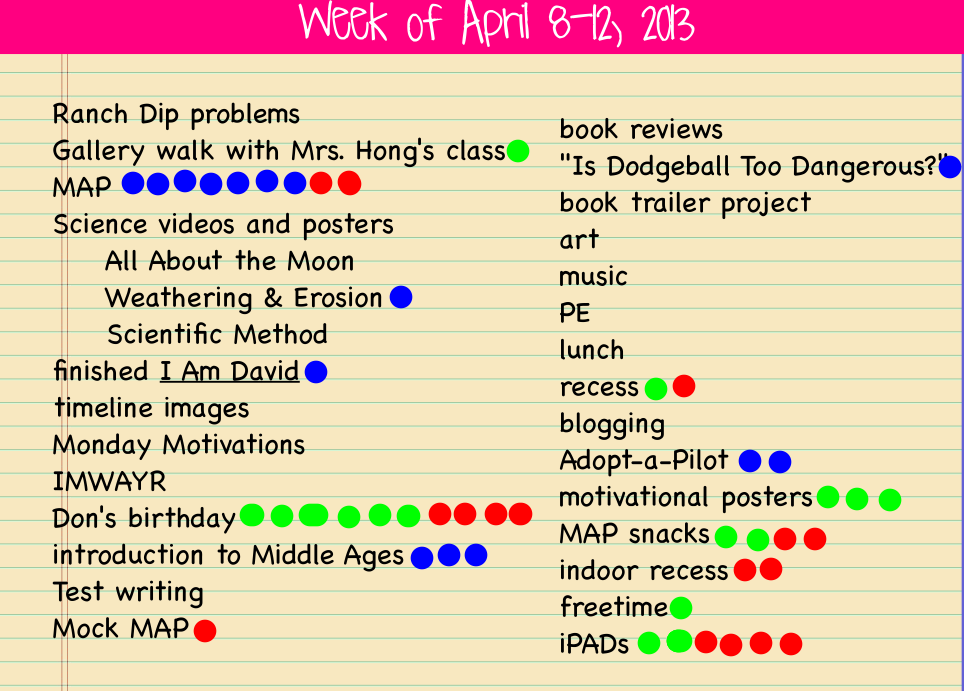
The red dots mention are what kiddos wanted to talk about.  Their conversations could be positive or negative, but these are the pressing issues of the week.

The red dots mention are what kiddos wanted to talk about. Their conversations could be positive or negative, but these are the pressing issues of the week.

Ok, so I know Don’s birthday was a big topic of conversation (because many people wanted to wish him well and tell him how awesome he is), but they also wanted to talk about iPads.  What I loved was that unlike past weeks conversations when there was a lot of discussion about what NOT to do, today they wanted to talk about how great it’s going!  The discussion was about how we’ve all figured out how to do things, aren’t playing around so much anymore, and how they’re helping us as learners.  Of course I was interested in hearing more about that last thing, so I dug for evidence.  They mentioned things like being able to get and send documents to me electronically instead of having to always get papers, as well as how easily they can look up answers to things they’re wondering about and just how much more interesting doing their work on the iPads has been.  And I’ve been excited at how much more collaboration there has been in spite of everyone being 1:1; many people worry that kids will be “plugged in” constantly and not interact with other students.  I’m happy to see that this hasn’t been the case in our room so far.  We’re just finding better ways to collaborate, communicate and curate.

IMG_0784

Don and Ames look at a common text on Educreations as we practice editing together.

IMG_0785

Anna and Fiona can look at the same text on their separate devices as they discuss how they’d improve the paragraph to make it easier for the reader to understand.  Since they’d uploaded the picture into Educreations, they can mark on the text right on their iPads and then save their thoughts to come back to later.

IMG_0786

Devan and Peter work to edit punctuation and capitalization in a text uploaded from our shared Dropbox folder.

IMG_0791

iPad minis make it easy to have everyone look at the same text at the same time, but then interact with it in whatever way works for them as a learner.

IMG_0792

And they’re portable and small, making them easy to go anywhere–even the rug–unlike when we were only using our laptops for these kinds of things.


So we’re about halfway home.  4 weeks in and 4 weeks to go in the Scout.  And with MAP finishing up this next week, we’ll have some more time in our schedule to explore what our iPads will help us do.  Stay tuned for more on the book trailer project we’re in the middle of.  That is definitely something that would have been inconceivable before we were 1:1.  Exciting times ahead!

Just like always, it’s your turn now.  Thoughts? Suggestions? We’d love your feedback on what’s going on in our room! 🙂


I Speak Greek When I Teach Math–PART 2

Wow–I’ve been doing a horrible job with updates lately!  I’ve left this one hanging for over a week, and I’m sure you were waiting on the edge of your seat to hear the rest of the story, right?  Well, thanks for being patient. 🙂   The “rest of the story” will actually end up being told in two more parts.

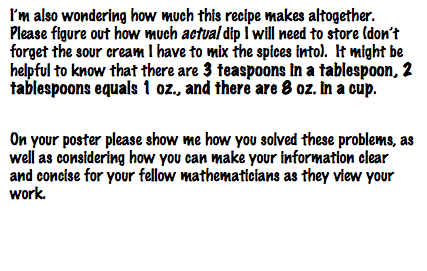
Remember how we were working with a problem about ranch dip and I was baffled by what was going so wrong?

Screen Shot 2013-04-17 at 8.55.41 PM

Ranch dip problem, part 1

Part 2

Part 2

Well, what I don’t think I told you last time was that I had a conversation with a colleague of mine, who happens to be a fabulous math teacher, too, and we agreed there could have been many reasons why this was trickier than I had intended.  I decided to tackle these issues one at a time.  The first one we thought of was related to the context.

I think I may have taken for granted the fact that my kids would know about teaspoons, tablespoons and just the whole act of mixing it all together.  There were actually several kiddos who could not relate to what I was talking about with making the dip, so I decided to fix that problem.  I hoped that using the recipe would help them better understand what I was asking them to figure out.  So we got cooking!

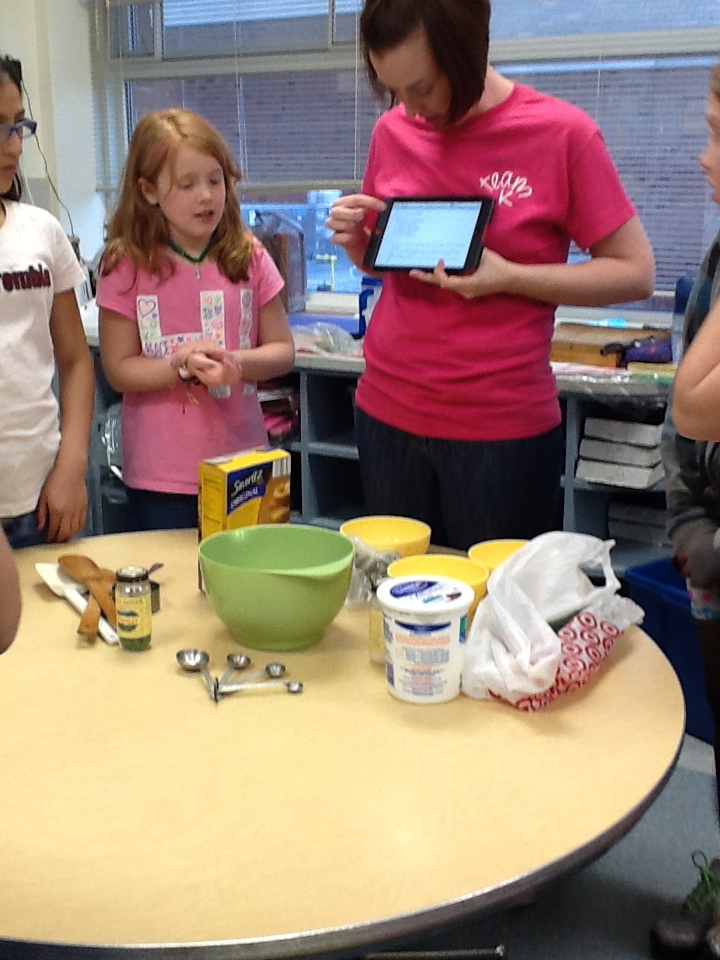
IMG_0748

First, we reviewed the recipe and talked ingredients so we made sure we knew what to do. See how handy our iPads are for jobs like this? 🙂

IMG_0751

Sorry, this ones a little blurry, but we’re smelling the spices the recipe called for: onion powder, garlic powder, parsley and dill. Many hadn’t ever seen these before!

IMG_0754

Oh, and there’s basil in it, too! Smells yummy already!

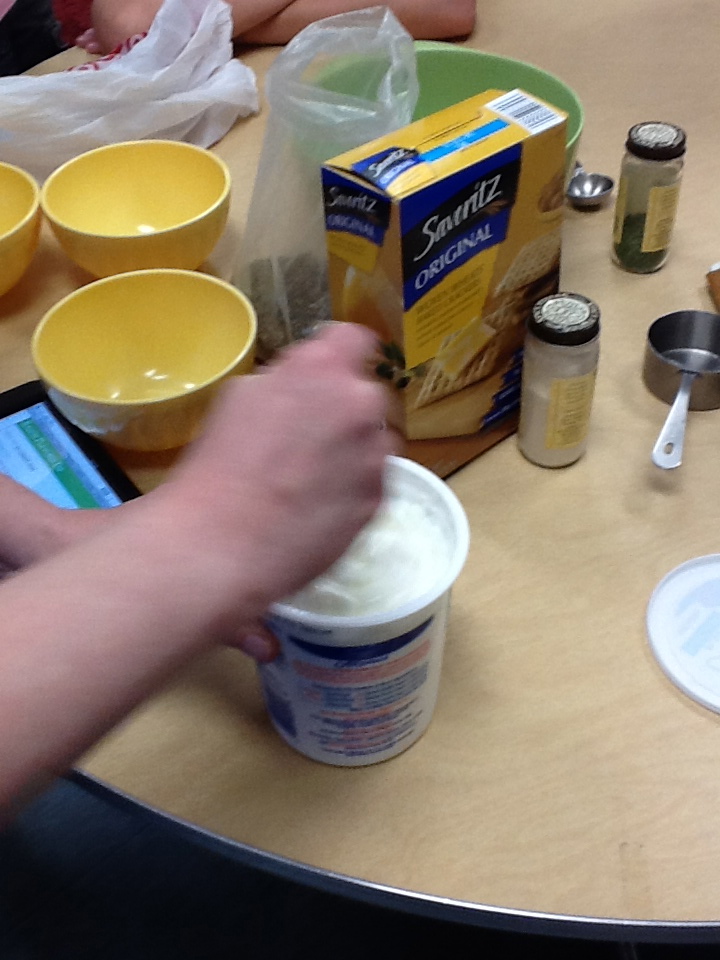
IMG_0756

The recipe calls for sour cream, but I decided to use plain yogurt instead. Man, I must have been stirring fast!

IMG_0757

We discovered another part that was important (and in many cases missing) knowledge–knowing the difference between the sizes of teaspoons and tablespoons. Knowing that there are 3 teaspoons in a tablespoon was necessary for use in the final answer, but this was hard for some kids to image without seeing it.

IMG_0760

Spice mix ready to be stirred!

IMG_0764

We needed a 1/2 cup of yogurt for every tablespoon of spices.

IMG_0768

Looking good!

IMG_0774

I forgot a knife. 😦 Cutting a cucumber with the back of a fork is harder than it looks! Eventually I made it happen, though. 🙂

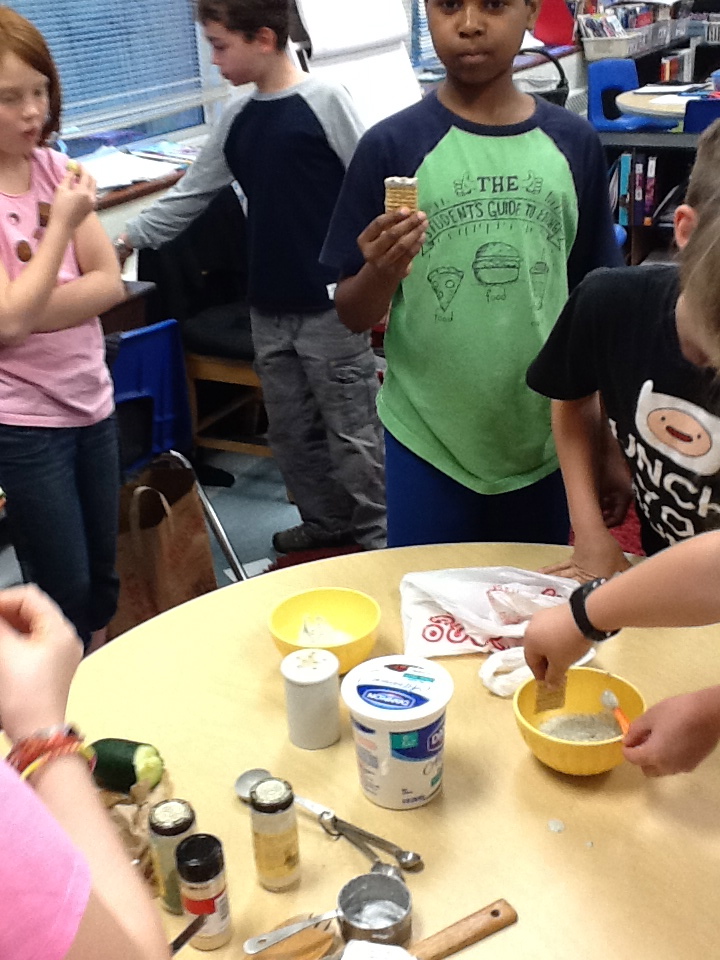
IMG_0776

Yum! Ranch dip with cucumbers and Triscuits for our morning Math snack!

So while my cooking class didn’t solve every problem we were having (which I’ll tell you about in Part 3), I do think it gave many of them the ability to make connections they were unable to make before.  And there is so much math (and science) in cooking and baking, I don’t know why we don’t do more of it.  TOTALLY wish my classroom had a kitchen!  It has also made me and my team think about how we want to purposefully involve more of these types of activities into our classes for next year.  We’re thinking it would be a great addition and preparation for next year’s Feast Week, too.

How do you use cooking in your classroom?  What connections do you make for your kiddos to math and science?  Or maybe even reading and writing? We’d love to hear your thoughts and suggestions as we make plans for next year. 🙂

Math Warm-Ups April 15-19, 2013

Yeah, I know I’m posting this a week late.  Sorry! But better late than never, right? 🙂  (I also feel like I must explain that there are no warm-ups to post from this week–state testing left us with a different schedule than what’s normal.)

Monday

5th graders always need to practice division!

5th graders always need to practice division, and decimal division takes even more practice!


Wednesday

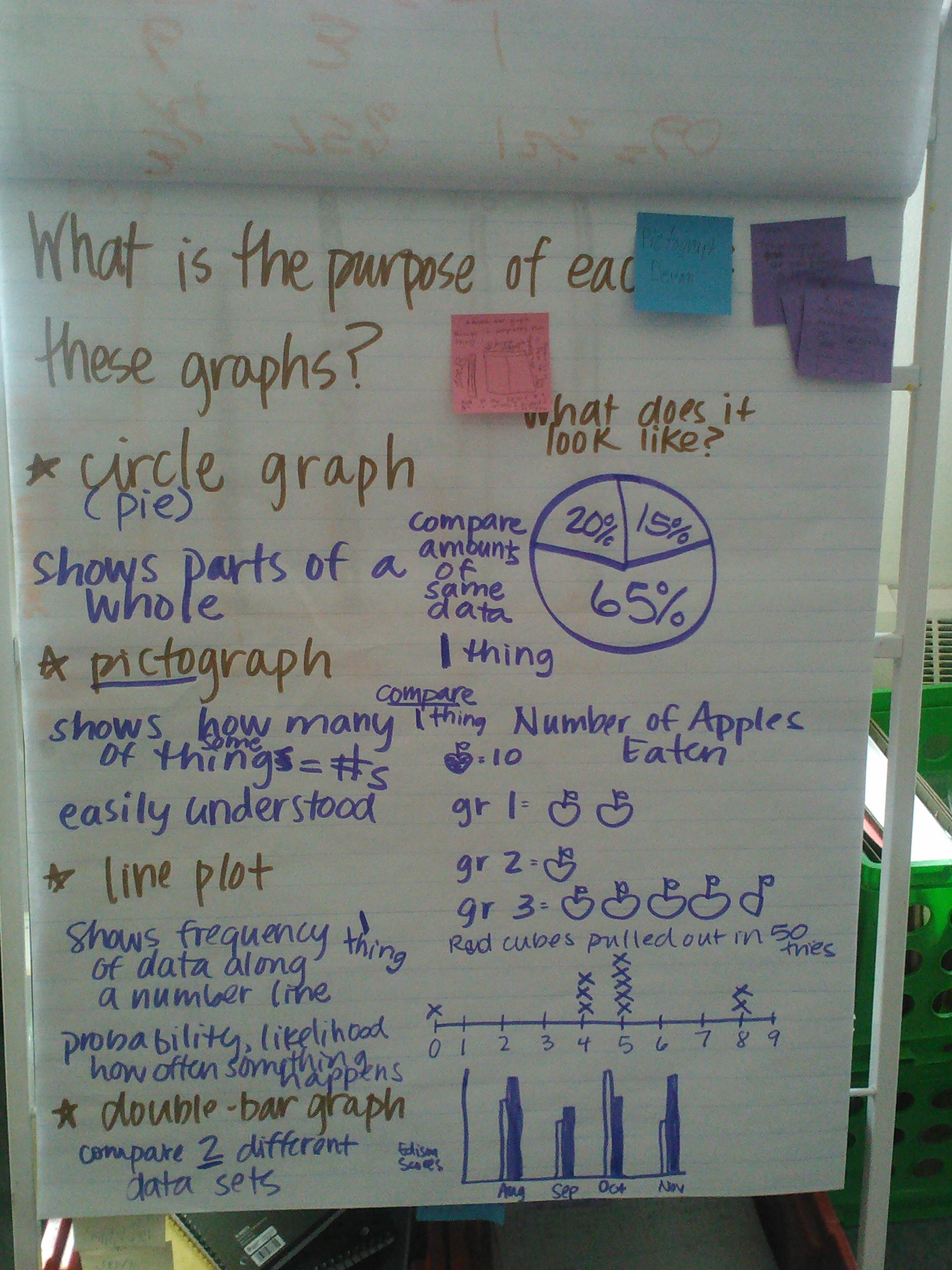
Often the problems we work on for morning warm-ups are from our monthly Edison assessments.  This was one that many of us got wrong, so it showed we needed to review graphs and their purposes.  It's a busy chart, I know, but that usually means we had a GREAT conversation around the problem!

Often the problems we work on for morning warm-ups are from our monthly Edison assessments. This was one that many of us got wrong, so it showed we needed to review graphs and their purposes. It’s a busy chart, I know, but that usually means we had a GREAT conversation around the problem!


Thursday

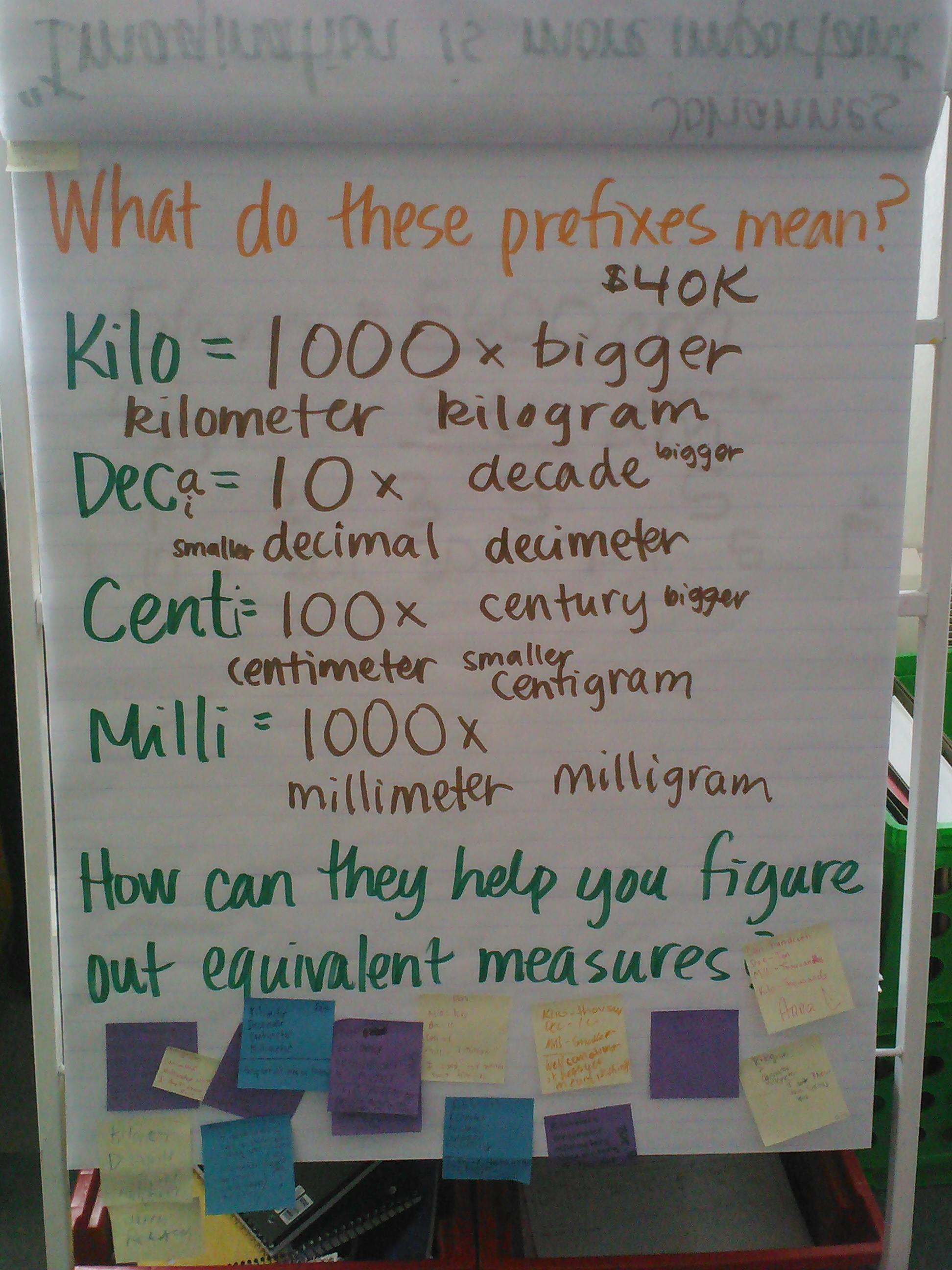
Another thing we needed to talk about was measurement and the prefixes you use in the metric system.  After this, we did some work with find equivalent measures.  Have you ever heard of how King Henry Usually Drinks Chocolate Milk?  This was very helpful to us in our equivalents work.

Another thing we needed to talk about was measurement and the prefixes you use in the metric system. After this, we did some work with find equivalent measures. Have you ever heard of how King Henry Doesn’t Usually Drink Chocolate Milk? This was very helpful to us in our equivalents work.

How did you use math warm-ups this week?  Leave us an example!  Maybe we could try a problem together with you next week!