Book Trailers

We watched our first book trailer together when we read The One and Only Ivan earlier this year.   We were mesmerized by how it drew us in and made us want to read the book–even more than we already did!  Then we went 1:1 with iPads, and I knew that this would be something we’d have to do for ourselves, especially since we had some iMovie experts in our midsts (yes, I’m talking about you, Anna K., Aiden and Jack!).

Then, it was time to start thinking about service learning projects, too, and suddenly it all seemed to fall into place….

I was having a conversation with our librarian, Mrs. Meihaus, about my idea for wanting to learn about  book trailers (and at that point I didn’t really have a direction I wanted to go in, or anything more than a desire to do it), and she told me about an idea she’d just learned about from our Scholastic rep–just the day before!  Talk about good timing.  This idea she’d found out about involved creating cards on the shelves that link QR codes to book talks, to help readers as they make decisions in the library.  Seemed like a perfect fit!

So we just dove right in and started making movies the next day, right? Nope.

We had a TON of work to do first.  And what was great was that my kids knew what that work was without me even telling them.  I just asked the question “What do we need to know before we can start our book trailer project?” and this is what they said:

It's messy because we used it as our checklist to make sure we had done all of the prep work before we go to our movies.  What a great example of kids creating a project--they led us where we needed to go!

It’s messy because we used it as our checklist to make sure we had done all of the prep work before we go to our movies. What a great example of kids creating a project–they led us where we needed to go!

We spent many days together reading book reviews, and learning what was supposed to be included in one.  We read examples of them, and practiced writing our own on books we’d read together and individually.  We watched several examples (both good and bad) of book trailers and kept notes about what made them successful, i.e. which ones made us actually want to read the featured book and why.

About that same time, I came upon a Twitter chat where the topic was book trailers and several teachers were sharing ideas for how they make these productive with their students.  I LOVED the idea that Jenn Fountain (@jennann516) was sharing about how she managed student made book trailers.  The way she used storyboards to help students thoughtfully plan the pictures and the text they wanted to include was the missing piece of the puzzle, and seemed to be just what we needed!
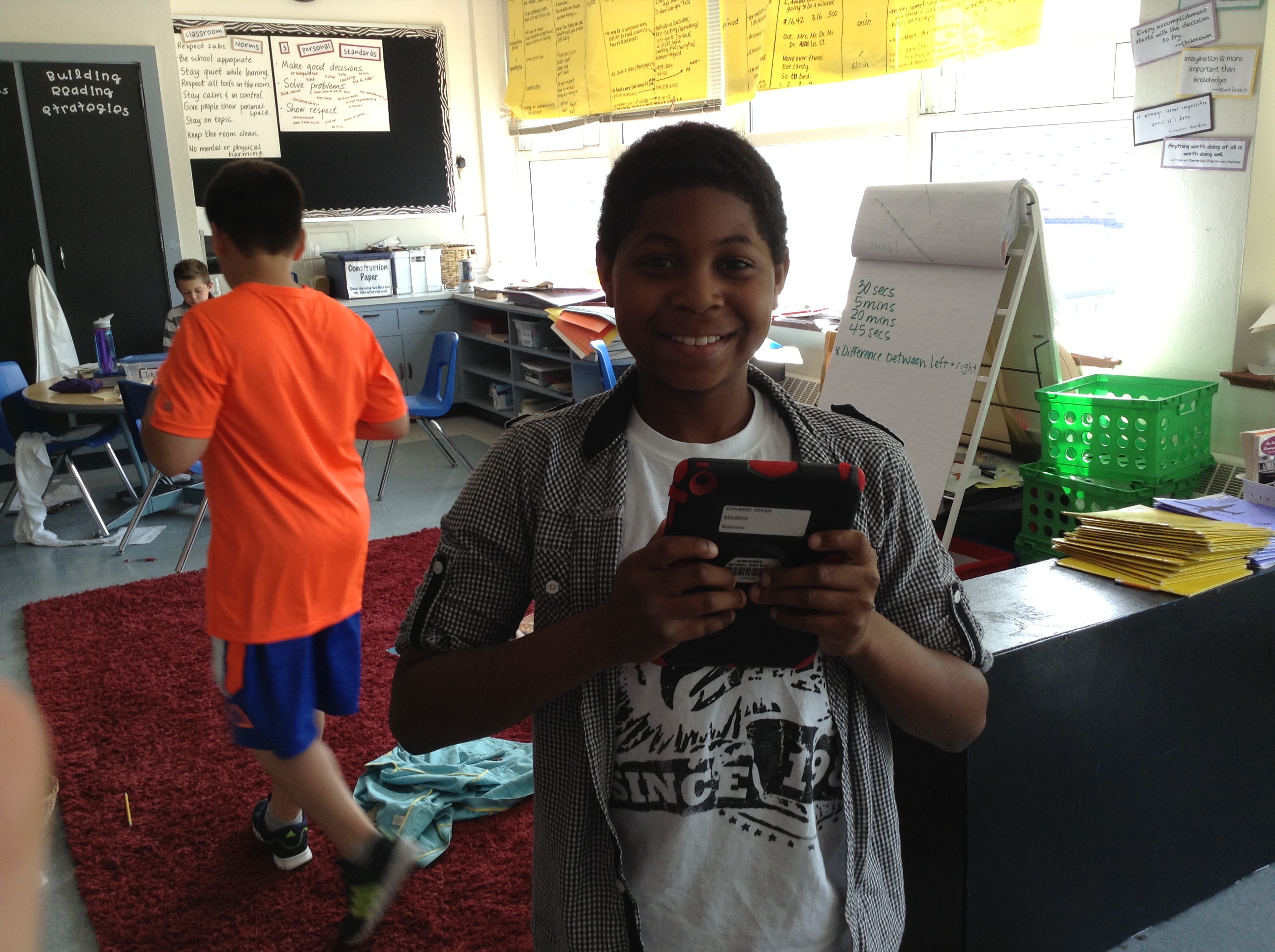
IMG_0849

Devan loved this project!

IMG_0850

Remember Jack, the iMovie expert? He’s hard at work on his storyboard and book trailer about the book Wonder by R.J. Palacio–a class favorite this year!

IMG_0851

Aiden (another in house expert) decides which pictures from The Kissing Hand to include in his video.

IMG_0852

Damonte is hard at work on his book trailer for a text about Lamborghinis. Another place we got ideas for books was from Ms. Dale, one of our kindergarten teachers. We made several for some favorites that we knew some of our newest friends at Robinson would want to read in the fall!
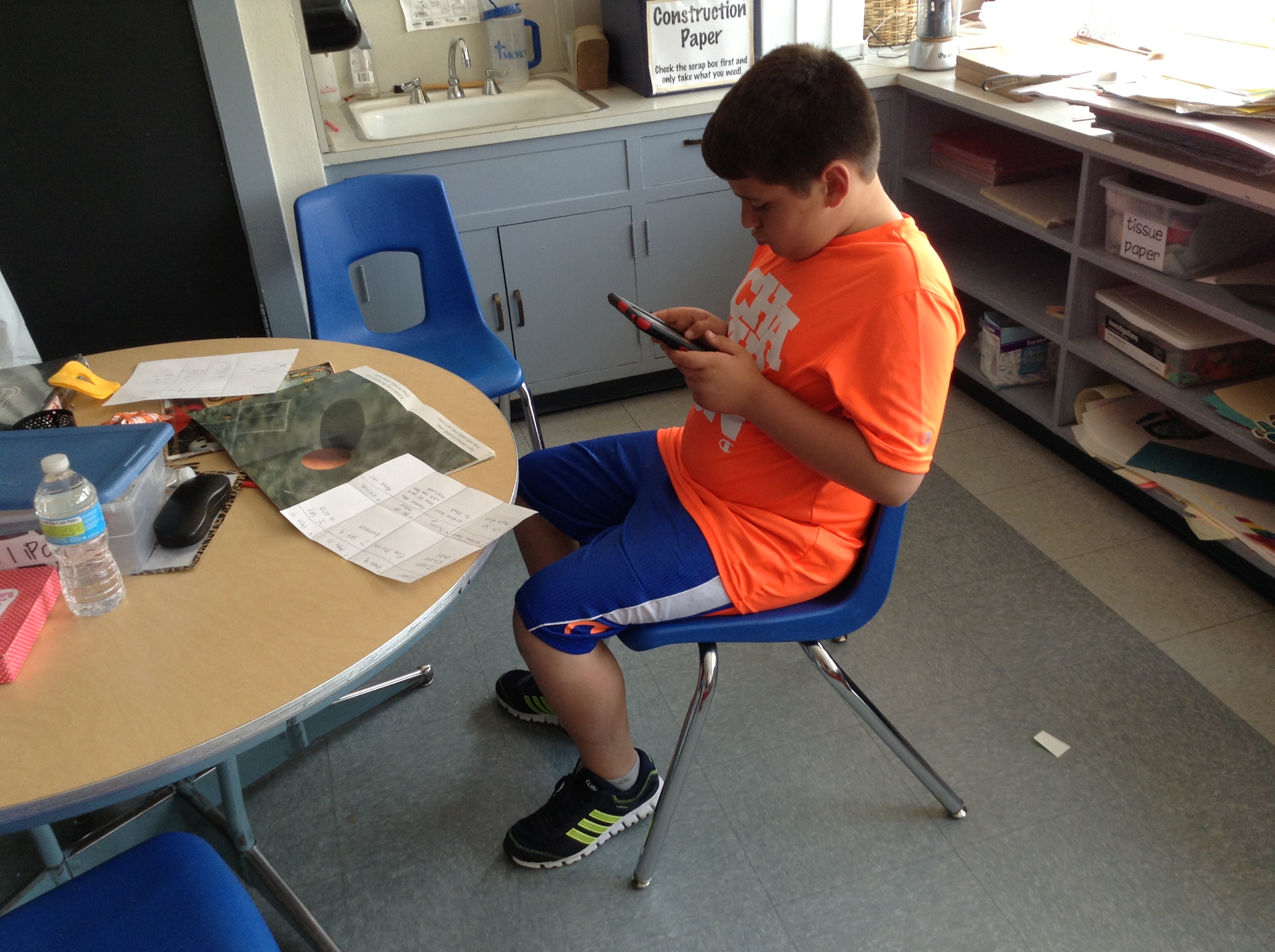
IMG_0853

Don’s using his storyboard as he creates each scene of his iMovie.
IMG_0854

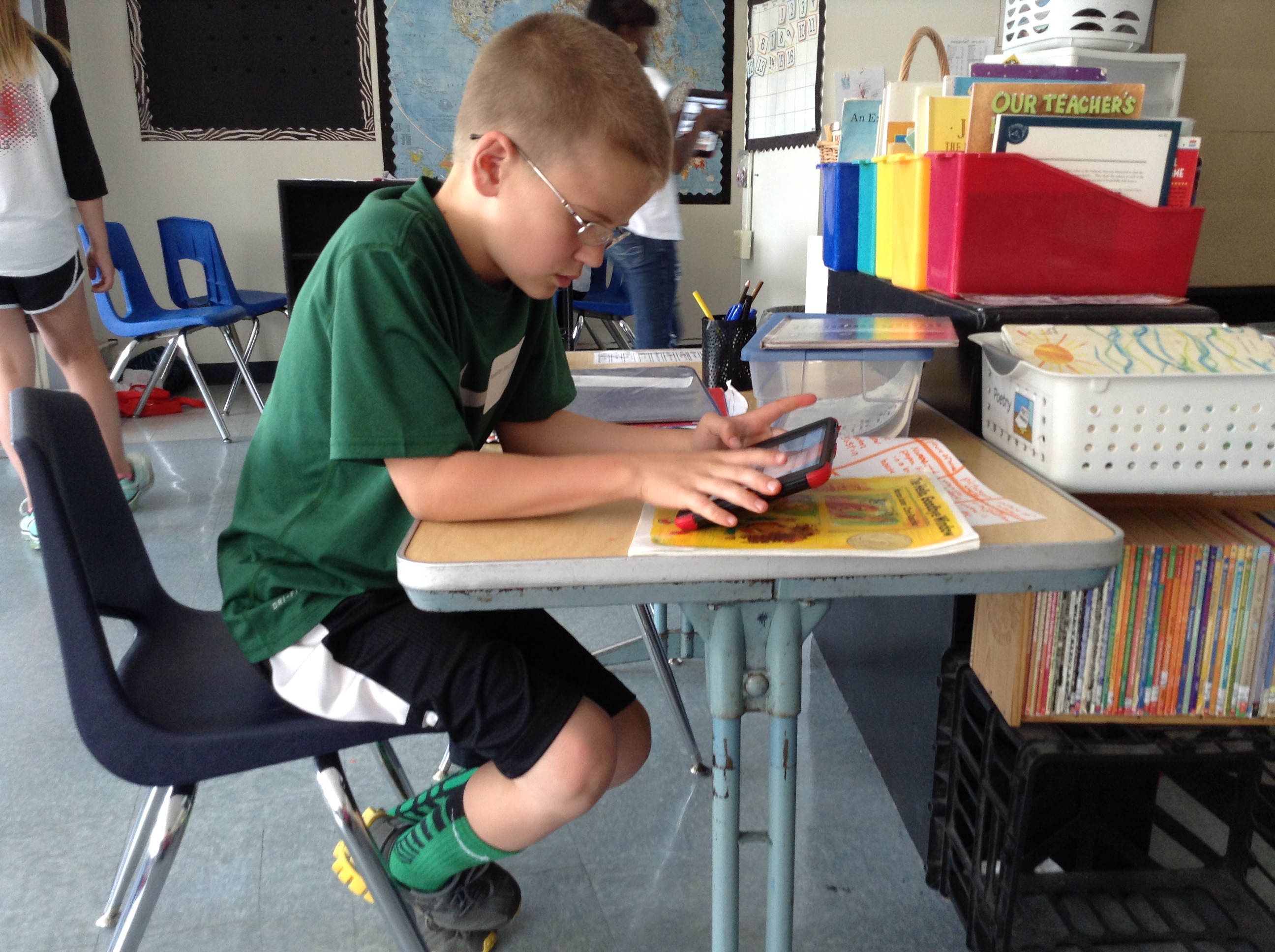
One of Keelan’s videos was from that kindergarten pile–The Hello, Goodbye Window.
IMG_0855

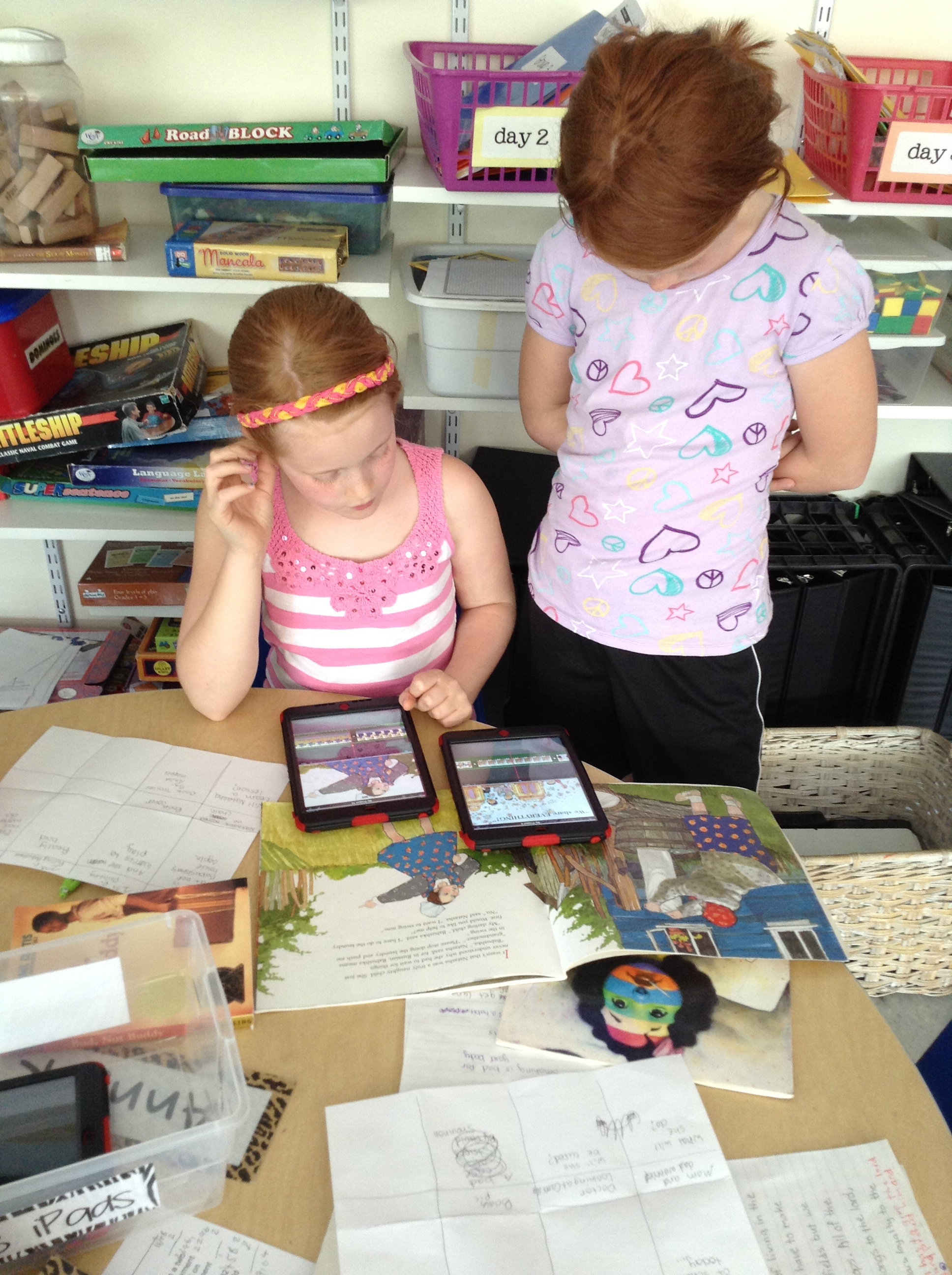
Anna K. (on the left) was a wiz at iMovie! I love how kids taught other kids how to do things and answered questions when we needed to troubleshoot why something wasn’t working. Here she helped Sammy figure out how to fix a problem she was having with a picture.
IMG_0857

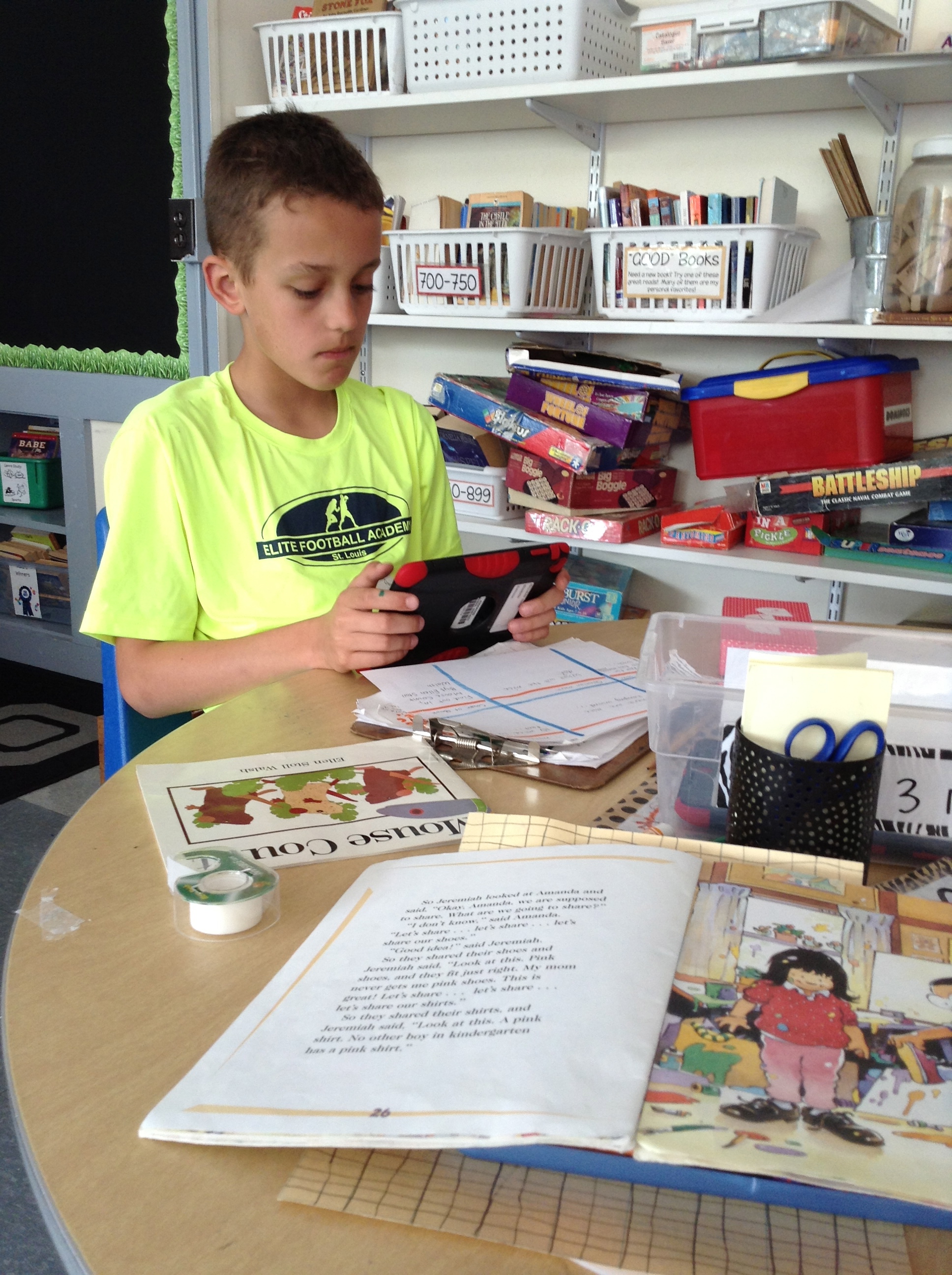
Owen working on a book trailer for Mouse Counts.

IMG_0859

Sophia and Jernandra worked together, too. Jernandra’s book trailer was about Super Fudge.
IMG_0860

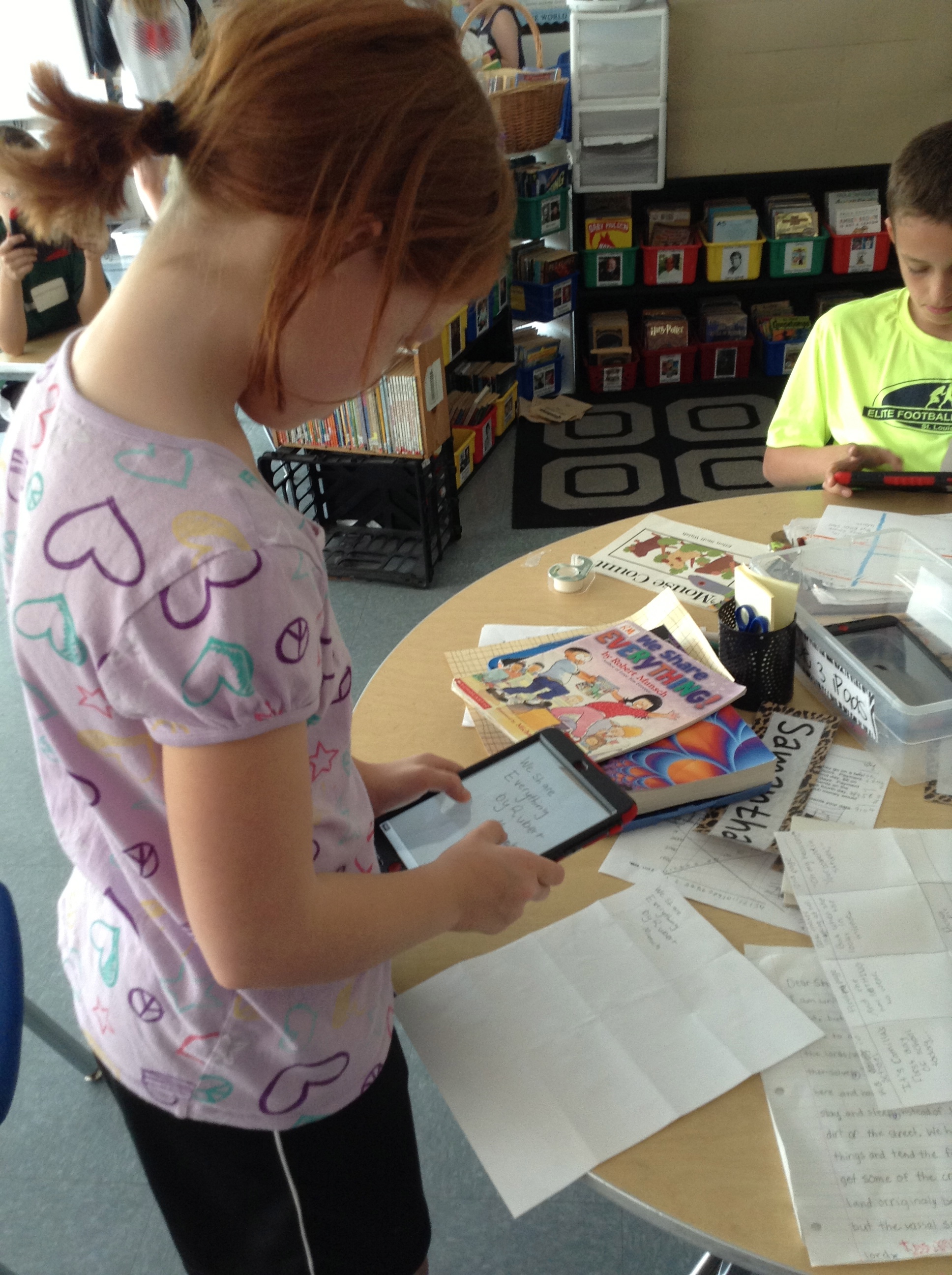
Sometimes the pictures we added were from the internet, and sometimes they were ones we took ourselves.  IMG_0863 IMG_0865See?

So, kids chose books (we started with our favorites, but also brainstormed other ways of choosing like book award lists for the upcoming year, book award lists from previous years, books that are frequently checked out from our library, etc.) and began to create our storyboards.  Once they had an approved storyboard, they went to work in iMovie, which we worked together to figure out—remember those experts I mentioned in the beginning?  They helped lead small groups to coach kids on what to do–and Jack even taught me how to do it!  What a great app, by the way, and on the iPad it’s SUPER SIMPLE to use.  I highly recommend using it if you aren’t already.

But just because our book trailers were finished, that didn’t mean our project was done.  We wanted to then link all of those trailers to QR codes that kiddos in our Robinson library can scan and learn more about the book as they are shopping for books to check out.  That meant we had to answer the “where do we put them when we’re finished making them” question from our original chart.  Many suggested we put them on our blogs, and we already a class YouTube channel, but we had to make sure it was some place that would be able to get through our internet filters at school (so kids could actually watch the videos we were creating!), that would be able to hold a large amount of data, AND that would be online (otherwise we wouldn’t end up with a QR code!).  I decided that SchoolTube was probably our best bet.

It was really great when we finally got to the end of the project and we were working in the library to finally attach all of our QR codes.  (Even this part of the project was kid-led, too, as someone suggested it would be a better idea to attach the code to the actual book, rather than the shelf.  Genius!)  We were super excited to be able to call in Mrs. Sisul, our principal, who supports all of the crazy and fabulous things we want to try with technology, and show her how they work.

Don and Owen showing Mrs. Sisul how to scan our QR codes to get to our videos on School Tube.  She was so excited for us!

Don and Owen showing Mrs. Sisul how to scan our QR codes to get to our videos on School Tube. She was so excited for us!

So at the end of it all, we ended up with over 50 TITLES that now have book trailers, and each copy of each book in our library has a QR code attached to the spine or the cover (depending on where it would fit)!

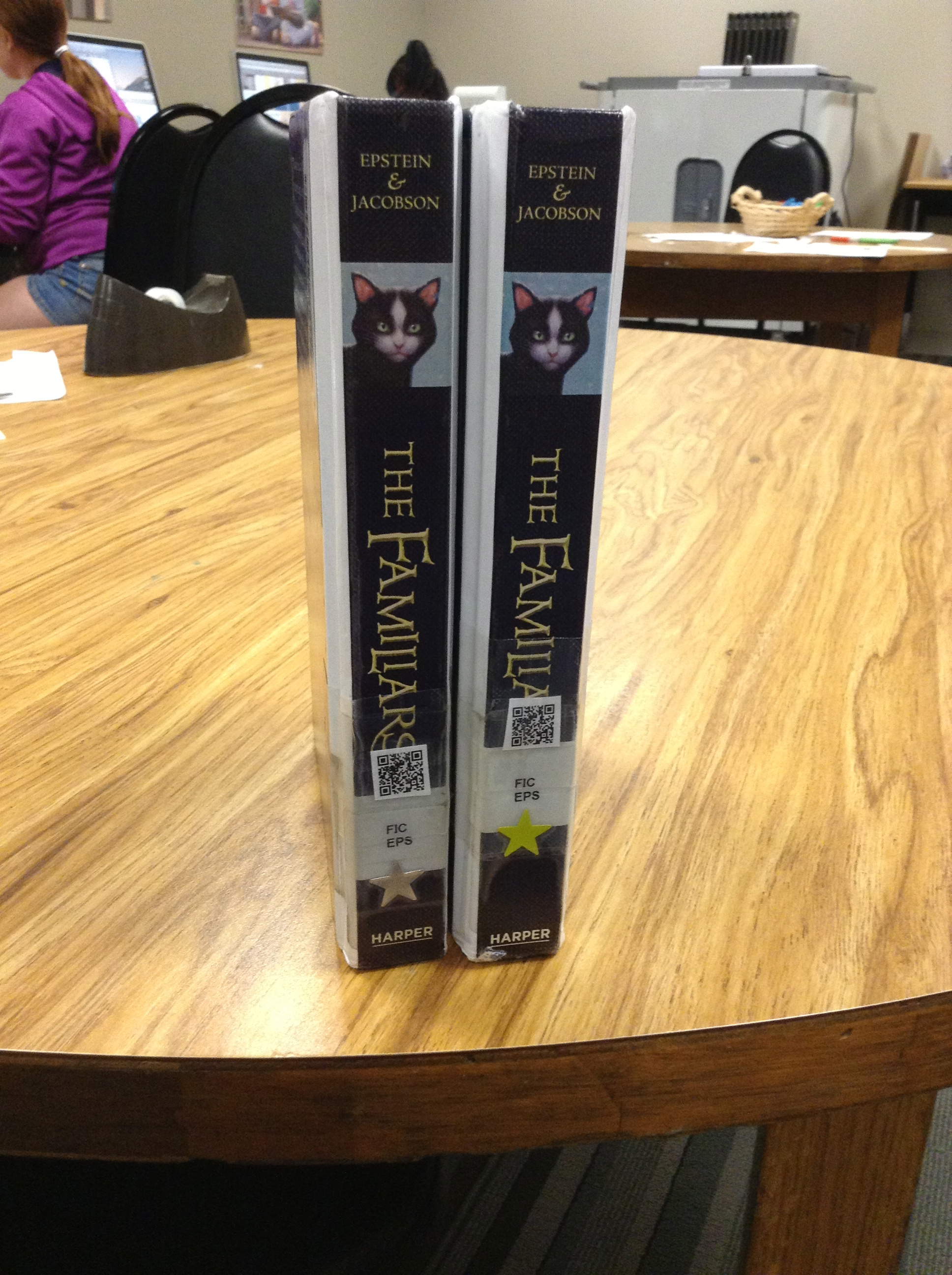
IMG_0872 IMG_0871

I wish that I would have had time to do the last reflection piece after this project, to have my kiddos tell you all that they’d learned throughout the process, but alas, we worked right up to the very last minute–and then it was summer!  So I ask now, to all of my 5th grade friends who worked on this big service-learning project with me: What did you learn from this experience?  What do you know now that you didn’t know when we started? What was your favorite thing?

And now it’s your turn to check out all of our fabulous work!  While I’d love to individually post every trailer here for you to watch, it makes more sense to direct you to our Robinson School Tube channel so you can check them out there! Happy watching and thanks for leaving us your comments about what you think!  We worked so hard and are so proud of what we accomplished!


iPad Scout Reflections Week 3 (and 4): Getting in a Groove

I knew it would happen eventually, and I think during week 3 it happened: we got into an iPad groove.  So in some ways that makes this week’s reflection really fabulous, and in some other ways it might make it really boring.

After the first week of highs and lows, and the second week‘s videos, I was excited to see what Week 3 would bring us.  I was hoping that it would bring some sort of “normalcy,” where we wouldn’t have our noses constantly in our iPads and were somehow thinking of them as tools instead of toys.  And to some extent that’s what happened.

The most exciting part of the week for me, I guess, was how my kids are starting to come up with really great ways to use our iPads to enhance our learning.  We’d already been using Educreations for annotating videos explaining our learning, using Notability to mark up text we were reading and taking pictures to help us save documents we could use later easily in another place.  And up to that point, much of what I was asking them to do with their new tools (outside of the iMovies they’re making for fun, blog posts they write for themselves and some other stuff like Edmodo) had been my idea.  Then we started talking about poetry.

As like with every other unit, they were to publish their pieces, self-evaulate using our writing rubric, and then turn in their work (not rocket-science, I know).  And ZB had a great idea of how to do it.  Just like we had been doing in Educreations to explain our thinking in math, ZB had an idea of how we could do the same thing for writing.

First we published our poems using Pages (the app on our iPads instead of the program on our laptops), which we could now save in our Dropbox folders.  Also in the Dropbox was the rubric, which I could easily share for each kiddo to upload.  Then came ZB’s idea: maybe we could put pictures of them both on a page in Educreations and then explain why we scored ourselves that way.  GENIUS–especially since the “4” on most of our rubrics is to “explain the reasons behind your choices.”    So they took a screen shot of their poem, and laid a screen shot of the rubric right next to it:

Screen Shot 2013-04-26 at 9.11.23 PM And as they scored themselves on the rubric, they could explain to me why they thought their poem showed that, and could make connections to the text of their poem at the same time.  This type of thing, before we had our iPads, was possible, but would take FOREVER because I’d have to have a separate conversation with each writer in order to gain the information about their thinking.  Great idea, ZB!

Now, I must take a minute to insert a short story of a frustrating “apportunity” we had related to these videos.  It’s related to the fact that Educreations is a GREAT place to create videos, but not such a great app to use if you want to do anything with those videos.  And of course I didn’t know this until after we’d done all kinds of work with it.  As I struggled to find a way for my kids to be able to share their work with me, I found this FAQ on the Educreations website that helped me find an answer to my problem.  A negative answer.

Screen Shot 2013-04-26 at 9.29.44 PM

Lame, right?  Yeah…great information I wish I’d had before we started.  And so this meant that what I had thought were great opportunities for my students to share their thinking with me were now just stuck on their iPads.  Well, unless I wanted to lug them all home.  Which was kind of not the point of going 1:1 and being electronic and such, you know?

Well, since then, I have learned a couple of things that solved our problems:

1.  You can get around the exporting problem if you sign up for an Educreations account.  That way you have the option of emailing your video to someone or copying the URL link of to post or use.   I found out I can also give my students a course code that will allow me to have access to their videos via the website.  They don’t even have to send them to me now; I can just click on each students’ file from one screen at the same time.

2. Notability also works in a similar way, and can be more easily shared or saved in Dropbox, Evernote, or a variety of other ways.

3. Explain Everything is a great app that combines all of the things that both Educreations and Notability can do, and has many other great options that will grow with your students as they get older and/or learn to do new things with their devices.  Downside?  It costs $2.99, but does offer a volume discount if you buy in bulk.  We’re considering this one as an option to Educreations.    Doodlecast Pro could do the same thing, and might be great for younger students (it’s also $2.99). 

Screen Shot 2013-04-26 at 9.43.11 PM               Screen Shot 2013-04-26 at 9.44.08 PM


So this past week was technically Week 4, but with MAP testing taking up much of our time and energy, there is not a lot of iPad news to share.  The one thing I will mention, though, which I guess fits in the “high” category, came from our class meeting today.

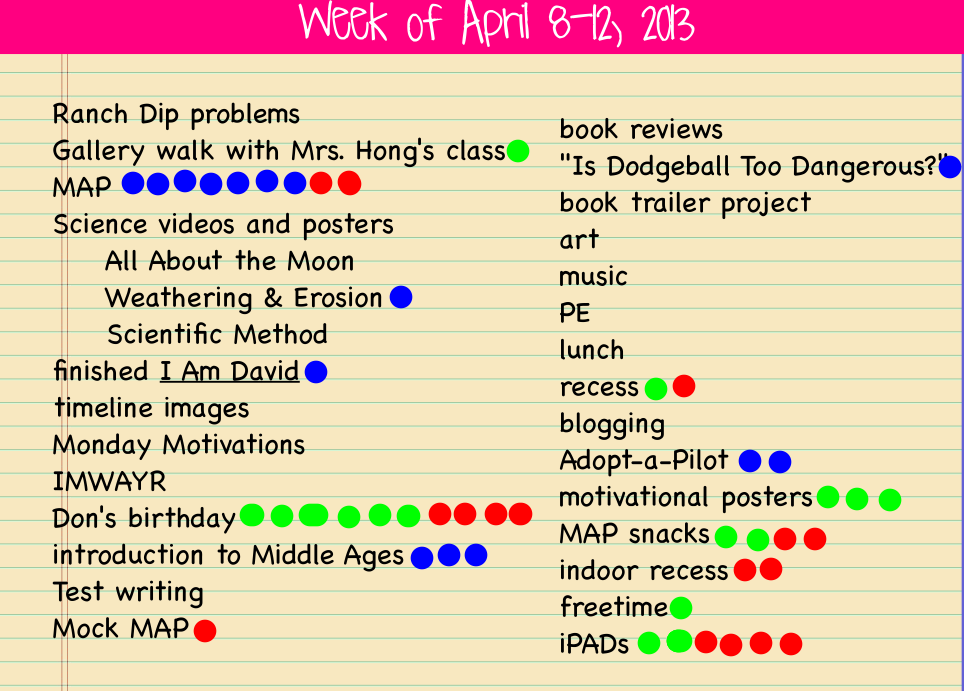
As always, the last question we answered before we started our discussion was “What do you want to talk about from the week?”  As you can see, man people had the same idea:

The red dots mention are what kiddos wanted to talk about.  Their conversations could be positive or negative, but these are the pressing issues of the week.

The red dots mention are what kiddos wanted to talk about. Their conversations could be positive or negative, but these are the pressing issues of the week.

Ok, so I know Don’s birthday was a big topic of conversation (because many people wanted to wish him well and tell him how awesome he is), but they also wanted to talk about iPads.  What I loved was that unlike past weeks conversations when there was a lot of discussion about what NOT to do, today they wanted to talk about how great it’s going!  The discussion was about how we’ve all figured out how to do things, aren’t playing around so much anymore, and how they’re helping us as learners.  Of course I was interested in hearing more about that last thing, so I dug for evidence.  They mentioned things like being able to get and send documents to me electronically instead of having to always get papers, as well as how easily they can look up answers to things they’re wondering about and just how much more interesting doing their work on the iPads has been.  And I’ve been excited at how much more collaboration there has been in spite of everyone being 1:1; many people worry that kids will be “plugged in” constantly and not interact with other students.  I’m happy to see that this hasn’t been the case in our room so far.  We’re just finding better ways to collaborate, communicate and curate.

IMG_0784

Don and Ames look at a common text on Educreations as we practice editing together.

IMG_0785

Anna and Fiona can look at the same text on their separate devices as they discuss how they’d improve the paragraph to make it easier for the reader to understand.  Since they’d uploaded the picture into Educreations, they can mark on the text right on their iPads and then save their thoughts to come back to later.

IMG_0786

Devan and Peter work to edit punctuation and capitalization in a text uploaded from our shared Dropbox folder.

IMG_0791

iPad minis make it easy to have everyone look at the same text at the same time, but then interact with it in whatever way works for them as a learner.

IMG_0792

And they’re portable and small, making them easy to go anywhere–even the rug–unlike when we were only using our laptops for these kinds of things.


So we’re about halfway home.  4 weeks in and 4 weeks to go in the Scout.  And with MAP finishing up this next week, we’ll have some more time in our schedule to explore what our iPads will help us do.  Stay tuned for more on the book trailer project we’re in the middle of.  That is definitely something that would have been inconceivable before we were 1:1.  Exciting times ahead!

Just like always, it’s your turn now.  Thoughts? Suggestions? We’d love your feedback on what’s going on in our room! 🙂


Another (Writing) Celebration!

I’ve written before about how we use the Writing Cycle in our classroom, and how important celebrating our work is once we’re all finished.

Recently we had another one–this time with Expository Nonfiction Writing that we had done!

Our nonfiction pieces were all based on the structure of introduction, 3 paragraphs on specific topics, and conclusion.  They were written in many different forms, but all followed that same structure.

Our nonfiction pieces were all based on the structure of introduction, 3 paragraphs on specific topics, and conclusion. They were written in many different forms, but all followed that same structure.  Rebekah’s final piece was handwritten on paper.

Many students wrote their essays as feature articles using Pages templates.  All they had to do was replace what was there with their info and voila!

Many students wrote their essays as feature articles using Pages templates. All they had to do was replace what was there with their info and voila! I was impressed with the variety of topics: Sophia wrote about Artemis, Anna C. wrote a piece about tennis player Althea Gibson, ZB202 wrote about poodles and Natalie wrote about the evolution of the telephone.

IMG144

Some essays were made with a flier template, and Keelan wrote his as a brochure.

IMG146

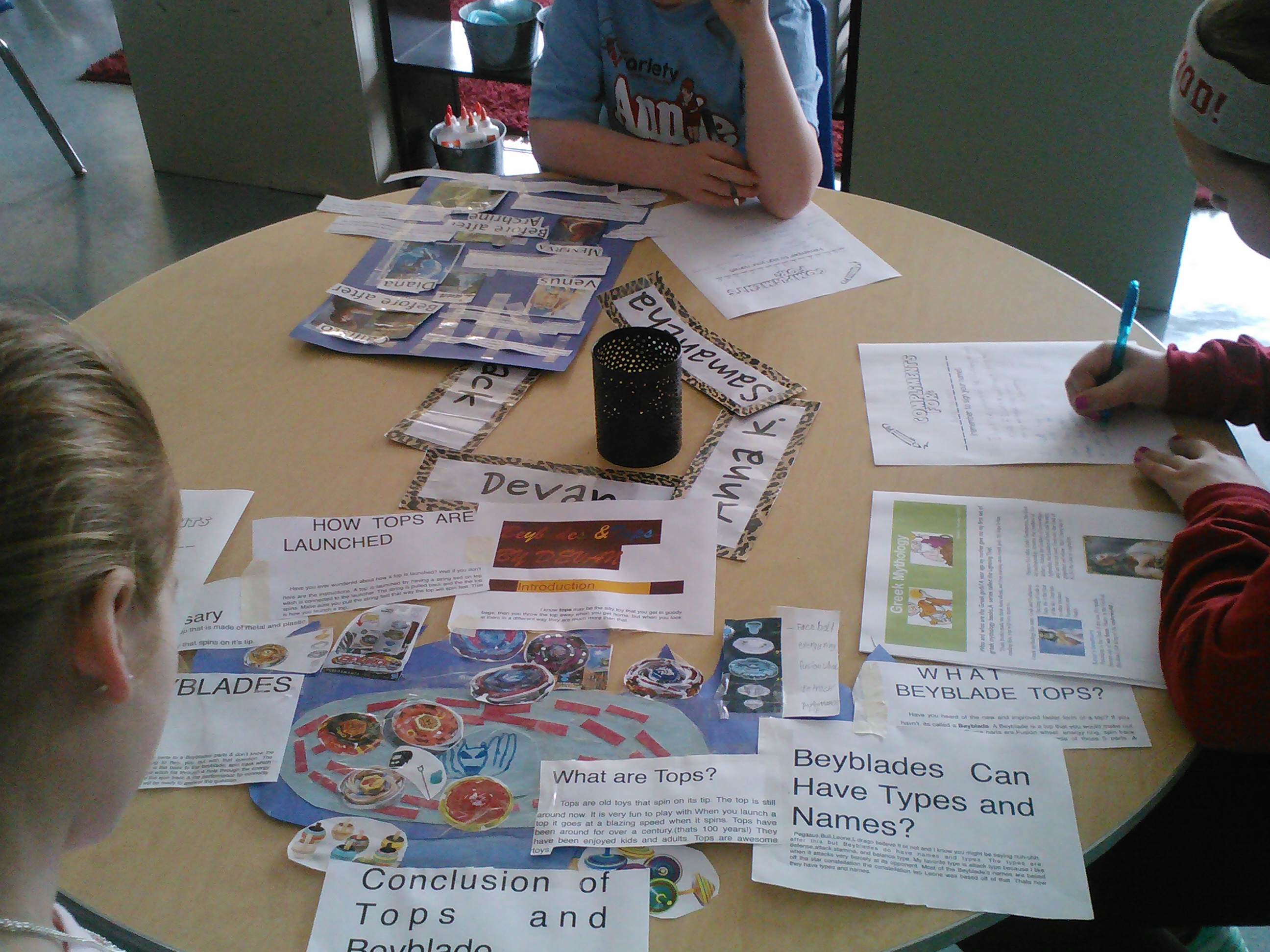
Here’s a great picture of the different end products: Anna K. used Pages to write about Greek Mythology, Devan made a poster that was SHAPED like his topic of tops, and Sammy made a poster about mythology, too.

Some posters were small, like Jernandra's about lions...

Some posters were small, like Jernandra’s about lions, Don’s about bulldogs,

IMG143

and Aiden’s about diamonds…

...and some were big, like Seamus' about Paul Revere,

…and some were big, like Seamus’ about Paul Revere,

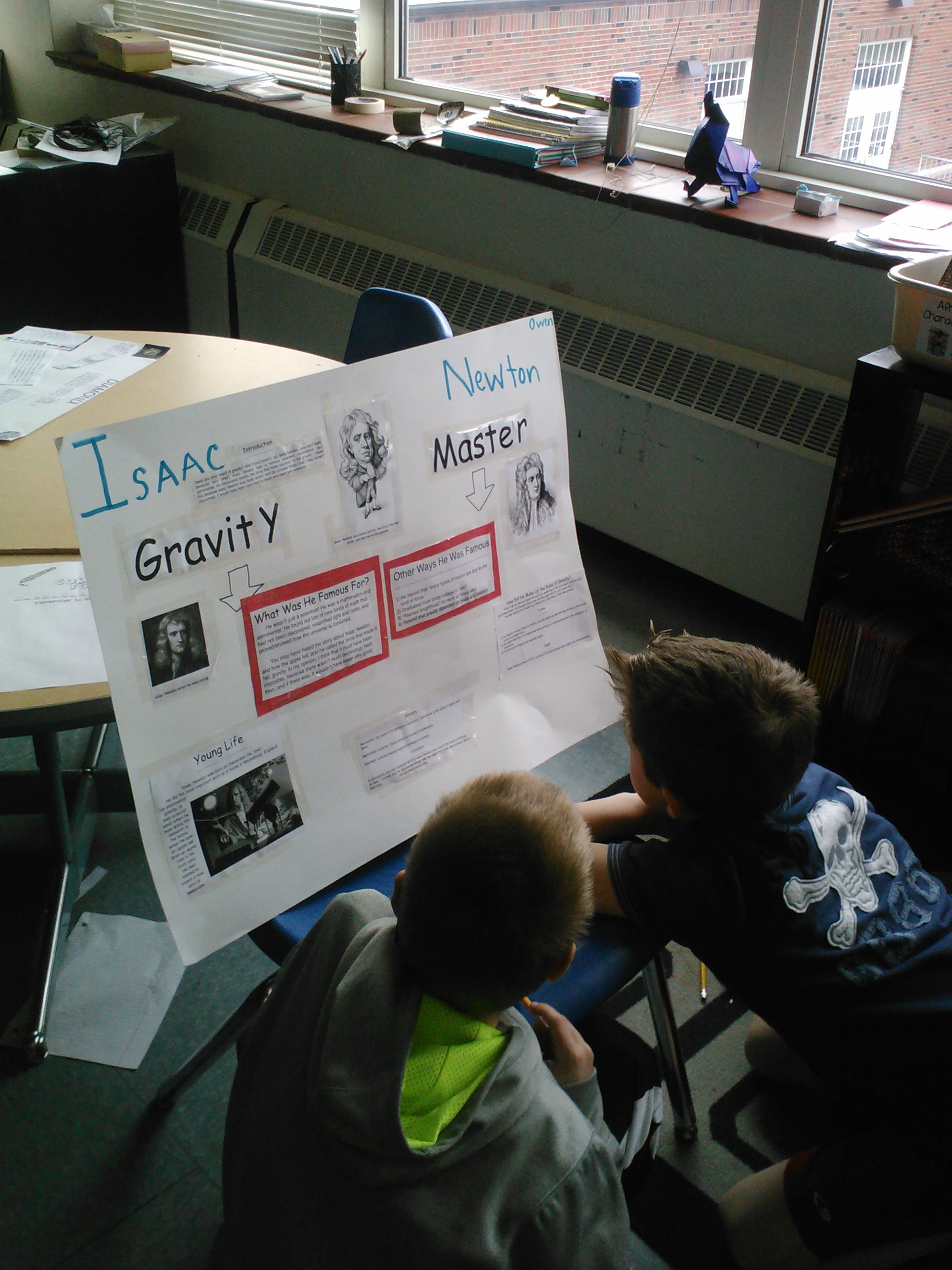
Owen's about Gravity Master Isaac Newton,

Owen’s about Gravity Master Isaac Newton,

and Fiona's about Queen Elizabeth II.

and Fiona’s about Queen Elizabeth II.

IMG149

And thee were even some Keynotes created about nonfiction topics, like Ames’ slide show about fossils,

IMG145

and Peter’s about Ray Lewis. What a great example of how we can all accomplish the same thing in whatever way makes sense to us!

What do you do to celebrate your writing?  How do you “send your writing out into the world?” Tell us what you think!


World Read Aloud Day!

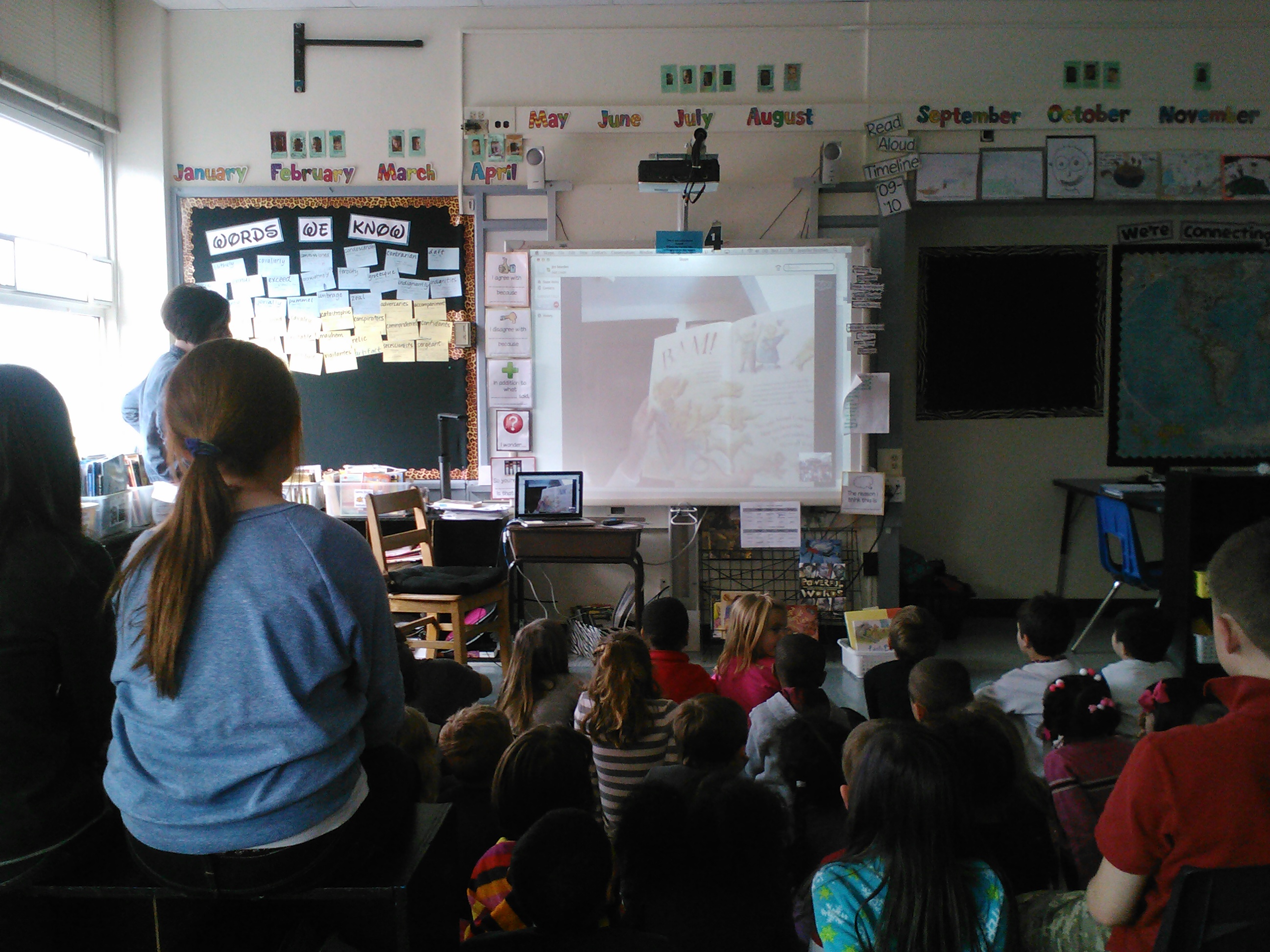
Last week were AMAZED as Lisa Campbell Ernst came to share her writing life with us.  But on Wednesday we were DOUBLE AMAZED when she agreed to Skype with us to celebrate World Read-Aloud Day 2013.  We’re kind of spoiled around here. 🙂

As I mentioned in my original post, I was trying not to be a groupie, but was forward enough to ask her to help with us with our WRAD plans.  Surprisingly, she said yes, and so I began thinking about what we could do together.

I knew my friends were dying to ask her many more things about her writing life, and specifically to see more of what her writing studio looked like.  And because it was read aloud day, we hoped she would read to us, too!

When she was here, she had told us all about the process of writing The Gingerbread Girl.  She also told us about how she got the idea for the sequel to it: The Gingerbread Girl Goes Animal Crackers.  As I remembered this detail, I knew that was the book I wanted her to read!

So we settled in for our Skype call with her, and has 40 or so kindergarteners join us for the experience!  I invited my son, Riley’s, class to come up and hear the story (partly because I knew they’d love the book, but selfishly because I knew HE would love it–we are always talking about books and authors at home!).  Then Ms. Weidinger shared it with Ms. Heifner and they came along, too!  WOW–what a great bunch of kiddos gathered to share such a great day!

Look at all those kiddos!

Look at all those kiddos!  It’s really cool that little kids and big kids alike can share an experience like this one!

First she read to us.  Here’s a little snippet (although now I’m a little sad I didn’t record the whole story!):

Man, it must be crazy cool (and a little bit weird) to be able to read a REAL book that YOU wrote to other people.  I’m a little jealous.

After we enjoyed her sharing her story with us (which is a MUST READ in our opinion!), our little friends left and we settled in to chat with our new best author friend!  We had some great questions left over from our time with her last week: Will you ever write an autobiography?  Do you like writing fiction or nonfiction better? Can we see more of your office?

Then Peter asked how she made up the little rhymes she used in her Gingerbread Girl books.  Her answer, which made sense, was that a lot of it was just trial and error.  But she also shared with us a handy-dandy tool that we now know no writer should be without:

What an amazing visit with an amazing lady!  I, for one, was inspired to get myself published, and I know my students were inspired as well!  What a treat!  THANK YOU LISA!

How did you celebrate World Read Aloud Day?  Who is your favorite author?  Have you every Skyped with an author?  If so, who? Tell us about it!

Paragraph?

Today, with your group, you’re going to do a little digging.  You’re going to dig into the paragraph examples here and here:

Screen Shot 2013-01-21 at 8.17.07 PM Screen Shot 2013-01-21 at 8.17.20 PM Screen Shot 2013-01-21 at 8.17.35 PM Screen Shot 2013-01-21 at 8.17.49 PM

Next your job is to figure out what makes them all paragraphs.  What do they have in common?  What are the “rules” for writing a paragraph?  After you’ve figured out the answer, post your thoughts in the comments (along with your group members’ names) and we’ll discuss together.  Happy digging!  Can’t wait to see what you uncover!

This is HARD!

I am a writer.  I am not a published author, but I see myself as a person with an opinion, something smart to say, someone with ideas to express.  I do that is many venues, and one of them includes following along in each writing cycle that I ask my students to go through.

Usually this is a relatively easy task.  I’ve been writing for myself for years now, and have TONS of ideas to choose from in my many Writer’s Notebooks.  And as long as the genre is something non-fiction, I’m ok.  And then this time every year a fiction cycle rolls around and I start to get nervous.   For whatever reason, writing a story is just not something that comes easily to me.  It seems that every story I do end up writing has something to do with Santa Claus or Christmas.  Other than that, I got nothing.

So when we got to Thursday–drafting day–I should have been ready to sit down with my students and use my own seed idea and nurturing notes to draft, I had a little confession to make instead.

“THIS IS HARD!” I started.   I had to admit to them that I was not ready to draft.  I had to tell them that, in fact, I didn’t even have a start of an idea.  I had NOTHING!  Ok, not nothing–I did have 7 years of Writer’s Notebook filled with ideas, but nothing that spoke to me and said, “Hey, Mrs. Bearden–write a story about this!” or that could easily fit into a Santa or Christmas story (that’s all I know how to write about, remember??).

So on drafting day, instead of drafting, my job was to figure out my idea.  But I needed help.  And I knew just the people to ask. 🙂

As my students worked on their own drafts, then, I went back to work digging through my notebooks to find anything that I was at least a little bit interested in.  I wasn’t really even sure what I was looking for, but I did end up finding a couple of cute stories from my childhood.  Then one about my little brother.  And another about something funny my husband did when he was a kid.  And so finally my wheels starting turning…

After a few minutes, I at least had a start:

                       IMG622          IMG623

What I came up with was an idea to incorporate many stories from my childhood (about me, my brother, my dad, my husband) into one, set in an old house I used to live in. The trouble was figuring out how to do that.  All I had to do was just begin to mention all of this to my students and within about 10 seconds I had at least 10 possibilities–one that even had a link to Christmas!  Love it.

And do now my hard work continues as I try this weekend to come up with my draft.  And believe me, it’ll have to happen, regardless of how impossible it feels to me now.  They’re counting on me.  I ask them to do it, so I should be able to do it, too, right?  I’ll let you know the answer to that when I figure it out.  Hopefully before Monday. 🙂

What’s your favorite genre to write?  Is there one that’s easier or harder for you?  Tell us about it!

Trying Something New: Writing Warm-Ups

So hopefully by now you’ve seen posts about how we use math warm-ups to reinforce and extend what we’re working on in our current math unit.

Well…math warm-ups have been working SO WELL for us, that I finally got around to trying something I’ve been thinking about for a while–writing warm-ups.

First a back story…

Everyone knows that learning the mechanics and grammar of writing is important.  But what is the best way to teach it?  For many years, I did what many people do–give kids lots of sentences to edit and correct, hoping that they would then transfer that “learning” into their writing.  One year I even turned daily edits into a weekly quiz, so that I could be sure I was assessing this work we were doing.  And I guess it worked ok.  Kids showed me that they knew how to capitalize correctly, use basic punctuation and pick the “right” word depending on the question they were asked.  But yet they didn’t do a great job of doing this in their writing.  It was like they had never encountered the rules for punctuation, capitalization or grammar.

This puzzled me, and I was curious about what else I could do to improve these skills in my students’ writing.  After learning from a smart friend of mine, and doing a little reading on my own, I had some different thoughts about what was better practice in this area.  For one thing, I abandoned Daily Edits.  These exercises, after all, only gave my students exposure to these skills in isolated situations–situations that made them unable to transfer the knowledge.  The thinking in not doing them, is that when all that students see is the wrong way to use mechanics and grammar, they may subconsciously be learning that wrong way to do it.  It’s totally against the logic of why I did those activities, but after I heard it, it made perfect sense.

So fast forward a few months: I began doing a punctuation study as a means of helping  my students discover and learn more about how writers use punctuation.  I wanted them to see the right ways that writers use punctuation to make meaning; I wanted them to learn why they should want to know how to punctuate correctly, not just “because my teacher told me to follow these rules.”

And so for several years I’ve also wanted to try something else.  Something that finally happened this past week.

The basic idea of the Writing Warm-up is to show my students a piece of writing (that I choose specifically based on what I want my students to discover) and ask them what they notice.   I want them to look for things the writer does with words, spacing, punctuation, etc., that they could then try in their own writing.  And unlike with daily edits, I can highlight a specific skill by showing them a quality piece of writing demonstrating the right way to do it, rather than one filled with mistakes.

So far we’ve only had three of these warm-ups, and here they are:

#1

IMG596

This first one, from a beloved read aloud we finished recently, had all sorts of “good stuff” to discover.  I specifically picked it because we were trying to figure out more about how to use the semi-colon, but obviously they found many other things I hadn’t expected.  We worked on this one together with the document camera so everyone could see it on the big screen.  They had their own copy of the text, too, so that they could take notes if they wanted to.

#2

IMG595This one gives you a better idea of logistically how we manage these warm-ups.  Unlike the math version, we use the ActivBoard instead of the easel.  Instead of doing them in the morning, our writing warm-ups happen right when we return from lunch and recess.  Their “bellringer” before they head to read aloud is to check out the text, then jot an idea on a post-it what they think they can learn.  They put the post-it on the text near the thing they noticed.  Then, at the beginning of our Writer’s Workshop lesson, we return to this text and have a quick conversation before moving on to the main daily lesson.

#3

IMG620

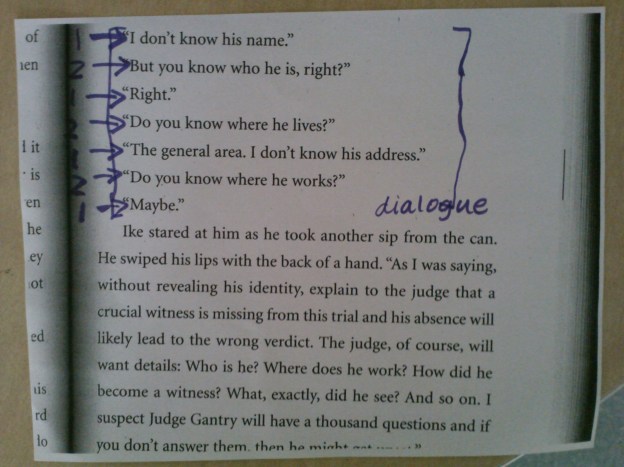
Another excerpt from our current read aloud Theodore Boone, Kid Lawyer, one that I chose specifically because of the dialogue included.  We’re in the middle of a fiction writing cycle, and there is an expectation that they will include dialogue in those stories.  We’ve already discussed how commas work in this situation, and so this is an extension–how you start a new paragraph each time a new character starts, to help your reader keep track of who is speaking without having to write “he said” each time.  The cool part is that most of them mentioned this without me even prompting them!  Good stuff.

The verdict is still out on whether these warm-ups will do what I want them to, but then again we’ve just started.  At the very least, it’s a good start for us, and my writers love them, so there’s good potential.  We’ll keep you updated. 🙂

How do you teach grammar and mechanics?   What do you think of Writing Warm-ups? Leave us a comment and tell us what you think. 🙂

Fiction Frenzy!

We have been busy over the last week collecting new ideas in our notebooks as we start a fiction writing unit.  As with every unit I teach, there are specific strategies that I teach about how to collect for that genre; the idea is that these can then be used over and over again once you know how they work.

Together throughout the week we read several books together, then looked at an idea we could pull out of that book to use in our writing.  First we read The Wreck of the Zephyr by Chris Van Allsburg and talked about how to meld real and imaginary events into the same story.  Then we read Nothing Ever Happens on 90th Street by Roni Schotter, and talked about how to collect “interesting people” to use as characters.  We also tried a strategy that Eva, the girl in the story, uses when she asks “What if?” and then twists the story in an interesting way.  On Thursday we read Moira’s Birthday by Robert Munsch, and brainstormed “messy situations” that we could use in our stories to add interest, conflict and fun.  Lastly, we tried something that I knew my writers had probably never done, and that I knew they’d love.  And they did.  🙂

Let me tell you about it.

The big idea was that kiddos were given pictures from which to get inspiration for a story.  The strategy was a lot like something we did at the beginning when we first started our Writer’s Notebooks.  The first time around, though, the pictures were from magazines, and this time they were from my iPhoto albums.  Yep,  pictures of my kiddos–I knew my school kiddos would be excited about this one and give it their all.  They really love anything related to my family, which I love, too.

We rotated pictures around the room, two at a time, and kids brainstormed ideas for stories that they could write.  Each time they got a new picture, they could then start a new idea, or add on to the one they were already writing.  Here are the pictures we used for inspiration:

OLYMPUS DIGITAL CAMERAOLYMPUS DIGITAL CAMERAOLYMPUS DIGITAL CAMERAOLYMPUS DIGITAL CAMERAOLYMPUS DIGITAL CAMERAOLYMPUS DIGITAL CAMERAOLYMPUS DIGITAL CAMERAOLYMPUS DIGITAL CAMERAOLYMPUS DIGITAL CAMERAOLYMPUS DIGITAL CAMERA

The activity was really fun, and I am pretty sure that many of these ideas will become the seeds they’ll choose to publish.  Be sure also see the posts about it on our blogs.  Maybe you could even try it yourself.  What stories would you come up with from these pictures? Comment and tell us about it!  We’d love to use your stories as inspiration, too! 🙂

No One Died Today!

But boy, I’m sure some of them were worried about it.

Yes, of course, I’m kidding!  Let me tell you about what I mean. 🙂

I wrote yesterday about the writing cycle and our recent celebration.  Well, if you remember the way the cycle works, after you celebrate, you start over again with a new project.  In this case, we’re working on Personal Narratives.  We spent a couple of weeks collecting memories and other stories in our Writer’s Notebooks and then picked a seed and nurtured it with some help from our writing partners, and then today we were ready to draft.

Here’s the basic directions about drafting in our classroom:

Now, the first time through the cycle we didn’t do it exactly this way, and maybe I even let them just use the version that was collected in their notebooks.  But this time I made them do it “right.”  At least my right way.  And that’s when they thought they would all die….

I started our mini-lesson with a reminder about how I wanted them to draft, and then showed them how to do it with the seed I had chosen.  It was based on this entry from one of my Writer’s Notebooks:

So, as they watched and listened, I read, then reread my piece to get the big idea of how I’d written it in my head.  The second time I also paid attention to the parts I really liked and knew I wanted to include in my draft.  We talked about how those were parts that we read and said to ourselves: “Man, that’s good…”  Those are the highlighted parts.  Then I read it again, and had most of what I wanted to say ready to write down.

And that’s when it got scary.  Now, I’ve told my kids that I wouldn’t ask them to do anything I haven’t done or wouldn’t be willing to do myself.  And writing is an especially good example of this idea.  I always go through the cycles with them; we write together and make mistakes together and grow together.  So today, that meant that we would draft together.

We sat in front of our ActivBoard, and I was ready to write my story using the document camera so they could see it.  And I’m not kidding when I say that I TOTALLY understood the feeling that kids get when you ask them to do things like this for the first time.  I really didn’t know what I was going to write and I had an audience waiting for me to write something fabulous!  Luckily, my kids understand how to be gracious and go-with-the-flow with me, and so they supported me through this struggle.

After what seemed like forever, I had a rough-draft version of my piece.  And just like I told them might happen, I think I liked most of the new version better:

And so after we reviewed the steps: read, reread and highlight the “Man, that’s good…” parts, reread and then start writing, I sent them off.  DON’T EXPECT THIS TO BE PERFECT, I tell them, because we’re going to work on revising it anyway.  Give yourself a break and just write your story. 🙂  But still, there were so many frightened faces in the bunch; I really did think someone was going to throw up over these directions I had just given them.

I think, though, because they trust me and they trust the process–no matter how different or crazy it seems at first–they did what I asked.  The next thing I saw were kiddos all over the room drafting in a way they never had before, and not dying.  They really were able to do it, and it wasn’t as hard as they thought it would be.  But even it if was, that was ok.  “Hard is good!” is another saying I have, because, as we have also talked about many times before, “hard” is an opportunity to learn and to do things that amaze you.

Maybe the two best things that came out of today were this:  one friend came to me and told me that even though this was hard, she was glad that she’d done it–the version she wrote today was even better than what she thought she could do; and another friend–who usually has trouble finishing a draft quickly, and who was a little unsure about this process when we got started today–finished his whole rough draft, and was able to do it in a fabulous way! I even got chills when I read a line from his piece because it was that good!

Today was another example of many that I hope I teach my friends this year: just because something is hard doesn’t mean it’s not worth it.  Hard is good, and many times when you persevere through something you first think is a challenge, you are amazed at what you’re able to do.  And that amazement motivates you to keep going and do something amazing again! 🙂

What have you done recently that amazed you?  How have you persevered through something hard? Do you have a writing story to share with us?  We’d love for you to share your thoughts!