I Speak Greek When I Teach Math

Or maybe it’s Spanish or Chinese or Pig-Latin, but today I felt like I was definitely not speaking English to my kiddos during math.  Meaning no one understood what I was trying to explain, and many kids ended up more confused than when we first started.  WHAT?  It’s not like I’m new at this, nor to the topic.  We were even working on a problem that I made up!  Needless to say, we all wanted to throw in the towel, or rip up our papers and start over.  Or something else that you shouldn’t do when you’re frustrated.  And no, in case you’re wondering–we didn’t.  But we did put the problem away until tomorrow when we’re fresh and can tackle it again.  And I am already armed with a different plan for how to address it, but am hoping you can help me, too!  (And by the way, after how fabulous the first round of problems-with-posters went the other day, this was all the more mind boggling!)

Ok, so I’m hoping that you can help me figure out what might be making my friends so confused.  Here is the problem that we were working on yesterday and today:

Screen Shot 2013-04-17 at 8.55.41 PM

This problem is 1) based on a real-life problem, 2) uses math skills we already have (or at least that are not new!), and 3) really just focuses on making sure they use clear and concise notation to record their solution and thoughts.

Part 2

Part 2

PLEASE give me feedback on parts you see that may  have tripped them up.  After working on it for two days, I see a couple of things, but I really expected this to be a rather simple fraction problem; the difficulties they were having were not ones I had anticipated.  My hope was they could focus on the poster part, as a prep for how they’d answer questions as we start testing next week.  Instead, now they’re all convinced that math is hard and confusing.  Pretty much a teacher fail, huh? 😦

Thoughts?  Oh, and I guess it’s a given that I want you to be nice.  Truthful, but nice, please. 🙂  And maybe you could even tell me what you think the answer is.  That might help me see if the problem reads the way I intended it to.  THANK YOU, FRIENDS!

Math Warm-Ups April 8-12, 2013

Wow–how has it been a whole month since I last posted math warm-ups?  Oh, yeah, because MARCH was crazy–including a SNOW DAY and SPRING BREAK right next to each other.  And not that April is any less busy, but at least this week could be considered somewhat normal.  Oh, not it wasn’t–I had a sub on Tuesday.  But hey, what’s normal anyway, right?  Regardless, here are some recent math warm-ups I haven’t shared yet.

First of all, a couple from last week:

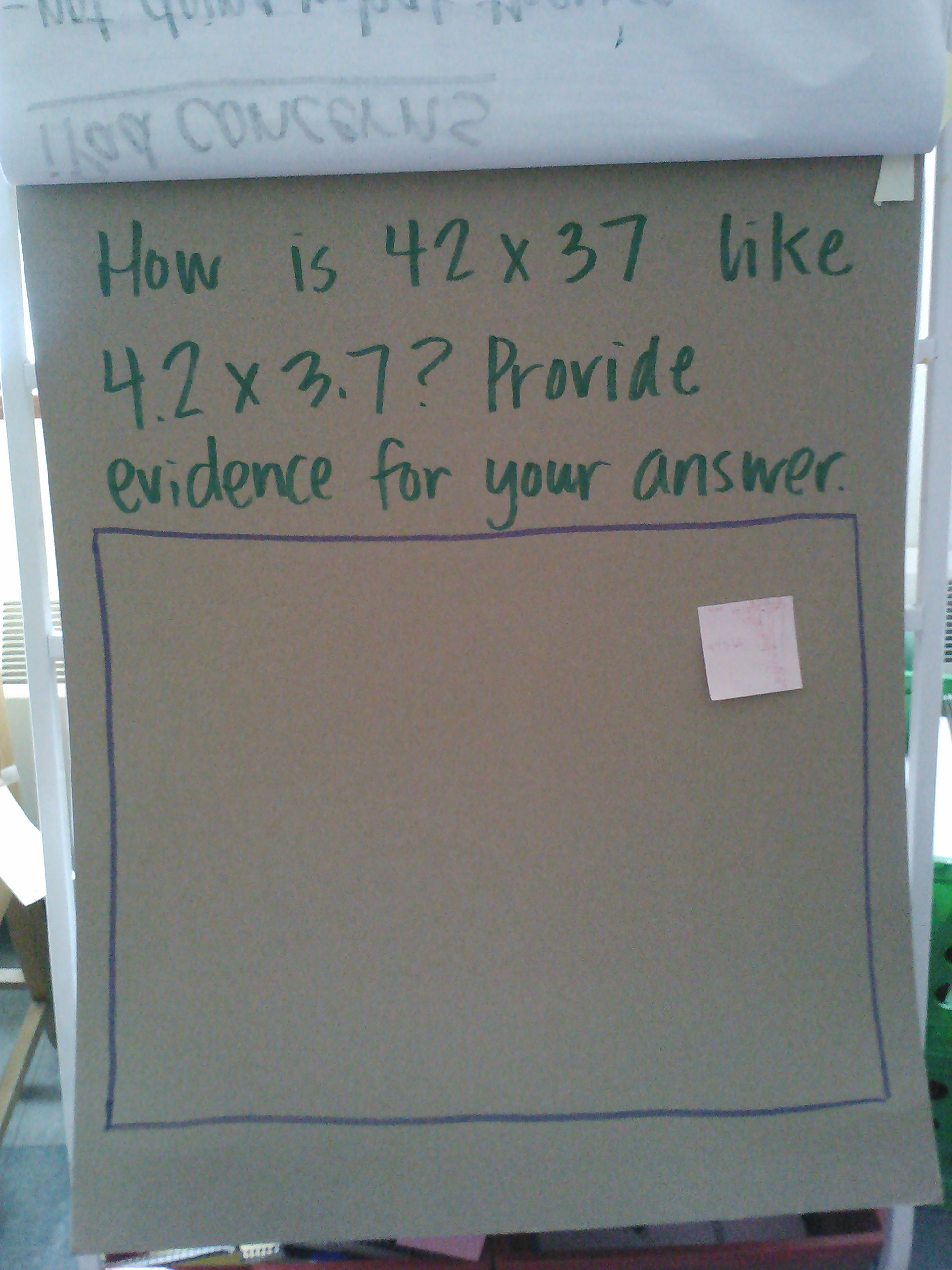
This one was to help discuss fraction place value, and also to help us talk about writing clear and concise answers to questions like these (in preparation for MAP testing in just over a week).

This one was to help discuss fraction place value, and also to help us talk about writing clear and concise answers to questions like these (in preparation for MAP testing in just over a week).

Can you tell I ran out of paper and didn't have a chance to get more for a couple of days?  Sorry. :)  This one is another place value one, hoping that students would see the relationship between money and fractions, and how they can just "move" the decimal (by multplying by 10), rather than having to use the algorithm to solve the problem.

Can you tell I ran out of paper and didn’t have a chance to get more for a couple of days? Sorry. 🙂 This one is another place value one, hoping that students would see the relationship between money and fractions, and how they can just “move” the decimal (by multiplying by 10), rather than having to use the algorithm to solve the problem.

This week’s warm-ups:

Wednesday

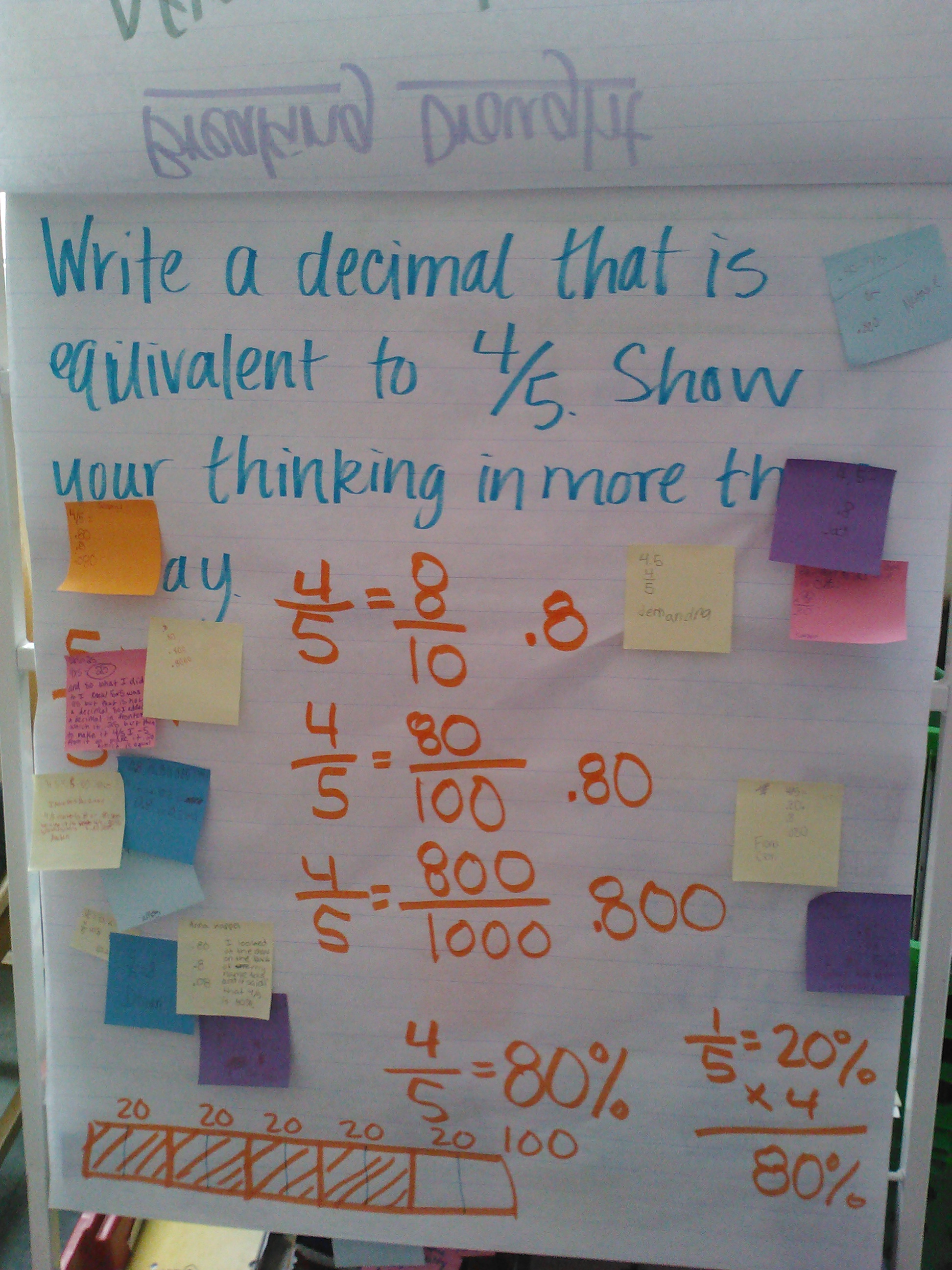
We needed to reminded (again) about equivalent fractions, as well as their tie to decimals.

We needed to reminded (again) about equivalent fractions, as well as their tie to decimals.

This one came right off of our Edison benchmark practice from this month.  We're using the problems on that assessment to help us analyze the "why" of the ones we get wrong.  This can help us not make those same mistakes again the next time we encounter them.

This one came right off of our Edison benchmark practice from this month. We’re using the problems on that assessment to help us analyze the “why” of the ones we get wrong. This can help us not make those same mistakes again the next time we encounter them.

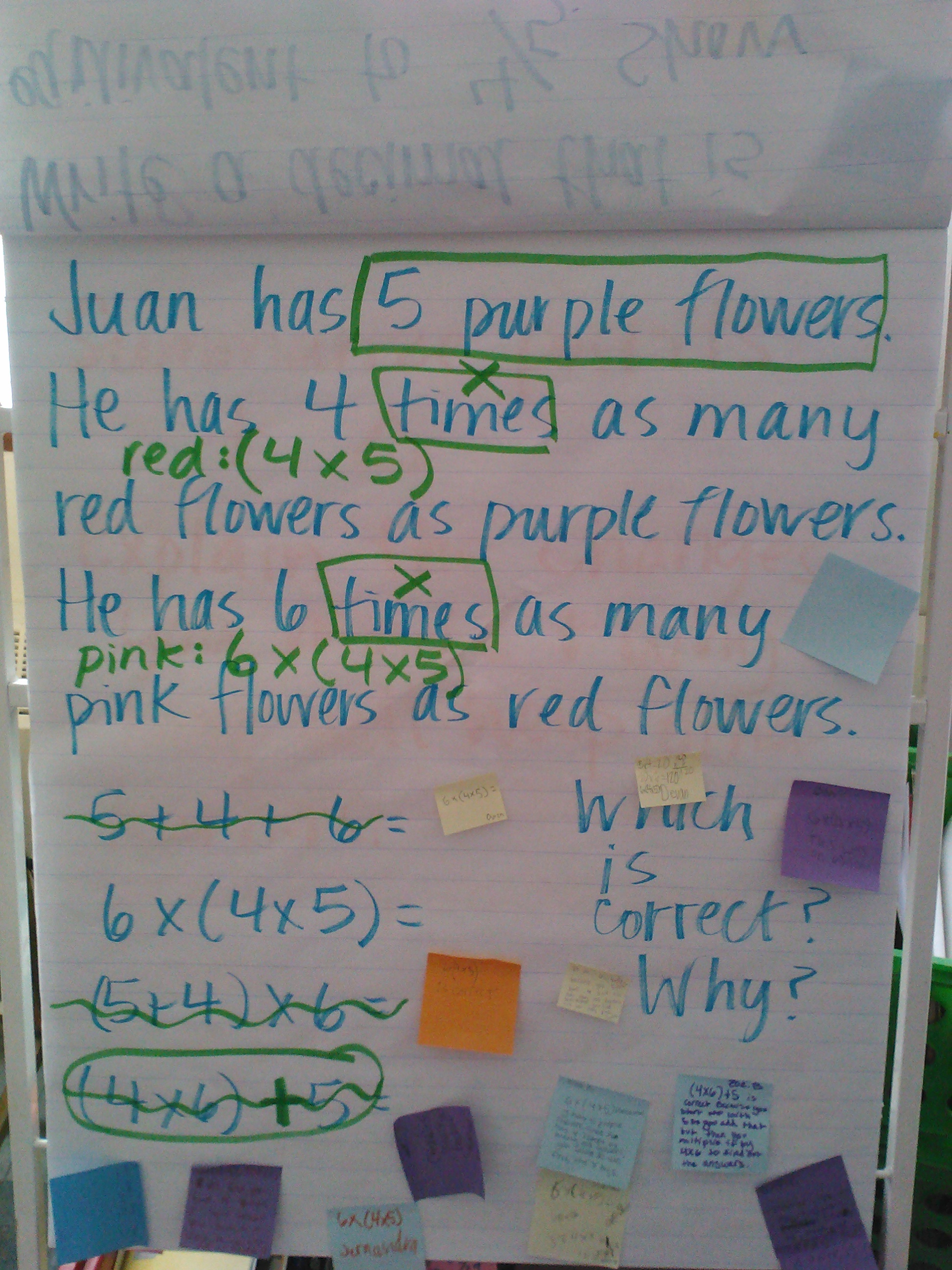
This is another Edison problem, but I changed the numbers.  Many students are still not remembering to make the denominators the same before they add.  This one also elicited great conversations around simplifying answers--both how and why here as well.

This is another Edison problem, but I changed the numbers. Many students are still not remembering to make the denominators the same before they add. This one also elicited great conversations around simplifying answers–both how and why here as well.


I’m hoping I’m back in the routine of posting warm-ups.  Sorry if you’ve missed them! 🙂


iPad Scout Reflections Week 2: Math Revisions and Video Thoughts

So I realize it’s really only been a couple of days since I posted my Week 1 Reflections, but since today was technically the end of Week 2 and we had such a fabulous tech day, I thought I’d tell the story today.

Since our horrible experience last Friday trying to get our Dropboxes all figured out, we’ve had some pretty successful days with our iPads.  Today was a particularly great day, with many great ideas flowing about how we could enhance our learning by using our iPads to record our thinking.

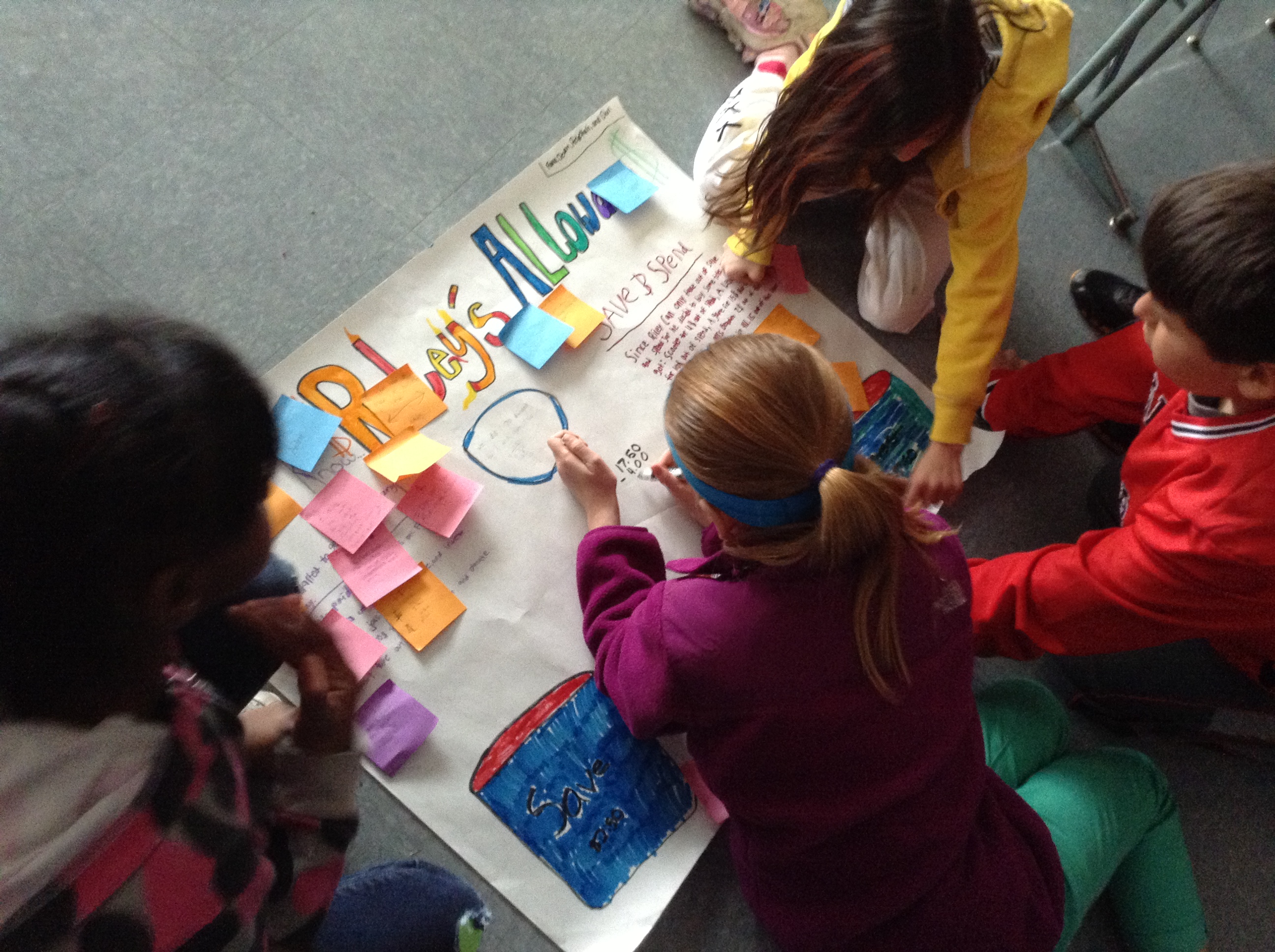
On Monday, we started an investigation in math that was focused around my son, Riley’s, allowance.

Riley's Allowance Problem

Riley’s Allowance Problem

Now, the math involved in this problem was not difficult; the focus here was on using clear and concise notation to record thinking, as well as revising your work before “publishing” it for others to see.  We focused on making sure we followed all of the directions and did the whole problem (which is a great skill to review since we’re doing state testing starting in about a week and a half. 🙂 )

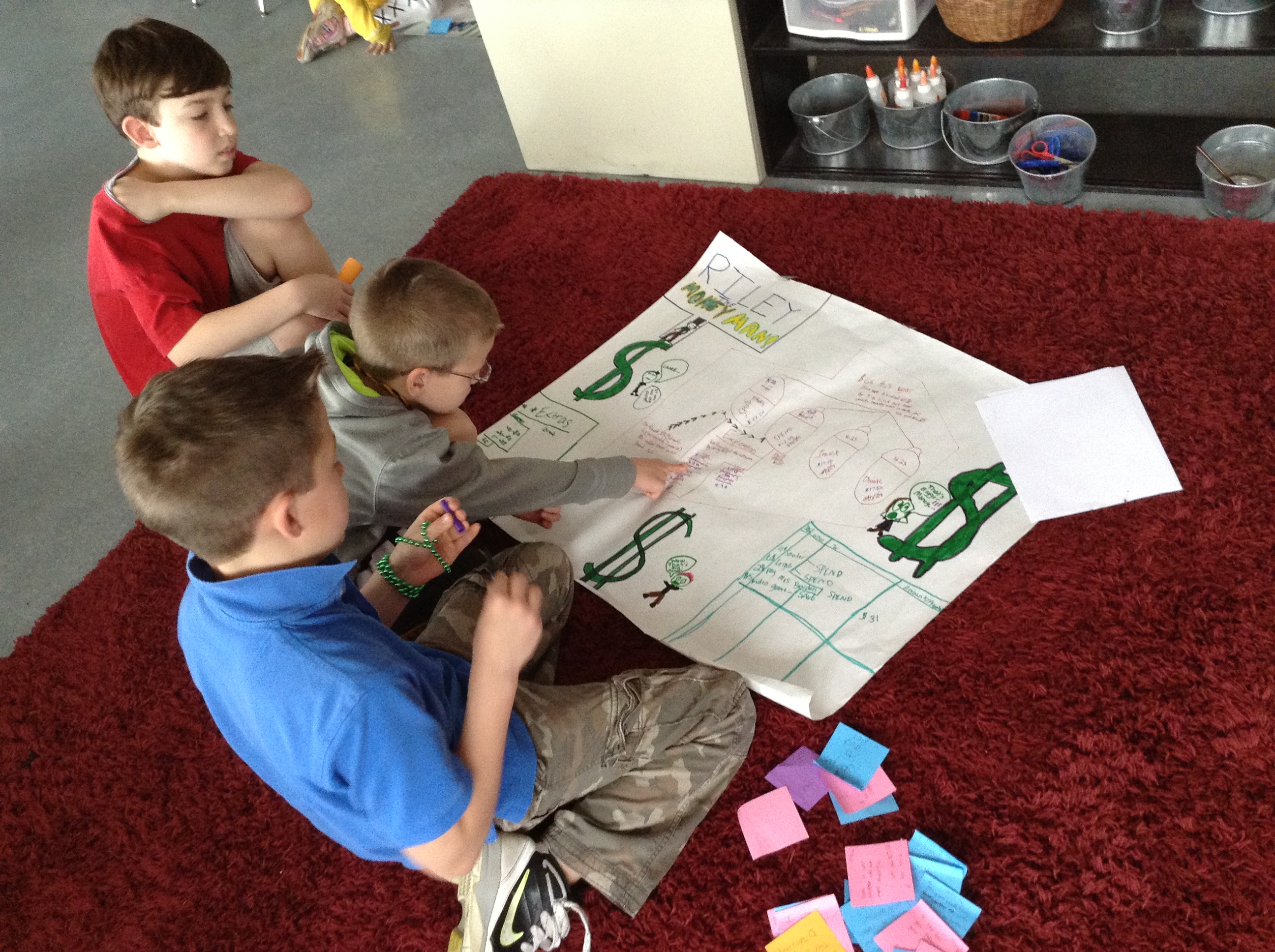
Kiddos spent two days working on the problem and then creating their posters.  After everyone had a poster, we did a gallery walk where groups were responsible for leaving feedback for others related to how well they accomplished each of those goals.  They left plusses and deltas for the group to consider as they revised their poster later.

IMG_0793

Revising based on what classmates said about their poster.

IMG_0795

One of their “deltas” was that they had too much white space and not enough numbers. They added in equations to show how they got their answers.

IMG_0797

Creative use of paper scraps as “white out” to cover parts they needed to change.

IMG_0798

Don’t you just love the combination of “old school” and “new school” here? IPads right alongside big ‘ole paper and markers. 🙂  They’re using one as a calculator and the other has a screenshot of the original directions where they did their draft work before the poster.

IMG_0800

Adding headings to each section (which classmates thought included too much writing) helped their thinking make more sense.

Then, I gave them one more direction: make a video to summarize your post-its, share your revisions and explain why they would help learners better understand your poster.  Pretty cool, huh?  Here’s what they did next:

I’m trying to decide when to mention that it took SIX STEPS to get those videos from where they were recording to being able to embed them on this blog post!!  WHAT?  I’m sure some of it was me not knowing some details about Dropbox (where I was hoping to be able to upload the videos so I could have access to them on my computer after school), but honestly, some of our biggest problems come from the filter that our Minis have embedded on them.  Obviously an internet filter is a necessary thing to have, but so often it also keeps us from efficiently doing what we need to do as learners.  So…the videos went from kiddo iPads where they were recorded——–>they were sent to me through iMessage (which ended up being the only way we could figure out to export them, and by the way, we had to set up before we could use today)——-> then I learned how to upload them to the Dropbox app on my Mini so I could access them———>then I had to download them to my computer, since the Dropbox they were in is not the same as my personal Dropbox linked to my computer—–> then they were uploaded to YouTube——-> and THEN they could be added to my blog.  Are you tired yet?

That definitely wore me out a little.  Surprised I had any energy left to even write all these words!  Is that crazy to anyone but me?  PLEASE, PLEASE, PLEASE tell me if you know an easier way to get video from kid iPads to a usable form for me.  I want to use them more often for things like this, but I’d love to be able to do it without so much work. 🙂

(And so here I was going to add a really SUPER idea that my friend ZB had today about how to show our thinking about poetry, but surprisingly the examples I wanted to share are still on the iPads where we recorded them today.  Just didn’t have enough hours in the day to figure that one out.  Hopefully tomorrow. 🙂 )

iPad Scout Reflections Week 1

Last week I showed you some fabulously happy 5th graders with their new iPads.  And somehow, a week (almost 2!) has passed, and I haven’t updated you.  Man–what was I thinking?  Oh yeah, I’ve been living in iPad mini world!

So…how’s it going?  That question is harder to answer than just a simple “yes” or “no,” because obviously this past week has had both its ups and downs.  Growing pains, maybe.  I realize that some (or maybe most) or our issues are related to the fact that this is all still so new, and figure they’ll work themselves out as we go along.  So I guess I’ll digest it all and share in terms of Highs and Lows.

Here we go:

HIGHS

1. From the first morning after we got our new learning tools (not toys!),  I was rethinking how we’d do things.  Not that it was a huge change, but I wanted them to be able to use their Minis from the second they walked in, and so put our morning agenda on the blog instead of on our screen.  They accessed it via a QR code that I put up instead.  It was really funny to see all the smiles on their faces as they walked in and saw what we were doing.

2. We have used a new app for our whiteboards during math!  We’re used to working out problems during small groups, but usually we’re fighting to find markers that work, spending lots of time getting them out and putting them away (not the best situation, but it happens, right?).  Now kids can easily open their Educreations app and work their problems, using different colors if they want, either writing with the pencil feature or typing with the keyboard.  Even better than that–we used the same app for a pre-assessment for our next unit!  With the recording feature of Educreations, students could read decimals to me, as well as work through multiplication and division problems and explain to me what they were doing while they did it.  A. MAZ. ING.   The only downfall?  I now have about 5 or 6 hours of videos to review…

3. Dropbox is making sharing and turning in documents super easy!  Thanks to my super-smart, tech-savvy friend Genie, who is along in this iPad Scout with me, my students and I share some folders in Dropbox that allow me to upload files to them to download and read (or mark up, using Notability, which we also discovered last week!), then upload to a different shared folder for me to review later.  Crazy, right?  It’s just the way I use Dropbox as an adult, which is great, too, because this is a real-life skill.  They were pretty much amazed by this whole deal.  I found it very cool because we could do something we would have done anyway in a new (and once we learn how it all works–more efficiently) way.

4. Our iPads fit right into what our fabulous art teacher is doing with her photography unit, but she doesn’t have to worry about figuring out a schedule for kids to share digital cameras or worry about taking time to upload all of their pictures.  They can take and then use all of the photographs they want, right on their iPads! Easy peasy. 🙂

5. We can blog at a moment’s notice!  This is probably the thing that I love the most, because we use our blogs to share and reflect upon our learning many times a day.  Previously, that meant making sure that everyone had a laptop (from the cart in our room and probably the cart next door, too), turning it on, waiting for it to turn on and be ready, going to our KidBlogs and logging  in, then writing, and repeating the whole thing in reverse.  Ok, so that’s really not hard, but it is time-consuming enough that it makes it inefficient to do more than once a day.  Now, they just pick up their iPad, which is right near them (and they were probably already using anyway), touch the app (which is always logged in as them and goes straight to their blog) and go!  They are writing more on their own than before, too, since they can add a new post about whatever they’re thinking about without having to go through that big “to do” that I mentioned previously.  WE LOVE KIDBLOG ON OUR IPADS!

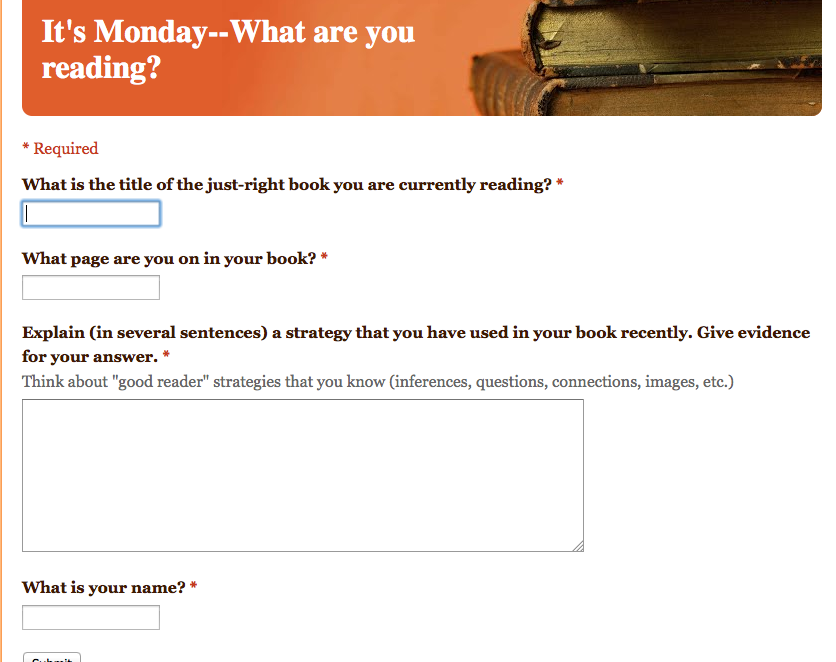
6. We now have a way to do two more new things that are a part of our normal routine in a more efficient (and more motivating for some) way.  I have been wanting to look into using Google Docs and Google Forms for a while now, and I finally found a reason to do so!  On Mondays, we do something called It’s Monday, What Are You Reading? (which I stole from some way-smarter-than-me people I connect with on Twitter), which is essentially just a way for readers to share with me and each other what they are reading and what page they are on.  I can then use that list to keep track of what readers are doing, and address needs that may arise.  We used to do it on a checklist that I keep, but now, using a QR code that sends them right to the link, kiddos do it on their own and send me the info!

Live view of our Google Form for It's Monday, What Are You Reading?

Live view of our Google Form for It’s Monday, What Are You Reading?

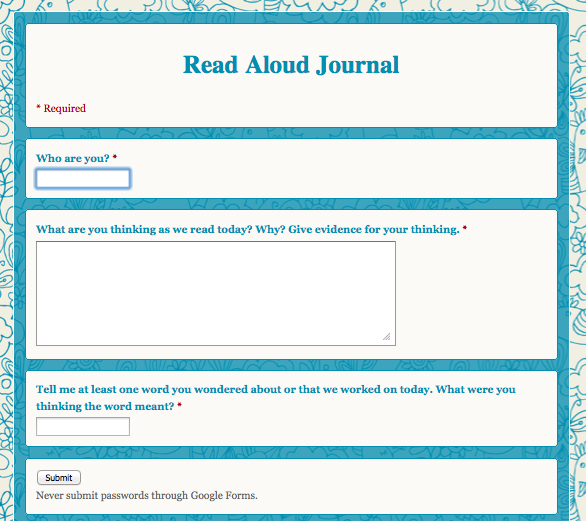
Another thing that we now have in an electronic format is our Read Aloud Journals.  While we will not always complete them online (it’s not the best platform for every learner, nor can you record images you’re having while we read), it’s a great way for me to do check-ins and get a picture of what is going on in their heads during our Read Aloud time.  Kids love this one, too!  Plus, it’s just cute.  But not that that would ever by why I would do something. 🙂

Electronic Read Aloud Journal

Electronic Read Aloud Journal

So, overall, it’s been a great week with in our new 1:1 world.  I’m sure that I’ve forgotten something really innovative and fabulous that we did (and I’ll remember as soon as I post this!), but I couldn’t possibly put it all in one post, anyway.  Really quickly, though, I’ll share some lows.

LOWS

1. They’re new.  Just that mere fact that it’s a new “toy” means that everyone wants to fiddle.  And always touch the screen.  And figure out what settings they can change without breaking any rules.  And forget that they shouldn’t be app shopping during math class.  I’m hoping this wears off soon, as we really focus in on how this device can enhance our learning.

2. There have been some Wi-fi issues.  Even though the district did much up front work and we have amazing structures in place, putting this many more devices on the network at once is going to cause some hiccups.  It’s just annoying when those hiccups come right in the middle of trying to show 20 5th graders how to set up their Dropboxes.

3. Everything takes 10 times longer than you anticipate or want it to.  The Dropbox scenario that I just mentioned was nightmarish on Friday afternoon as we had to keep going back and forth from the Dropbox app to Dropbox.com to their email to access invite messages and back again.  It’s not that it’s anything new, or unlike what I had to do when I set up my own Dropbox, but their understandings are different (they also can’t envision how what I’m asking them to do will work in real life) since they haven’t used Dropbox before.  And then add in those wi-fi issues and we only go through 1/22 of what I wanted to do with them.  But then there’s a lesson in that, too.  Sometimes you have to put down the technology and walk away.  Or just do something the old-fashioned way that you know will work without the wi-fi connection. 🙂

4. Subs don’t have the same visions and understandings about how these devices are meant to be used as you.  They might give your students “free iPad” time, which is just an invitation for problems when you’re talking about 5th graders who have only had their iPad for a few days.  No huge issues, just some bad habits started to form already.  I had to quickly “unteach” the idea of “freetime” and “playing.”  At school these are for business.

Ok.  Enough for now.  My posts always end up WAY LONGER than I first plan, and this one is no different.  I leave with some questions for you:

1. What insights do you have to share with us after reading about our first experiences with 1:1 in our 5th grade classroom?

2. What suggestions do you have for us as we move into Week 2 and beyond?

Tuesday, April 2, 2013

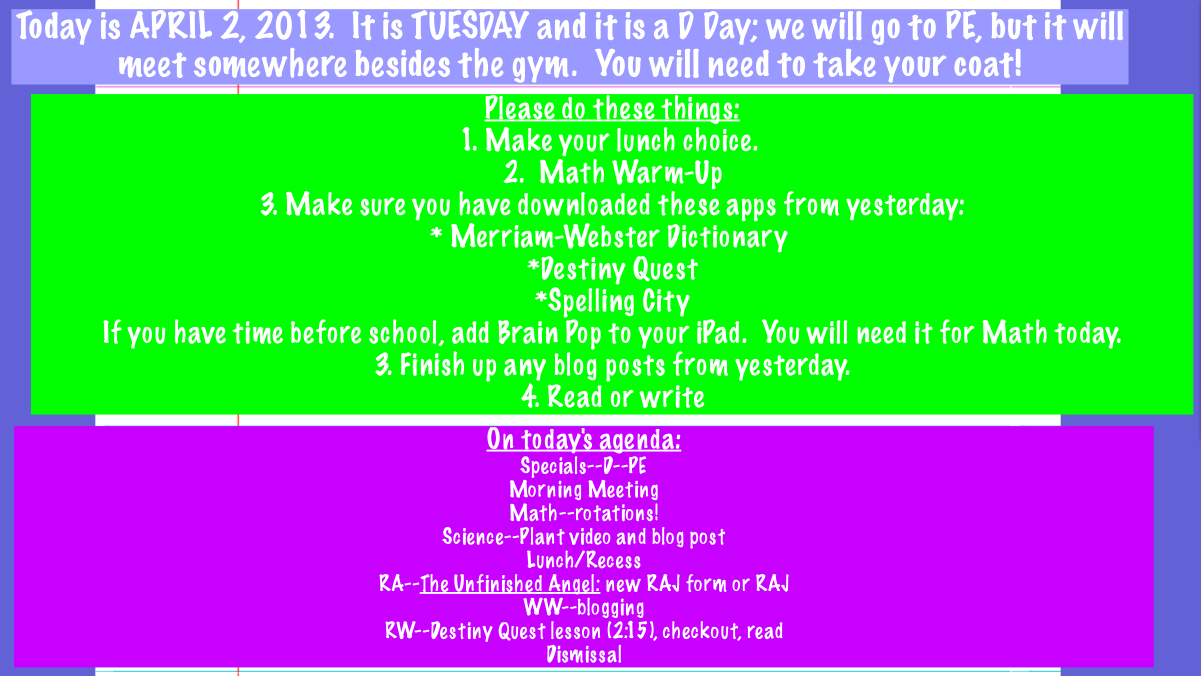
Boo. 😦  I have a sick little girl.  I’ll tell you the story when I return, but long story short is I’m home today.  I am certain, though, that you will still be the fabulous, fearless, fantastic 5th graders that I know you are.  Don’t forget our norms and the Robinson Road Rules, treat each other kindly and you’ll have a great day!  Here’s the morning screen:

Screen Shot 2013-04-02 at 12.18.01 AM

It’s Election Day, so routines may look a little different, but other than that, it’s a normal learning day–only without me!  Can’t wait to hear how amazing it was!  🙂

iPADS!!

I cannot believe I haven’t written about this yet, because I feel like my life has been pretty much Applecentric lately.

Really long story (and if you’re interested in the story you can read my principal’s blog about it here) short, my class (along with Mrs. Hong’s 5th grade class) went 1:1 with iPad minis today!

Before I say anything else, let me show you how they felt about it! IMG_0775 IMG_0776 IMG_0777 IMG_0778 IMG_0780

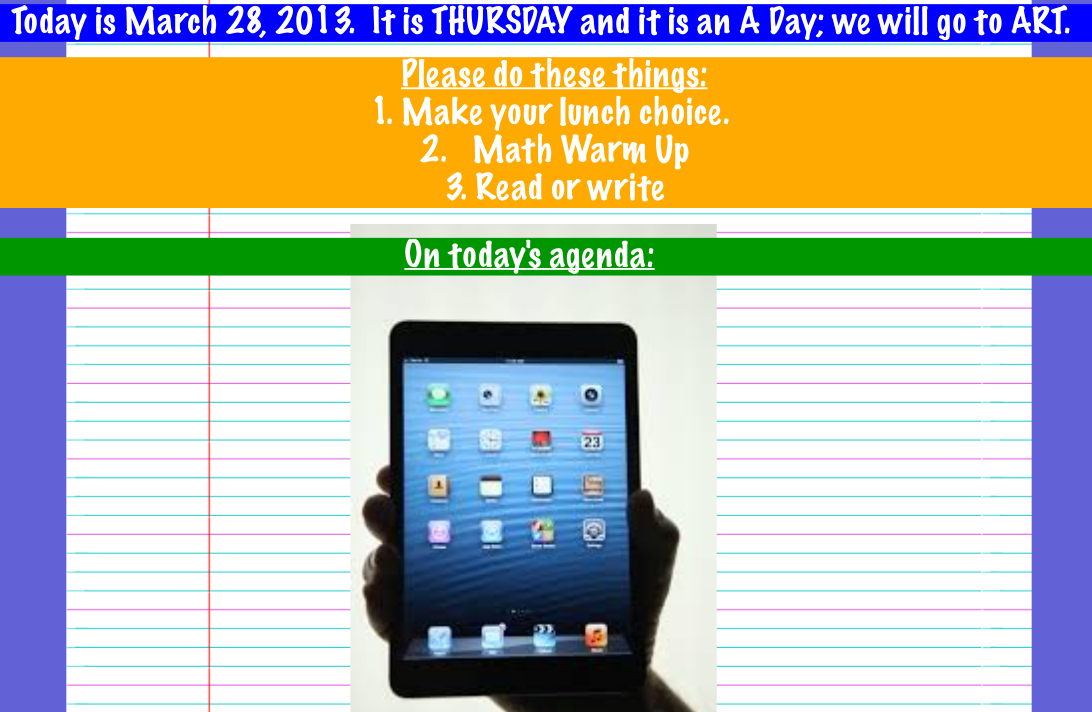
We began the day with this morning welcome screen and my kids knew they were in for a TON of fun, and also a ton of work:

Screen Shot 2013-03-28 at 9.25.11 AM

After specials, we headed to the library, where we met Mr. Strecker, our district’s tech guru, who had two big ‘ole boxes of Apple goodies for us.  Then we got busy.

Mr. Strecker, helping solve problems, as usual.  He's kind of magic, actually. :)

Mr. Strecker, helping solve problems, as usual. He’s kind of magic, actually. 🙂

We spent most of the next hour working on setting up the iPad so we could start using it–you know, Apple IDs, mail settings, etc.  While I knew we could handle it, and we had Mrs. Hong leading the way, it’s really hard to do anything this technical with 40 5th graders!  After that hour was over, we headed up individually to our classrooms, to finish our setup.

Mrs. Hong, another tech guru, leading us through iPad setup.  We luckily had a Keynote created for us to work through--made the whole thing a little clearer because it added a visual for those who needed it.

Mrs. Hong, another tech guru, leading us through iPad setup. We luckily had a Keynote created for us to work through–made the whole thing a little clearer because it added a visual for those who needed it.

Setting up email, Apple IDs, etc..

Setting up email, Apple IDs, etc..

Upstairs we finished up with a trip to the App Store, where we signed in and did just enough to get them really jazzed about getting started.  Then we went to lunch.  Ha!  (Nice, right?)

After lunch we put the iPads away for a while to work on a math assessment we needed to finish today, but did get our new friends out to scan a QR code that led us to the website where they input the answers to be graded.  Couldn’t get away for very long. 🙂

Finally, as the main goals for the day, we downloaded some necessary apps (Kid Blog, Edmodo and Pic Collage) and then used them.  Kiddos used Pic Collage to make a display that we put set as our lock screens–now we can tell whose iPad is whose!  I wish I’d have saved some of their creations–5th graders are HILARIOUS when you put a camera in their hands and tell them to go for it.  Maybe I’ll have them share them with you!

So…nothing “big” officially happened today, but here are my thoughts so far on Day 1 of our 1:1 iPad Scout:

1. I am excited.  Really excited!  I’ve heard many people talk about how there’s worry about kids being “plugged in” and zoning out, but I’m already thinking the opposite will be true.  I know it’s only the beginning, but I LOVED what happened when we started using our Minis for real:

IMG337We’re already finding “experts”–they are teaching and learning together about what to do and how to do it!

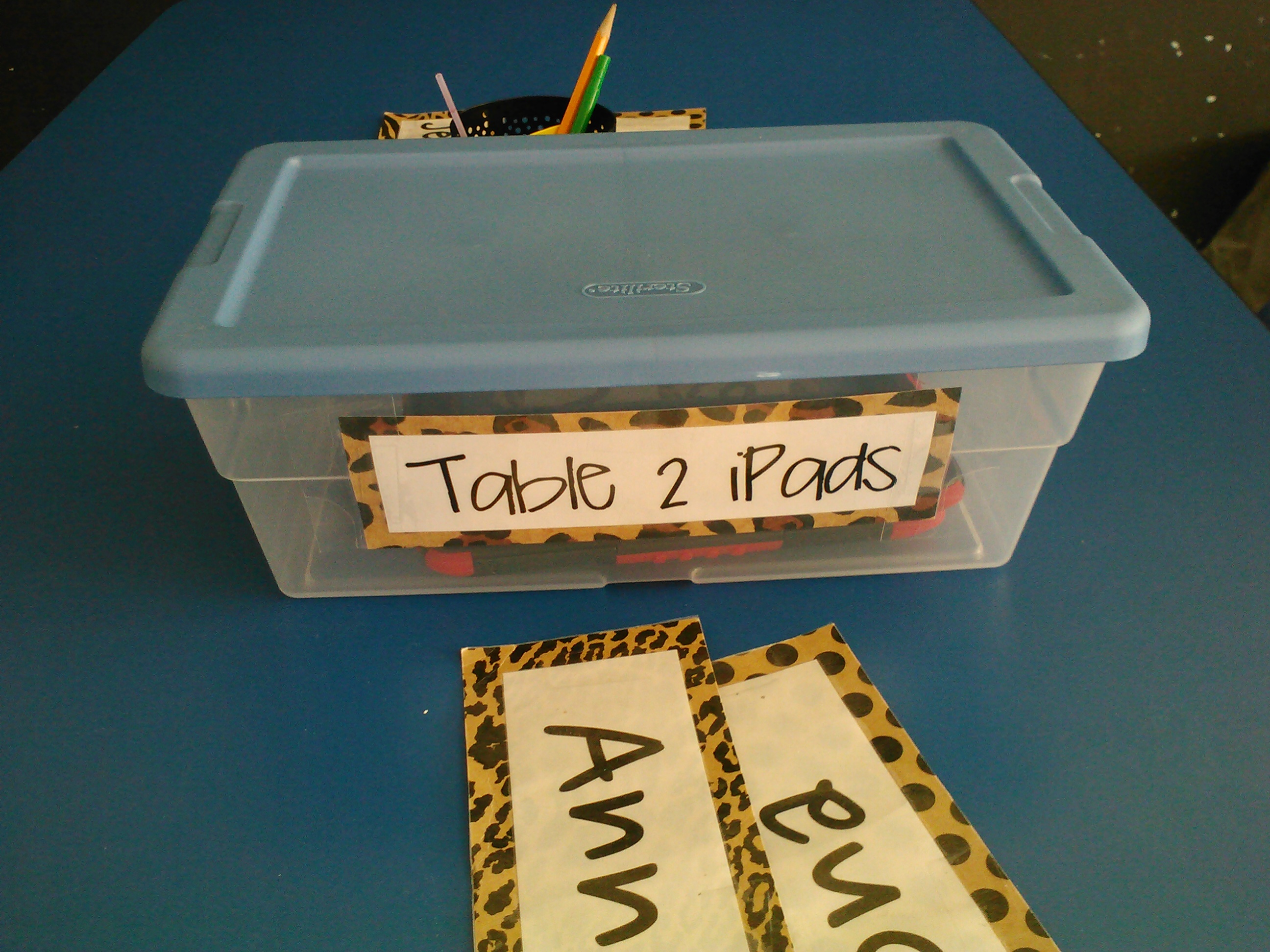
2. I needed a plan for a safe place to keep them when they’re not in use (because no, they won’t be permanently connected to our hands), so I made tubs.  I think they’ll work, and they’re cute. 🙂

IMG341


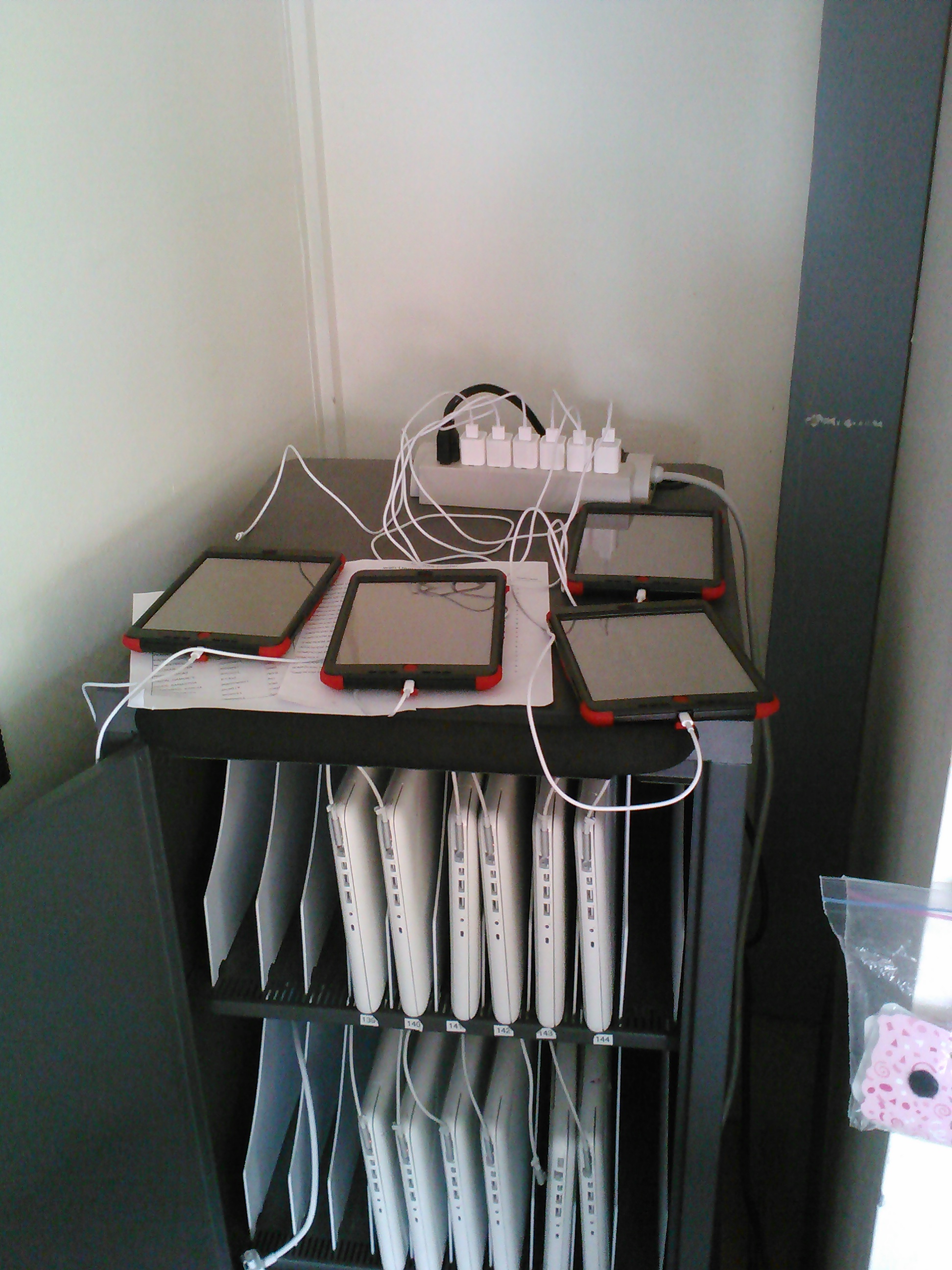
3. Eventually there is a plan for kids to take their Minis home (after they participate in a Digital Citizenship workshop with their parents), but for now they’re at school.  And I’m already having charging issues.  Don’t really want to spend my time plugging and unplugging iPads.  This is what we’ve worked out so far.  I made another station just like it on the other side of the room on the windowsill:

IMG342


4.  My kids are ready to go 1:1 and I hope I am.  I am generally tech-fearless, and am ok when I don’t know it all, and I hope I stay that way.  We have a great opportunity in front of us and I want to make the most of it.  We’re really lucky around here!

Seamus is seriously working on his iPad post on his newly-downloaded Kid Blog app.

Seamus is seriously working on his iPad post on his newly-downloaded Kid Blog app.

Pic Collages being made for lock screens.  Hope to use that app later on for other projects!

Pic Collages being made for lock screens. Hope to use that app later on for other projects!

Cheese!

Cheese!

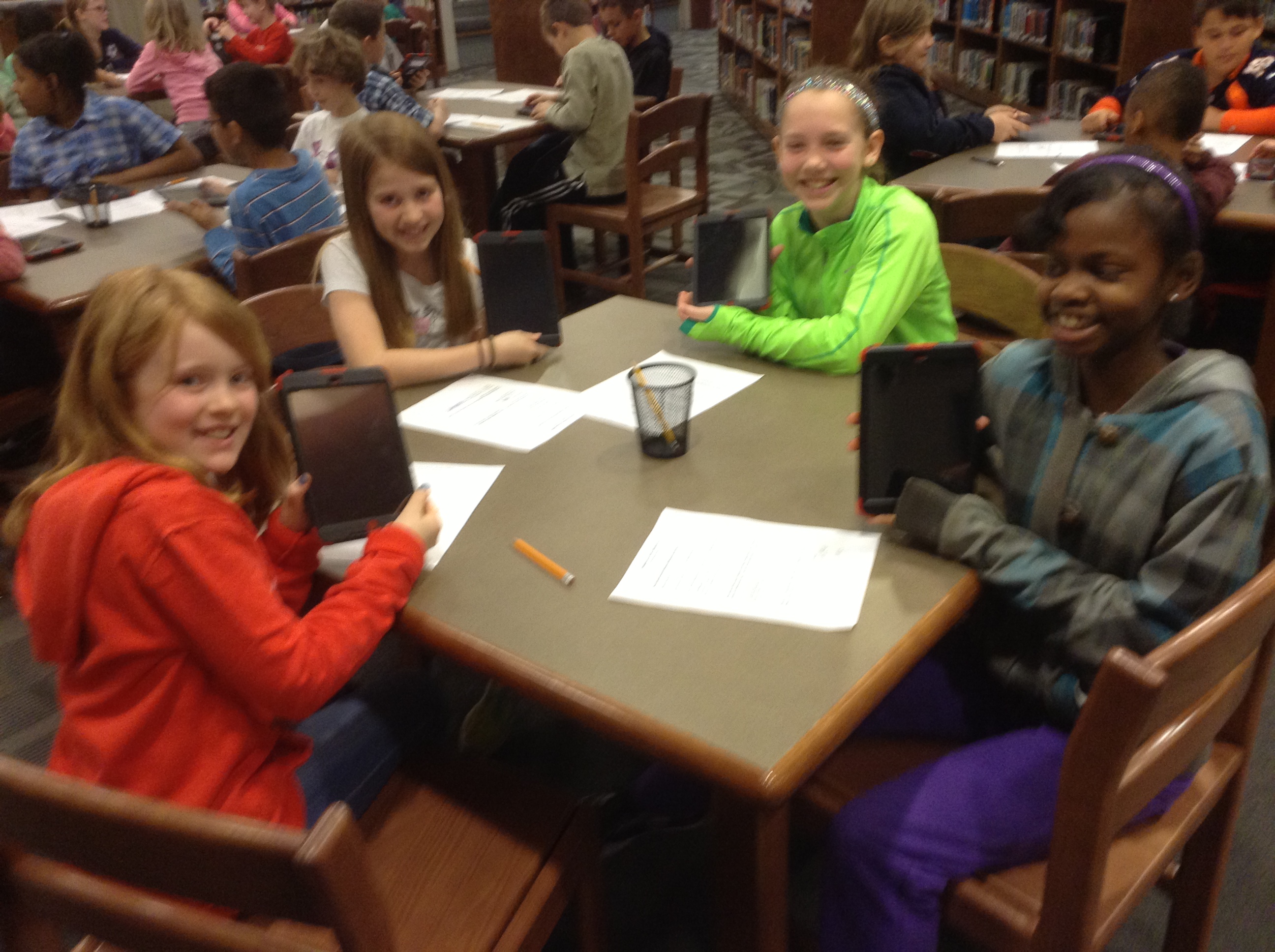
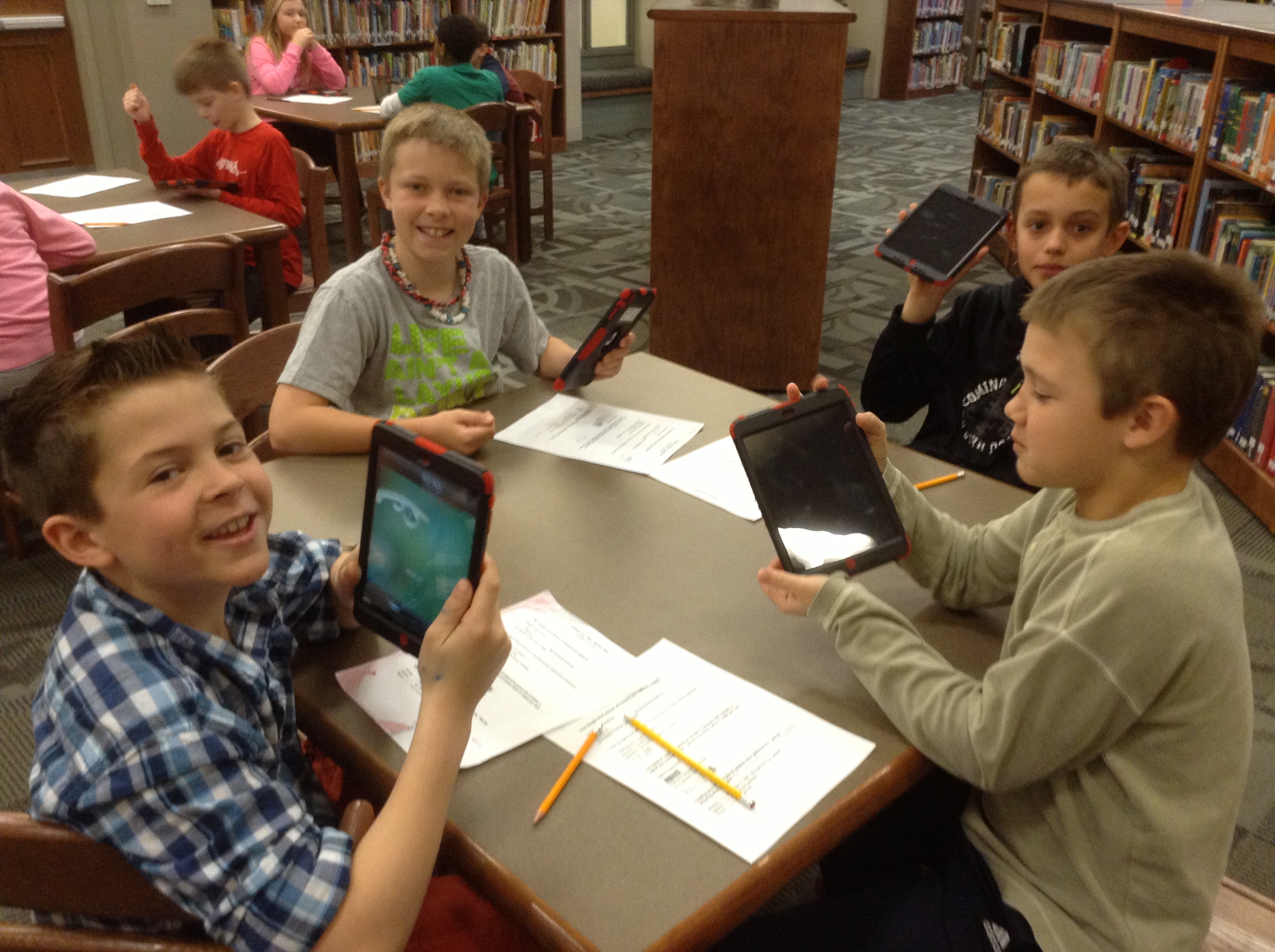
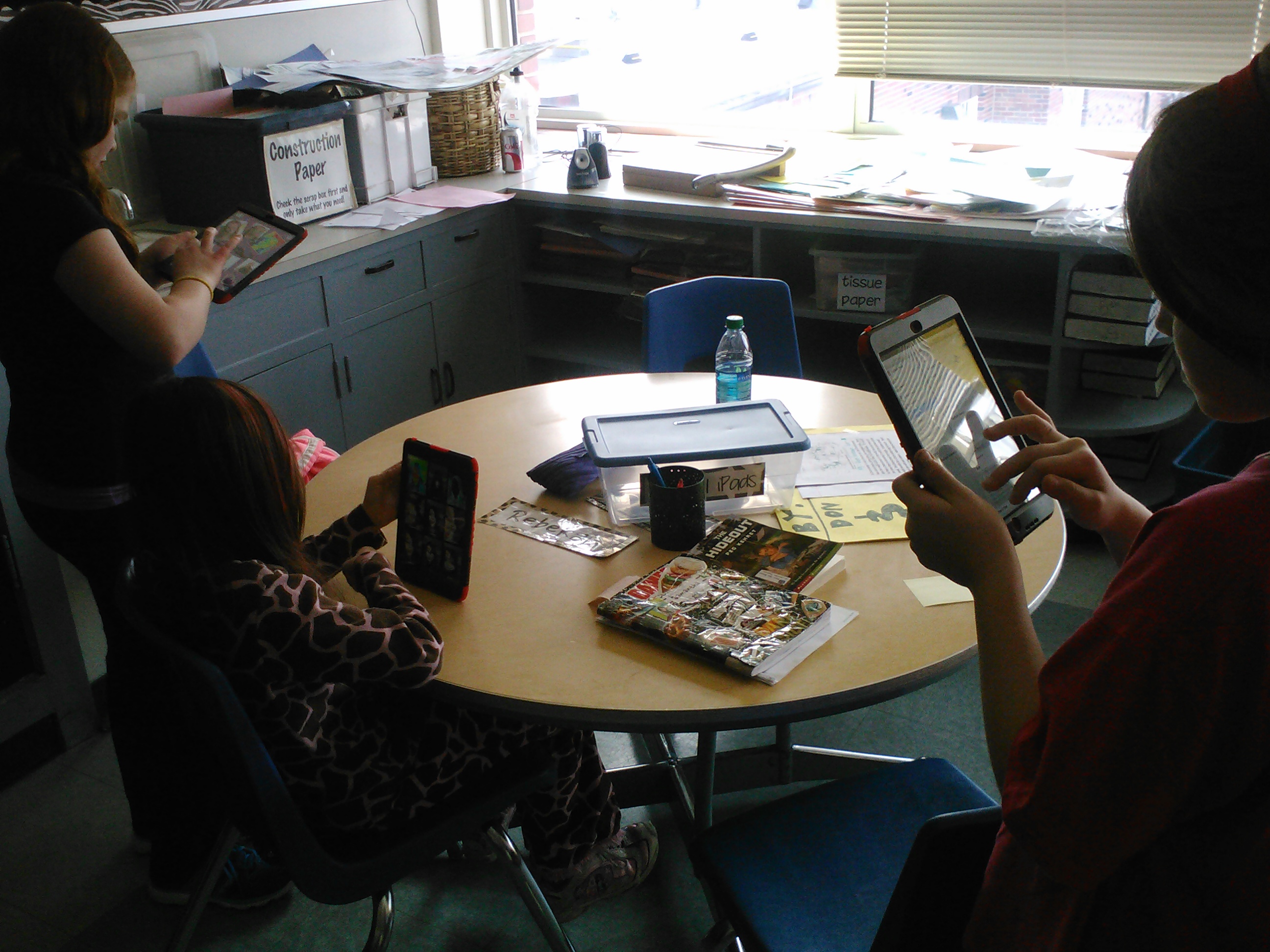
This is the new table in Rm 202--iPads everywhere!

This is the new view of a table in Rm 202–iPads everywhere!

One more thing: be sure to read about what my kiddos thought about today!  They used their Kid Blog app to tell the world about it!

So…now I need your help!  What advice can you give me as I start this 1:1 journey?  How do you best utilize devices with your students for the best learning?  Leave a comment and help us out!


Dichotomous Keys, WebQuests and the Zoo–Part 1

We have been busy scientists lately in Rm. 202.  Let me tell you about it! (And also let me apologize for not writing about Science very often.  This may be one of the first posts I’ve ever included about our lives as scientists…boo. 😦 )

During 3rd quarter we were busy learning about many things.  The latest science unit we ventured through was one on Living Systems, specifically animal classification.

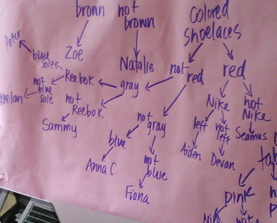
One thing we focused on was dichotomous keys.  What?  You’ve never heard of them?  Well before I started teaching about them in 4th grade several years ago, I hadn’t either!  Well at least I didn’t know that’s what they were called.  Let me show you what I mean:

Dichotomous key to determine Silly Scientist names of common items

Dichotomous key to determine Silly Scientist names of common items

The goal is for students to be able to use keys like this to identify animals, but we started somewhere else.  With shoes.  We worked first to CREATE a dichotomous key, so we’d know how it works, and then we practiced using it.

We began by putting everyone’s shoes in a big pile on the floor.  Then, we had to decide two groups that we could classify all those shoes into (see, the dichotomy part–two groups).  Here’s how we started:

Screen Shot 2013-03-24 at 4.32.20 PM

Shoes were put into one of two groups: boots or not boots.

Then, with two groups, we tackled the “boots” pile first.  Again, we asked ourselves what two groups we could make.  This was pretty easy, and so we decided on:

Screen Shot 2013-03-24 at 5.10.32 PM

Only two choices with this one! There were two boots, one was brown and the other was not. We could quickly label those as Natalie and ZB202’s shoes.

Next we had a big ‘ole pile of everyone else’ shoes to classify.  We started like this:

Screen Shot 2013-03-24 at 4.36.59 PM

We looked at shoelaces on all those “not boots.” They all happened to be tennis shoes, by the way.

Screen Shot 2013-03-24 at 4.40.24 PM

Two more: this time looking at the inside of the shoes

Screen Shot 2013-03-24 at 4.43.15 PM

The last step here was pretty easy: only two shoes left, one was a Nike and the other was not. So we could then label one of them as Anna’s and the other as Damonte’s.

Screen Shot 2013-03-24 at 5.04.23 PM

The other side (colored insides) was a little bigger, so needed more groups: tab/no tab, then Nike/not Nike, and pink/not pink and blue/not blue.

After that pile was classified and labeled, we could tackle the other side of the “not boots” bunch, which was colored shoelaces.

Screen Shot 2013-03-24 at 5.14.38 PM

You can see that we had many more small categories in this group, but went through the same process: what two groups could we break the larger one into?

And so once we were finished, our key looked like a beautiful tree, and ended with everyone’s names.  We could now use that key to determine whose shoe was whose.

IMG275

Devan uses our dichotomous key to identify Sophia’s shoe.

Here is Natalie in action, proving how she knows who shoe she has in her hand:

After we had practiced with this dichotomous key that we built, kiddos had a go at the one from the top up there, where they had to identify the silly scientific names of these common items:

1. a die

2. a small paperclip

3. a large paperclip

4. a piece of chalk

5. a popsicle stick

6. a colored marble

7. a white marble

8. a sharpened pencil

9. an unsharpened pencil

10. an eraser

Could you do it?  Use this dichotomous key and tell us what you think the names of each of these items are.  Good luck!

Screen Shot 2013-03-24 at 4.20.51 PM

Spring Break?

Missouri is one of those places where the weather NEVER makes sense.  It’s so true how the saying goes: If you don’t like the weather, wait 10 minutes.

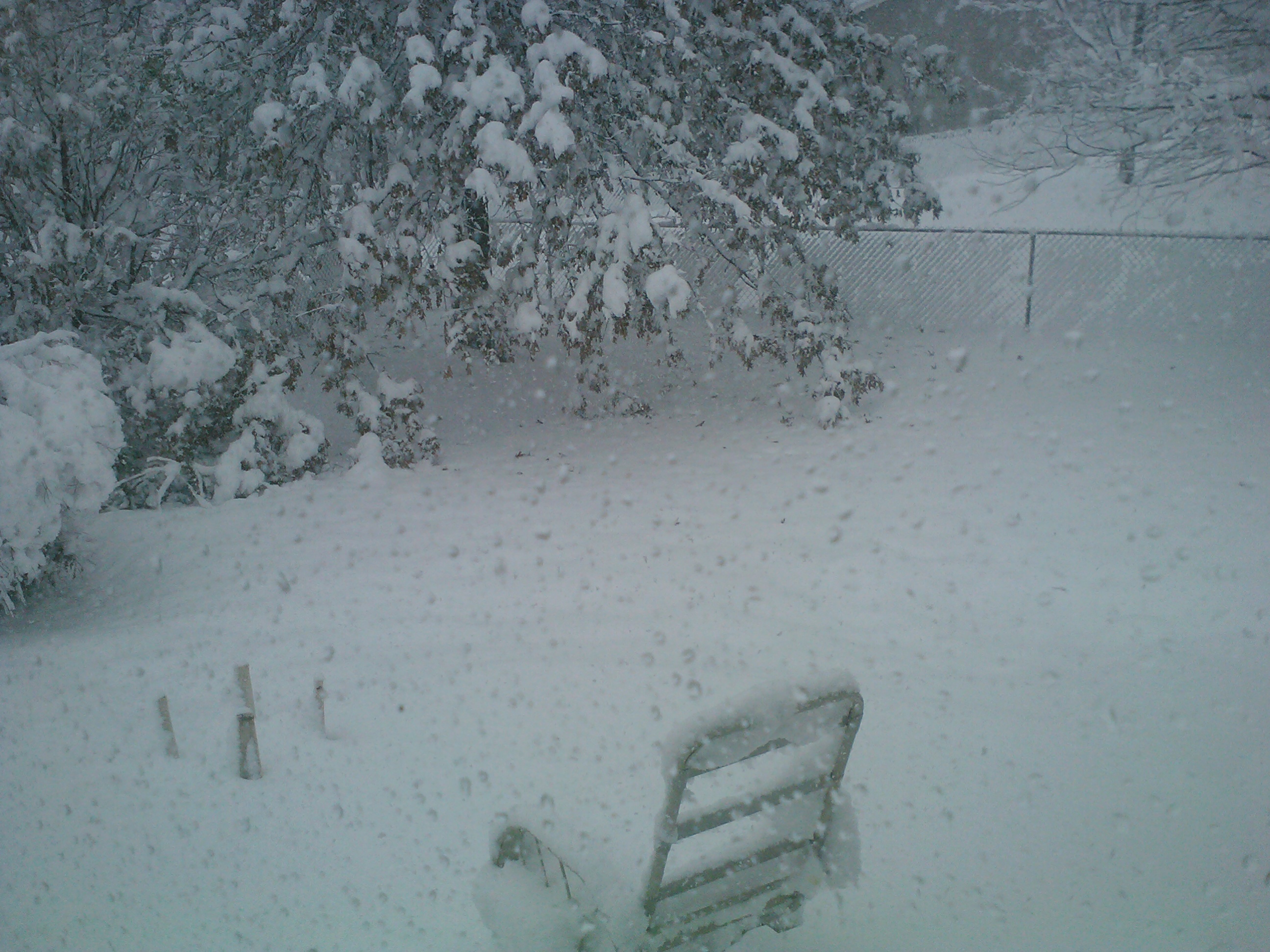
And so, I am completely surprised to be showing you these pictures from outside my windows today.  Reminder:  today is March 24.  Yes, it’s SPRING.

View from the front porch

View from the front porch

Backyard  Can you see the poor little CONFUSED birdies hopping around out there?  :(

Backyard Can you see the poor little CONFUSED birdies hopping around out there? 😦

Big, fat, heavy snow hanging on the trees

Big, fat, heavy snow hanging on the trees

And so the questions have begun in earnest: will we have a snow day?  I’m not entirely sure what I want the answer to be.  Personally, I want a SPRING day!